
Let's cut through the noise. If you're looking into business IT support for the first time, you've probably noticed something odd: most guides are written by IT providers who want to sell you their specific solution. That's not what we're doing here.
This guide gives you the knowledge to evaluate any IT support provider, understand what services you actually need, and spot the difference between genuine value and clever sales tactics.
What "Provider-Agnostic" Actually Means
Provider-agnostic advice means we're not pushing a specific vendor, platform, or solution. We're giving you the framework to make informed decisions based on what your business needs, not what someone wants to sell you.
Think of it like learning to assess cars before buying one. Once you understand what makes a reliable vehicle, you can walk into any dealership and know what questions to ask. That's what we're doing here: giving you the literacy to navigate IT support confidently.

The Core Services Every Business Needs
Business IT support isn't one thing: it's a collection of services that keep your technology running smoothly. Here's what actually matters:
Helpdesk Support
This is your first line of defence when something goes wrong. Someone can't access their email? Printer acting up? Software behaving strangely? Helpdesk support handles these day-to-day issues, usually over phone or chat.
The quality here varies massively between providers. Good helpdesk support resolves about 75% of issues on first contact. Poor helpdesk support becomes a frustrating game of phone tag.
Remote IT Support
When problems get more complex, remote support kicks in. Technicians access your systems directly (with permission) to handle things like malware removal, software updates, or configuration changes. This is faster and cheaper than sending someone onsite for issues that don't require physical access.
Onsite Support
Some problems need hands-on attention. Installing new hardware, fixing broken equipment, or setting up network infrastructure requires someone to actually be there. Even in 2026, we can't fix a broken server through remote access alone.
Network Management
Your network is the backbone of everything. If it's slow, unstable, or insecure, nothing else matters. Network management keeps your connectivity stable and fast, whether you're running a small office or multiple locations.

Cybersecurity Services
This isn't optional anymore. Email filtering, endpoint protection, firewalls, and security awareness training protect you from threats that can shut down your business overnight. We've seen companies lose everything to ransomware because they thought basic antivirus was enough.
Hardware and Software Management
From procurement through installation to ongoing licensing and updates, someone needs to manage your technology assets. This prevents the chaos of unknown licenses, outdated software, and equipment that fails when you need it most.
Business Continuity and Disaster Recovery
What happens if your server crashes? What if there's a fire? Flood? Cyberattack? Business continuity planning and disaster recovery ensure you can keep operating: or at least recover quickly: when things go wrong.
Understanding Support Models
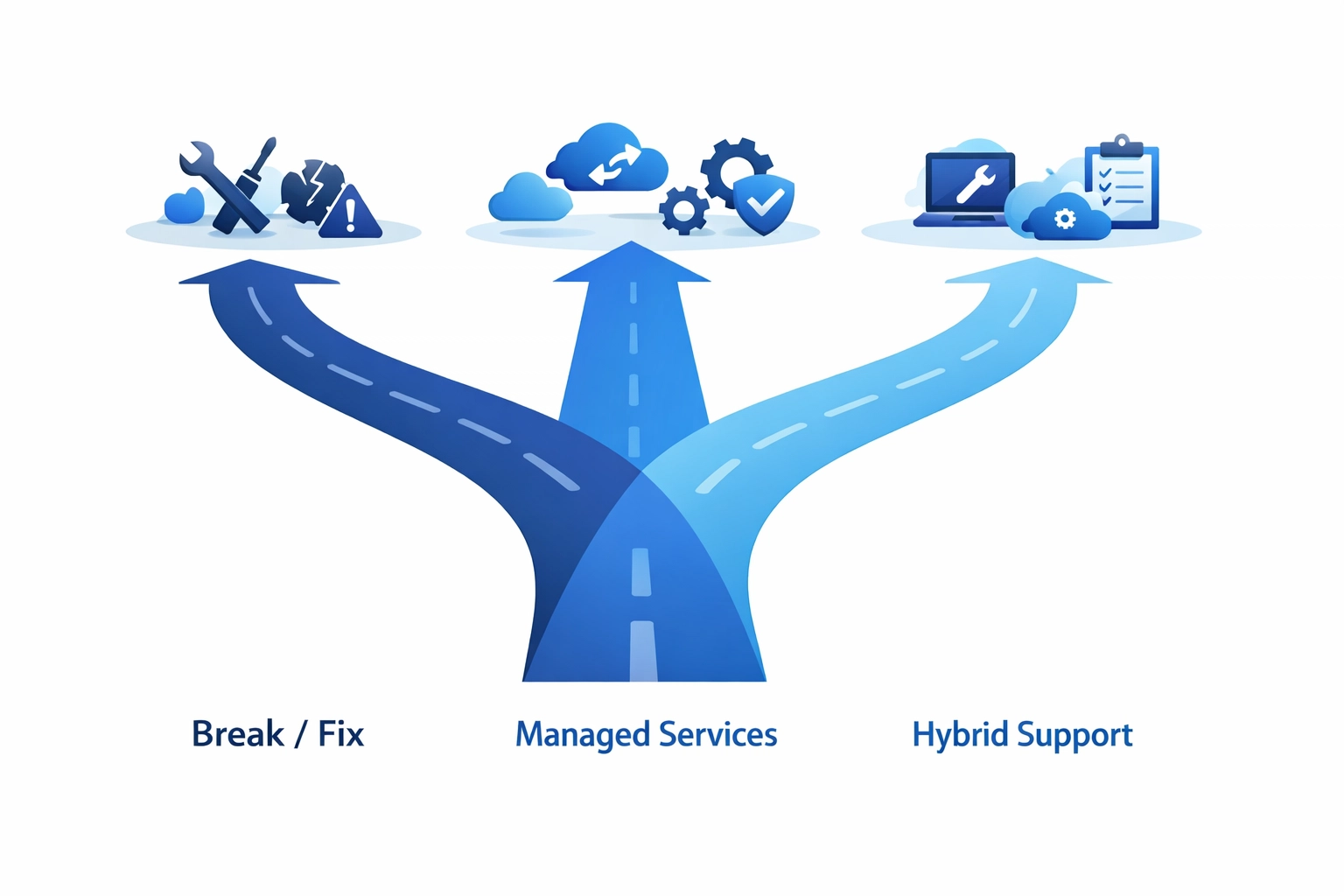
Providers offer different engagement models, and there's no universal "best" option. Here's what each means:
Break/Fix (Pay-As-You-Go)
You pay when something breaks. No ongoing costs, but also no proactive maintenance. This works for very small businesses with minimal technology needs, but it's usually more expensive and disruptive long-term.
Managed IT Services
Comprehensive ongoing support where the provider monitors, maintains, and manages your entire IT infrastructure. You pay a fixed monthly fee, and they keep everything running smoothly. This typically includes 24/7 monitoring, regular maintenance, and unlimited support.
Helpdesk-Only Model
You get remote support for issues as they arise, but not full infrastructure management. It's a middle ground: more affordable than managed services, more proactive than break/fix.
Hybrid Approaches
Many businesses combine models. Perhaps managed services for critical infrastructure, with break/fix for less essential systems. Or internal IT staff supplemented by external specialists for specific areas.

The Tiered Support System
Most IT providers use a tiered approach to handle issues efficiently:
Tier 0 (Self-Service) – Knowledge bases, FAQs, and video tutorials let staff resolve simple issues themselves. This is surprisingly effective for basic problems like password resets or printer setup.
Tier 1 (First-Line Support) – Frontline technicians who handle common issues using standard procedures. They resolve about 75% of tickets.
Tier 2 and Beyond – Specialists who tackle complex problems requiring deep technical knowledge. Issues get escalated here when Tier 1 can't resolve them.
Understanding this helps you evaluate providers. Ask how they route issues, what percentage of tickets are resolved at Tier 1, and how escalation works.
How to Evaluate Any Provider (Without the Sales Pitch)
Here's what to look for, regardless of which company you're considering:
Expertise in Your Context
Do they understand businesses like yours? A provider who mainly works with healthcare practices might not be the best fit for a manufacturing company. Industry experience matters because different sectors have different technology needs and compliance requirements.
Genuine Responsiveness
Ask about response times and get them in writing. "We respond quickly" means nothing. "We respond to critical issues within 15 minutes, 24/7" is a commitment. Check their Service Level Agreements (SLAs) carefully.
Transparent Pricing
If a provider can't clearly explain their pricing structure, that's a red flag. You should understand exactly what you're paying for and what costs extra. Watch for hidden fees that appear after you've signed.
Out-of-Hours Coverage
Technology problems don't respect office hours. If your systems go down at 9 PM on Friday, what happens? At Your IT Specialist, we believe out-of-hours support isn't a luxury: it's essential protection for your business.
Long-Term Relationship Approach
Be wary of providers who lock you into lengthy contracts with punitive exit clauses. Quality providers earn your continued business by delivering value, not by making it painful to leave.
Making IT Support Actually Work for You
Having IT support is one thing. Getting value from it is another. Here's how to maximize any support relationship:
Communicate Clearly When Issues Arise
"The computer isn't working" doesn't help anyone. "I can't access my email on Outlook: I'm getting an error message that says 'cannot connect to server'" gives technicians what they need to help quickly.
Request Proactive Reviews
Don't wait for problems. Ask your provider to conduct regular system health checks. Catching issues before they cause downtime saves money and stress.
Document Everything Important
When technicians make changes or fix issues, make sure they document what was done. This prevents repeated problems and helps with knowledge transfer if you change providers.
Stay Informed About Security
Ask your IT support to educate your team on current threats. Phishing tactics evolve constantly: what worked last year might not protect you today.
Give Feedback
Good providers want to improve. If something's not working for you, speak up. If something's working brilliantly, tell them that too.
What Provider-Agnostic Actually Looks Like in Practice
When we say provider-agnostic, here's what that means practically: If you're using Microsoft 365 and considering Google Workspace, we'll give you an honest comparison based on your needs: not commission structures. If you're evaluating connectivity options, we'll explain the real differences between fibre providers without steering you toward the one that pays us more.
This approach builds trust. We'd rather give you advice that saves you money and headaches, even if it means less immediate revenue for us, because we're playing the long game. Businesses built on honest relationships last longer than those built on pushy sales tactics.

Your Next Steps
Start by auditing what you currently have. What IT services are you using? What's working well? What's causing frustration? What risks are you carrying?
Then identify gaps. Are you adequately protected against cyber threats? What happens if your main system fails? How quickly can you get support when problems arise?
Finally, have conversations with providers: but now you know what questions to ask and what answers to expect. You're not walking in blind.
Business IT support doesn't need to be complicated or confusing. With the right knowledge, you can make decisions that actually serve your business instead of just serving a sales quota.
Need help figuring out what your business actually needs? Get in touch: we're happy to have an honest conversation about your situation, even if we're not the right fit.
