
Loading...

When something goes wrong with our IT, we need the right help quickly. But that doesn't always mean sending an engineer to the office.

For most day-to-day issues, remote IT support is faster, more flexible and more cost-effective. It can cover Linux and Windows desktops and servers, virtualisation environments, software, security updates and network configuration.

However, remote support can't replace hands-on engineering in every situation. Hardware installation, cabling faults and physical diagnostics still need someone on site.

For many UK businesses, the best answer isn't remote or on-site support. It's a remote-first IT support service with on-site help when it's genuinely needed.

What is remote IT support?

Remote IT support allows an engineer to connect to our systems securely over the internet. They can investigate issues, change settings and apply fixes without travelling to our premises.

Remote support can help with:

  • Linux and Windows desktops
  • Linux and Windows servers
  • Virtual machines and virtualisation platforms
  • Network configuration
  • User access and permissions
  • Software installation and updates
  • Cloud applications
  • Security patches and antivirus
  • Performance problems
  • Backup checks
  • General troubleshooting

This approach is particularly useful for businesses with hybrid teams, multiple offices or staff working from home. An engineer can support a user wherever they are based.

Remote support can also be available outside normal working hours. That matters when a server issue, network problem or urgent software change can't wait until the next morning.

Our remote IT support services are designed to reduce disruption and resolve issues without unnecessary travel.

What does an on-site engineer do?

On-site support involves an engineer visiting our premises to inspect, install or repair physical equipment.

An on-site engineer may be needed for:

  • Installing servers, switches or routers
  • Replacing failed hardware
  • Installing desktop equipment
  • Setting up wireless access points
  • Testing network cabinets
  • Tracing damaged or misconfigured cabling
  • Diagnosing physical network faults
  • Moving or rebuilding server equipment
  • Supporting office moves
  • Checking equipment that can't be accessed remotely

Some problems can't be solved through a remote connection. If a network cable has failed, a switch needs replacing or a server component has stopped working, someone needs to be there.

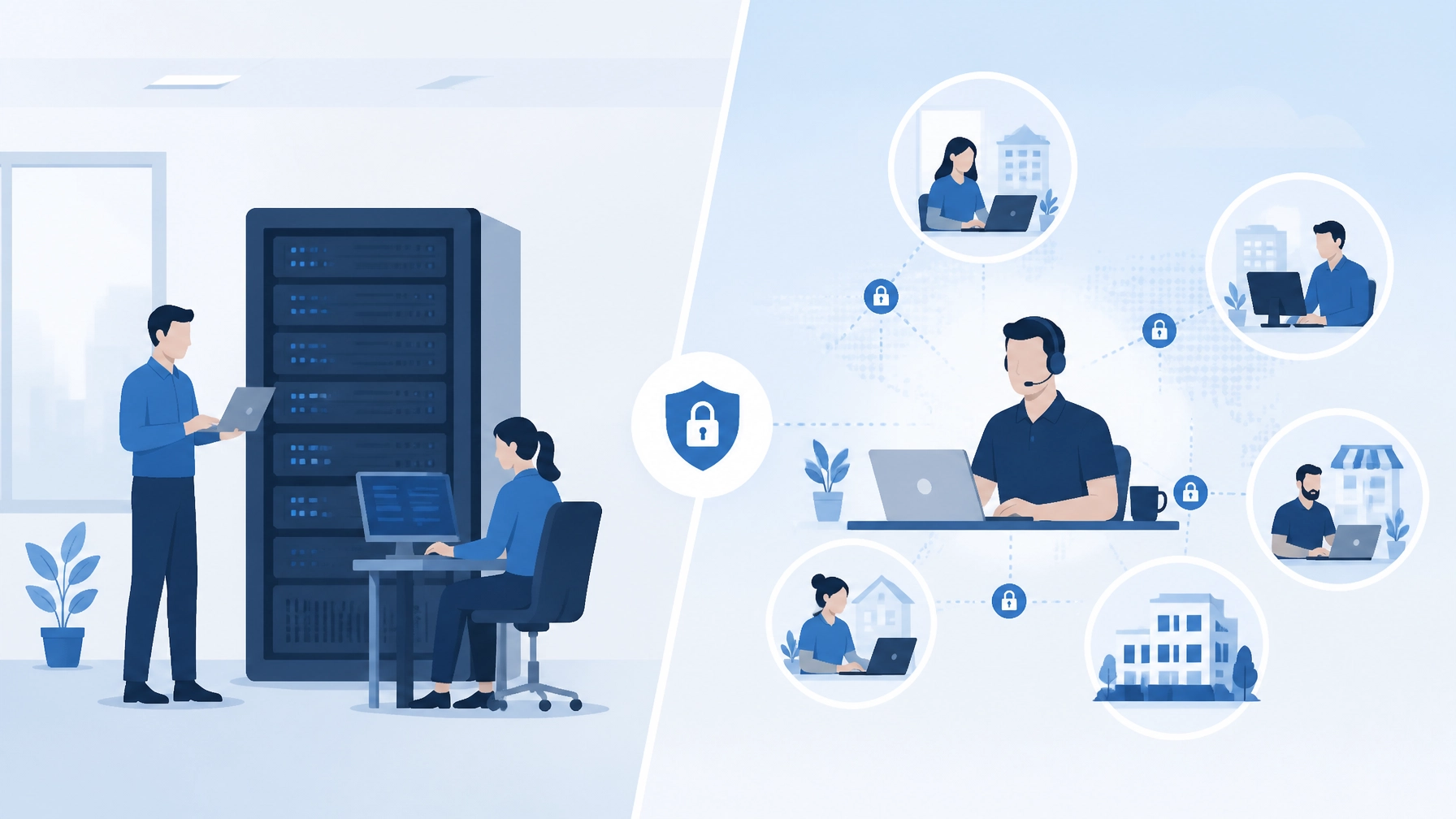
Engineer installing network equipment and checking physical cabling

Remote IT support is usually faster

Travel takes time. An engineer may need to arrange access, travel to the site, find parking and locate the equipment before diagnosis can begin.

With remote IT support, the investigation can often start as soon as the issue is reported. There are no travel delays, and the same team can support users in different locations.

Remote support is often the better option for:

  • Login problems
  • Application errors
  • Slow computers
  • Email and cloud access issues
  • Server configuration
  • Virtual machine management
  • Software updates
  • Security patching
  • Network settings
  • User permissions

A remote engineer can review logs, check system health and make controlled changes while keeping us informed.

This doesn't mean every issue is fixed instantly. Some problems are more complex than others. But removing travel from the process usually means we can start work sooner.

Remote support is often more cost-effective

On-site visits usually involve additional engineer time and travel costs. Depending on the agreement, there may also be a separate call-out charge.

Remote support avoids those costs for issues that don't need physical access. This makes it a practical choice for regular business IT support, especially for small and growing businesses that need to manage their budgets carefully.

A remote-first model can provide:

  • Faster access to technical help
  • More predictable support costs
  • Fewer unnecessary site visits
  • Easier support for remote workers
  • Better coverage across multiple locations
  • Flexible out-of-hours support

A lower cost doesn't mean lower quality. The important point is matching the delivery method to the problem.

We shouldn't pay for an engineer to travel to the office when the issue can be safely resolved through a secure remote session.

When is an on-site visit worth the extra cost?

An on-site visit is worth considering when physical work is unavoidable or when being present will reduce risk.

1. Hardware installation

New servers, switches, routers, access points and desktop equipment need to be unpacked, connected and tested.

Remote support can help with configuration, but it can't physically install the equipment. An engineer can complete the installation correctly and confirm that everything is working before the system is put into use.

2. Cabling problems

Cabling faults can be difficult to diagnose remotely. A cable may be damaged, incorrectly connected or poorly terminated.

An engineer can trace the cable, test each connection and identify where the problem starts. This can be especially important in larger offices, server rooms and buildings with complex network layouts.

3. Physical hardware failures

If a server disk, power supply, switch or router fails, remote support may identify the problem. But replacing the failed component requires physical access.

In some cases, an on-site engineer can also check related equipment. This helps us avoid replacing the wrong part or overlooking a wider issue.

4. Office moves and infrastructure projects

Office moves, refurbishments and new site openings often need hands-on support.

An engineer may need to:

  • Plan equipment locations
  • Install network cabinets
  • Connect and label cabling
  • Set up wireless access points
  • Install server and telecoms equipment
  • Test connections
  • Coordinate with other contractors

Remote support can assist with planning and configuration, but the physical work still needs to happen on site.

5. Physical diagnostics

Some faults only become clear when equipment, cables and environmental conditions can be inspected directly.

For example, a network problem may be caused by overheating, damaged equipment, loose connections or poor cable routing. A remote session may narrow down the cause, but an on-site visit can confirm it.

6. Requirements around access or compliance

Some businesses have strict rules about physical access to systems and equipment. Others operate in environments where an engineer needs to inspect infrastructure in person.

The right approach depends on our industry, policies and risk profile. A provider should explain what is needed rather than automatically recommending frequent site visits.

Remote support can cover more than many businesses expect

Some businesses assume that servers, networks and virtualisation always need an engineer on site. That isn't necessarily the case.

Remote engineers can often manage:

  • Server operating systems
  • Virtual machines
  • User accounts
  • Network configuration
  • Firewall rules
  • Software upgrades
  • Monitoring and alerts
  • Patch management
  • Antivirus systems
  • Logs and system performance
  • Cloud applications

Remote engineer monitoring servers, virtualisation and network systems

The key requirement is secure and reliable access. A support provider should use appropriate controls, such as access permissions, secure connection tools and clear records of work completed.

Remote support also works well for planned maintenance. System updates and configuration changes can often be carried out outside normal working hours, reducing disruption to staff.

Our out-of-hours support service can help with upgrades and urgent work when the office is quiet.

Why a hybrid model usually works best

A hybrid model combines remote IT support with on-site engineering.

Remote support handles the regular workload. On-site engineers are available for physical work, planned installations and problems that can't be resolved remotely.

This gives us:

  • Quick help for everyday issues
  • Lower costs for routine support
  • Access to hands-on engineering
  • Better support for physical infrastructure
  • More flexibility as the business changes

We don't need to pay for a permanent on-site presence if our business only needs physical assistance occasionally. Equally, we shouldn't choose a remote-only arrangement if we rely on equipment that regularly needs hands-on attention.

A good IT support agreement should explain how this works. Before signing, we should check:

  • What remote support is included
  • Which systems and devices are covered
  • Whether out-of-hours support is available
  • When an on-site visit will be recommended
  • Whether site visits cost extra
  • How quickly an engineer can attend
  • Whether project work is charged separately
  • What happens during a critical hardware failure

Our guide to choosing a business IT support contract covers other questions worth asking.

How to choose the right balance

We can start by looking at how our business operates.

A remote-first model may be suitable if:

  • Most systems are cloud-based
  • Staff work from different locations
  • We have limited on-site hardware
  • Most support requests involve users or software
  • We need flexible or out-of-hours assistance
  • We want predictable IT support costs

We should include regular on-site support if:

  • We operate physical servers or network equipment
  • Hardware installations are common
  • We have complex cabling
  • We are moving or opening offices
  • Our business depends on specialist equipment
  • Physical inspections are important for compliance or risk management

If we're unsure, an impartial review of our current setup can help. The right provider should recommend the level of support we need, not sell us more on-site time than the business requires.

The honest answer

For most UK businesses, remote IT support should be the starting point. It is usually faster and cheaper for day-to-day IT support, including Linux and Windows systems, virtualisation, software and network configuration.

On-site engineers still have an important role. They are the right choice for cabling, hardware installation, physical repairs and infrastructure work.

The most cost-effective IT support services use both options carefully. Remote support deals with the work that can be completed safely online. Site visits are reserved for tasks where an engineer's physical presence adds real value.

At Your IT Specialist, we take a provider-agnostic approach. We focus on what our systems and business actually need. That may mean resolving an issue remotely, arranging a planned site visit or combining both approaches.

The goal is simple: reliable business IT support without unnecessary cost or disruption. A remote-first, site-visit-when-needed model can help us keep systems running while using engineering time where it matters most.


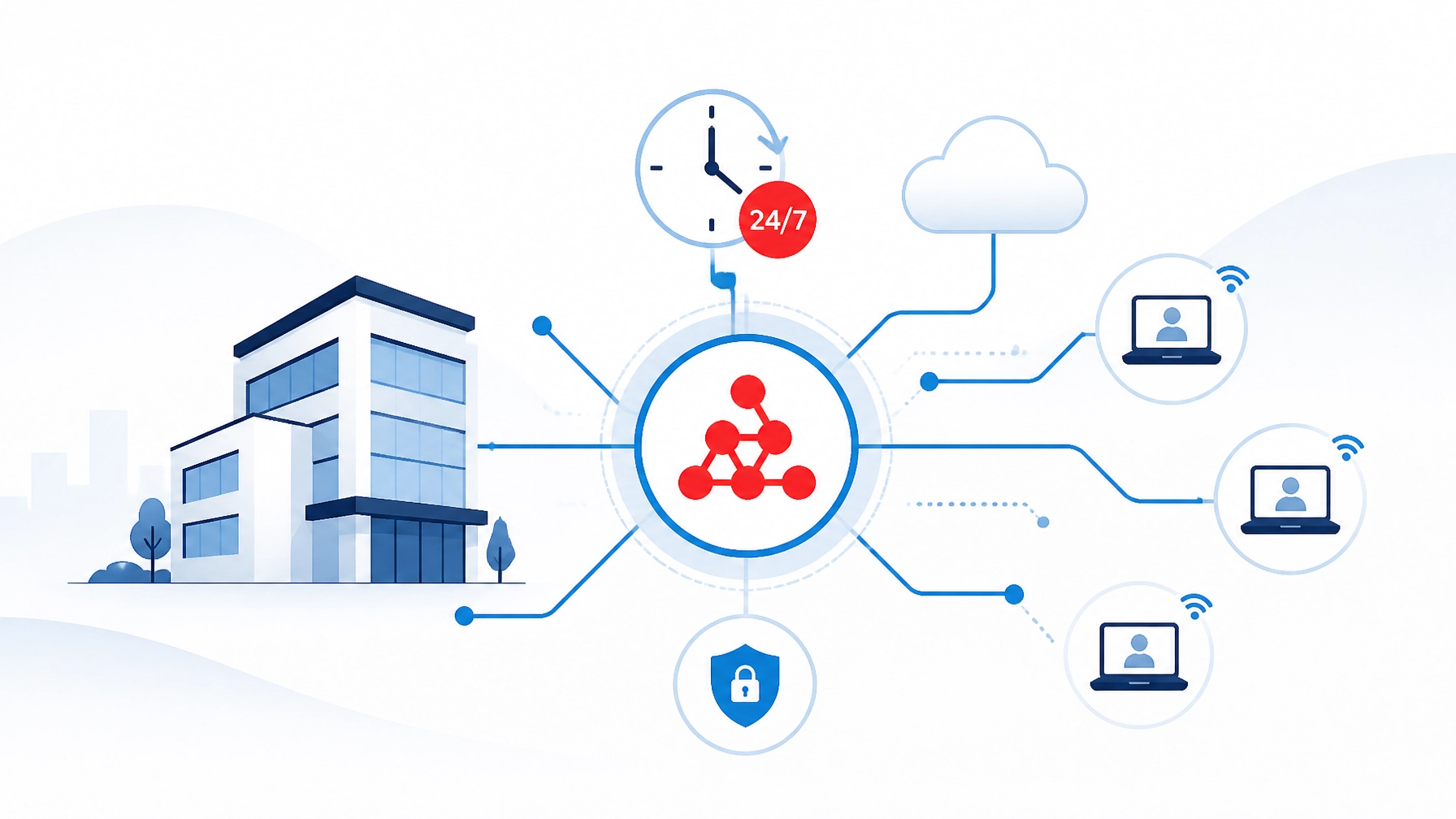
Hybrid business IT support combining remote assistance with on-site engineering

Published 3 September 2026

IT support pricing can be difficult to compare. One provider may charge per user, another per device, and another by the hour. Some include security and backups, while others charge extra.

That makes it hard to know what represents good value.

This guide explains the typical cost of IT support services for UK small and medium-sized businesses in 2026. We’ll compare monthly managed IT services, break-fix support and block hours. We’ll also look at what’s worth paying for : and what may be overpriced.

The figures below are useful budgeting ranges, not fixed industry rates. The right price depends on our systems, support needs, security requirements and contract terms.

Typical IT support costs in the UK

For most UK SMEs, current pricing generally falls into these ranges:

Support model Typical 2026 cost
Basic managed IT support £25–£50 per user, per month
Standard managed IT support £40–£80 per user, per month
Premium or security-led support £85–£150+ per user, per month
Break-fix support £70–£150 per hour
Out-of-hours emergency support £100–£200+ per hour
Pre-paid block hours £60–£120 per hour

These ranges broadly reflect current UK pricing guides, including research from Computercentric and Connection Technologies.

The lowest price isn't always poor value. The highest price isn't always the best service. We need to understand what’s included before comparing quotes.

What drives the cost of IT support?

Several factors affect the price of IT support.

Number of users and devices

Most managed IT providers charge per user, per month. Others charge per device or combine both approaches.

A user with a laptop, desktop, phone and several cloud applications may need more support than a user with one simple workstation. Servers, network equipment and specialist systems may also attract separate charges.

Some providers set a minimum monthly fee. This means a five-person business may not pay exactly five times the price of a single-user package.

Support hours and response times

Business-hours support usually costs less than 24/7 cover. Faster response times and guaranteed service levels also increase the price.

We should check whether the agreement covers:

  • Standard working hours only
  • Evenings and weekends
  • Bank holidays
  • Emergency response
  • Planned out-of-hours work
  • Remote support
  • On-site visits

Out-of-hours support can be especially useful for infrastructure upgrades. Work can often take place when staff aren't using the systems, reducing disruption.

Security and compliance

Basic helpdesk support isn't the same as a complete security service.

A more security-focused package may include:

  • Antivirus or endpoint protection
  • Device monitoring
  • Patch management
  • Multi-factor authentication support
  • Firewall management
  • Vulnerability assessments
  • Security reporting
  • Backup checks
  • Help with Cyber Essentials preparation

If a package includes advanced security tools, licences and regular reviews, a higher monthly price may be reasonable. If it only adds a vague “security” label without clear detail, we should ask for a proper breakdown.

Our cyber-security services cover areas including firewalls, endpoint protection, cloud security, patch management and vulnerability assessments.

Infrastructure complexity

A simple cloud-based office is usually easier to support than a business with on-site servers, multiple locations, complex Wi-Fi, phone systems or specialist applications.

Costs can increase where we have:

  • Multiple offices
  • On-site servers
  • Virtual machines
  • Older hardware
  • Complex network infrastructure
  • Bespoke software
  • VoIP or on-site phone systems
  • Strict uptime requirements
  • Remote or hybrid workers

This isn't necessarily a problem. It simply means the provider needs to understand the environment before giving an accurate price.

Managed IT support plan with monitoring, security and connected business devices

Option 1: Fixed monthly managed IT services

Managed IT support uses a regular monthly fee. The provider takes a proactive role in keeping systems reliable, secure and up to date.

Typical cost

For UK SMEs in 2026, a realistic guide is:

  • £25–£50 per user per month for basic cover
  • £40–£80 per user per month for standard proactive support
  • £85–£150+ per user per month for premium or security-led support

For example, a 10-person business might budget around £400–£800 per month for standard support. This may not include every licence, project or on-site visit, so the contract still needs careful review.

What can be included?

A standard managed service may include:

  • Remote helpdesk support
  • Monitoring and maintenance
  • Patching
  • Microsoft 365 administration
  • Basic device protection
  • Backup monitoring
  • User account support
  • Supplier coordination
  • Regular service reviews

The main benefit is predictability. We know what support is likely to cost each month, and issues can often be addressed before they become serious.

When is it worth paying for?

Managed IT services are often good value when downtime would quickly cost more than the monthly fee. They can also suit businesses without an internal IT team, or businesses that need a reliable technical partner as they grow.

We should be cautious if the package promises “unlimited support” but doesn't explain fair-use limits, response times or exclusions.

Option 2: Break-fix IT support

Break-fix support means we pay when something goes wrong. There’s usually no ongoing monthly commitment.

Typical cost

Business-hours rates commonly fall between £70 and £150 per hour. Emergency or out-of-hours work may cost £100–£200 or more per hour.

This can work for a very small business with simple systems and few support needs. It may also suit a business that has an internal IT person but occasionally needs specialist help.

The risk is that costs become unpredictable. A serious fault can take several hours to diagnose and fix. The business may also have no regular checks for security, backups or ageing equipment.

Break-fix support can look cheaper until we include:

  • Lost staff time
  • Lost sales
  • Urgent call-out fees
  • Repeated faults
  • Recovery work
  • Emergency replacement hardware

It can be a sensible choice in the right situation, but we shouldn't use it as a substitute for basic maintenance where the business depends heavily on its IT.

Option 3: Pre-paid block hours

Block hours sit between managed support and break-fix work. We purchase a set number of hours in advance and use them when needed.

Typical cost

Pre-paid support blocks often work out at around £60–£120 per hour. The effective rate may be lower than ad-hoc support, although the terms vary.

Block hours can suit us when:

  • We have an internal IT team needing extra capacity
  • We need occasional project support
  • We have predictable maintenance work
  • We want better cost control without a full managed contract
  • We need specialist network or server assistance

We should check how long the hours remain valid, whether they can be used for emergencies and whether unused time carries forward.

Three IT support payment models: monthly plan, block hours and break-fix assistance

What’s worth paying for?

Good IT support should reduce risk, save time and help us make better decisions. The following areas often provide clear value.

Proactive maintenance

Regular patching, monitoring and health checks can prevent avoidable problems. Fixing a small issue before it causes downtime is usually cheaper than recovering from a major fault.

Clear security controls

We should expect practical security advice, not just a list of products. The right service may include MFA, endpoint protection, firewall management, backup checks and staff guidance.

Plain-English communication

A good provider explains what needs doing, why it matters and what it will cost. We shouldn't need to understand every technical term before approving important work.

Provider-agnostic IT consulting

A provider shouldn't recommend a particular brand simply because it sells that brand. Independent IT consulting can help us compare suitable options based on cost, reliability, compatibility and long-term support.

Out-of-hours support

Planned upgrades and infrastructure work are often best completed outside normal working hours. This can reduce disruption without requiring businesses to shut down during the day.

Useful documentation

Network diagrams, device records, licence details and recovery instructions make future support faster. Documentation is especially valuable when staff or suppliers change.

What may be overpriced?

A high price isn't automatically unreasonable, but we should ask questions where:

  • The contract is vague about inclusions
  • Basic licences are marked up heavily
  • On-site work is described as included but tightly limited
  • Security tools are bundled without explanation
  • Response times sound impressive but aren't guaranteed
  • We pay for unused services
  • The provider won't explain extra charges
  • We’re locked into a long contract without a clear review process

We should request a simple cost breakdown covering support, licences, security, backups, projects, on-site work and out-of-hours rates.

Business decision-maker weighing IT support value, security, reliability and transparent pricing

How to compare IT support quotes

Before choosing a provider, we can ask:

  1. Is the price per user, per device or per business?
  2. What support hours are included?
  3. Are evenings, weekends and bank holidays covered?
  4. Are on-site visits included?
  5. What counts as a project rather than support?
  6. Which security tools and licences are included?
  7. Are backups monitored and tested?
  8. Is there a minimum monthly charge?
  9. What happens when a user joins or leaves?
  10. Can we leave the contract without excessive penalties?

The cheapest quote may exclude important work. The most expensive quote may include tools we don't need. A clear comparison is more useful than focusing on one headline figure.

A transparent approach to IT support pricing

At Your IT Specialist, we believe IT support should be based on what our business actually needs. We don't push a particular vendor or recommend an expensive solution without a clear reason.

Our support can cover remote assistance for Windows and Linux systems, servers, virtualisation, networks, hardware, software and security. We can also provide network infrastructure support and help with larger upgrades through outsourced project development.

For MSPs and communications providers, our white-label IT contract services offer flexible hourly, block-time, fixed-term and project-based support.

There isn't one correct IT support package for every business. The right starting point is an honest review of our users, systems, risks and priorities. From there, we can choose the support model that gives us dependable service without paying for unnecessary extras.

Contact Your IT Specialist to discuss our requirements and receive straightforward advice.

Frequently asked questions

How much should a small business budget for IT support?

A small UK business may budget around £25–£80 per user per month for basic or standard managed IT support. More complex or security-led environments may cost £85–£150+ per user per month.

Is managed IT support cheaper than break-fix support?

It depends on how often we need help and how costly downtime would be. Managed support offers predictable spending and proactive maintenance. Break-fix support may cost less for very occasional needs but can become expensive during a serious incident.

Are IT support prices usually subject to VAT?

Most business IT support prices are quoted excluding VAT. We should check every quote so we’re comparing like-for-like costs.

Does managed IT support include hardware and software licences?

Not always. Some providers include selected licences, while others charge them separately. We should ask for a full list of included and excluded items.

Can we use block hours instead of a monthly IT support contract?

Yes. Block hours can work well for occasional projects, internal IT teams or businesses with predictable support needs. The terms and expiry period should be clear before purchase.

Choosing how to support our IT systems is a major business decision. We can hire an internal IT person, build a full team, work with an external provider, or combine both approaches.

There’s no single answer for every business. The right choice depends on our size, systems, budget, security needs and working hours.

This guide compares IT outsourcing with in-house IT support. It also explains when a hybrid approach may be the most practical option.

What’s the difference?

In-house IT

With in-house IT, we employ one or more people directly. They work within the business and support our systems, users and projects.

This can give us:

  • Direct control over priorities
  • Strong knowledge of our business
  • Fast face-to-face support
  • Close collaboration with other departments
  • A team we can shape around our culture

However, we also take responsibility for salaries, recruitment, training, tools, holidays, sickness cover and staff retention.

Outsourced IT support

With outsourced IT, we use an external provider for some or all of our support. The provider may work remotely, visit our sites when needed, or provide both.

An outsourced IT team can support:

  • Desktops and servers
  • Networks and connectivity
  • Cloud applications
  • Cyber security
  • Backups and updates
  • Hardware and software
  • IT projects
  • Out-of-hours emergencies

We pay for an agreed service rather than employing the people who deliver it.

Cost: salary versus predictable monthly fees

Cost is often the first point we consider. It’s important to compare the full cost of each option, not just the salary or monthly fee.

A UK IT technician may earn around £35,000 to £55,000 a year, depending on experience and location. Employer National Insurance, pension contributions, recruitment, training, equipment and software can take the total cost to approximately £43,000 to £70,000 a year.

These figures are indicative. They’ll vary by role and region. The wider point is that one employee can represent a significant fixed cost.

Research published by Connection Technologies gives similar estimates and suggests that outsourced IT for a 30-user business may cost around £16,200 to £28,800 a year, depending on the service included.

A monthly outsourced IT fee may include access to several engineers, monitoring, security tools and extended-hours support. We should always check exactly what’s included before comparing prices.

Flat illustration comparing the costs of in-house IT employment with predictable outsourced IT fees

Area In-house IT Outsourced IT
Main cost Salary and employer costs Monthly service fee
Expertise Depends on the person or team we hire Access to several specialists
Holiday and sickness We arrange cover Usually covered by the provider
Out-of-hours support Requires extra staff or an on-call plan May be included as an option
Recruitment Our responsibility Provider’s responsibility
Scaling We may need to hire again Capacity can often scale with us
Tools and licences We purchase and maintain them Some may be included
On-site support Immediately available if staff are present Arranged when needed
Specialist projects May require external help Often available through the provider

The cheapest option isn’t always the best option. We should compare the total cost over several years, along with service coverage and business risk.

When in-house IT may be the right choice

In-house IT can work well when IT is central to how our business operates.

It may suit us if:

  • We have a large number of users
  • Our systems are highly customised
  • We need people on-site every day
  • IT is part of our main product or service
  • We need close control over internal projects
  • We already have strong technical leadership
  • We can afford more than one IT employee

An internal team can build detailed knowledge of our systems and working practices. It can also work closely with finance, operations, HR and senior management.

For businesses with complex internal applications or strict operational requirements, that close connection can be valuable.

There are still practical limits. One person can’t be an expert in networks, security, cloud platforms, servers, applications and hardware at the same time. We may still need external support for specialist projects, security reviews or major upgrades.

When outsourced IT support may be the better fit

Outsourced IT is often suitable for small and medium-sized businesses that need reliable support without building a large internal department.

It may fit us if:

  • We have a small or growing team
  • We want predictable monthly costs
  • We need access to several areas of expertise
  • We don’t want one employee to become a single point of failure
  • We need support outside normal office hours
  • We work across several sites
  • We need stronger security and regular patching
  • We’re planning a migration, upgrade or office move
  • We want to scale without repeated recruitment

IT outsourcing can also reduce the pressure on business leaders. Instead of managing recruitment, training and technical tools, we can focus on service quality, security and business outcomes.

Remote-first support can resolve many issues quickly without waiting for an engineer to travel. For hardware, cabling or other physical problems, an on-site visit can still be arranged.

At Your IT Specialist, we explain how remote and out-of-hours IT support can help businesses that operate beyond a traditional 9-to-5 day.

The risks of outsourcing

Outsourcing isn’t automatically the right answer. We should consider the possible drawbacks.

We have less direct control

An external team may support several clients. We’ll need a clear process for prioritising work and escalating urgent issues.

A practical solution: agree response times, escalation routes and regular service reviews before work begins.

Some work may cost extra

Routine support may be covered by a monthly fee, while projects, hardware installation or major changes may be charged separately.

A practical solution: ask for a clear service description and request estimates for likely project work.

The provider needs time to learn our systems

A new provider won’t understand our environment immediately.

A practical solution: prepare documentation, access details, asset lists and key contacts during onboarding.

We depend on another business

Our IT provider becomes an important part of our business continuity plan.

A practical solution: check security practices, insurance, staff access controls, backup arrangements, contract terms and exit processes.

Good providers should welcome these questions. Clear answers are more useful than vague promises.

The hybrid model

We don’t have to choose between entirely internal or entirely external support.

A hybrid model might include:

  • An internal IT manager who understands the business
  • An outsourced helpdesk for day-to-day support
  • External specialists for cyber security and infrastructure
  • Out-of-hours cover from an external team
  • Project support for upgrades, migrations and installations

Illustration of a hybrid IT model connecting an internal manager with external IT specialists

This approach can give us internal ownership without requiring a large technical department. The internal person can focus on strategy, communication and business priorities. The external team can provide broader expertise and additional cover.

It can also help when an internal IT employee is away, leaves the business or needs support with an unfamiliar problem.

A simple decision checklist

Before choosing our support model, we can ask:

Business size

  • How many users do we support today?
  • How quickly are we growing?
  • Will we open more sites or introduce remote working?

IT complexity

  • Are our systems mostly standard applications?
  • Do we rely on custom software or older equipment?
  • Do we need specialist support for networks, servers or cloud systems?

Security

  • Who manages updates and security alerts?
  • How quickly would we respond to an incident?
  • Do we need regular vulnerability assessments or policy advice?

Our cyber security services cover areas such as firewalls, patching, vulnerability assessments, log analysis and practical security advice.

Availability

  • Do our systems need support in the evening or at weekends?
  • Do staff work across different locations or time zones?
  • What happens if the main IT contact is ill or on holiday?

Budget

  • Are we comparing total employment costs?
  • Would a predictable monthly fee help us plan?
  • Are project costs and hardware costs clearly separated?

Relationship

  • Does the provider offer impartial advice?
  • Can we speak to the engineers supporting us?
  • Are contract and exit terms straightforward?
  • Will the provider work with our existing technology?

Our impartial view

For many smaller businesses, outsourced IT can provide wider expertise and better cover than one internal employee. It can also make costs easier to plan.

For larger or highly specialised organisations, in-house IT may offer valuable control and detailed business knowledge.

For many growing businesses, hybrid support offers a sensible middle ground.

The important point is that outsourcing should solve a real business need. We shouldn’t be pushed into replacing systems or buying services we don’t need. A provider should first understand our environment, goals and risks.

Your IT Specialist offers provider-agnostic advice, remote-first support and out-of-hours assistance. We can also help with hardware, software, networking, security and IT projects. For MSPs and communications providers, our white-label IT contract services provide extra technical capacity under their own brand.

The best IT support model is the one that gives us the right balance of control, expertise, availability and cost. Reviewing that balance now can help us build a more resilient IT plan for the years ahead.

Most businesses need their systems available during the working day. Staff need access to files, applications, email, phones and secure networks. Customers expect quick responses. Even a short interruption can affect productivity and confidence.

Some IT work can't be completed safely while everyone is working. Server updates, infrastructure changes, network upgrades and emergency repairs may require restarts or temporary access restrictions.

That’s where out-of-hours IT support helps.

By moving planned work into quieter periods, we can reduce avoidable disruption during the day. We can also respond when an issue happens overnight, rather than leaving it until the next morning.

The aim is simple: keep the working day focused on business, not IT recovery.

Why working hours aren't always the right time for IT work

IT systems are closely connected. A change to one service can affect others. A server update may require a restart. A firewall upgrade may briefly affect network access. A network change may need testing across several locations.

During office hours, these tasks can interrupt:

  • Staff access to business applications
  • Customer service and sales activity
  • Telephone and video calls
  • Access to shared files
  • Production, warehouse or retail systems
  • Remote working connections
  • Payments and other essential services

The risk is higher when there is no time to test the change properly before staff need to use the system.

Out-of-hours work gives us a controlled window. Staff are less likely to be affected, and engineers have time to complete checks before the next working day begins.

This doesn't mean every change should happen overnight. Some work is safer during the day, when key staff are available. Good support starts with choosing the right time for each task.

The value of planned overnight maintenance

Planned work is usually easier to manage than emergency work. We can review the environment, agree the scope, confirm a backup and prepare a recovery plan.

Overnight maintenance may include:

  • Operating system updates
  • Security patching
  • Firewall upgrades
  • Server maintenance
  • Network equipment changes
  • Virtual machine management
  • Backup checks
  • Application upgrades
  • Hardware installation
  • Cabling diagnostics
  • Performance improvements

The work should be planned around the business, not simply placed in the first available time slot.

We should first identify which systems are essential and when they are used. A warehouse may need systems running overnight, while an office may be quiet after 6pm. A business operating across time zones may need a different approach again.

The right support partner will ask these questions before recommending a maintenance window.

Planned IT maintenance in a business server room

Out-of-hours support is more than switching systems off and on

A reliable out-of-hours service needs a clear process. It shouldn't depend on someone making decisions without the right information.

A typical overnight task includes:

  1. A clear plan
    We define what will change, which systems are affected and what success looks like.

  2. A suitable maintenance window
    We schedule the work when it causes the least impact.

  3. A backup or recovery option
    We make sure there is a practical way to return to a known working state.

  4. The right access and authority
    The engineer needs the permissions and information required to complete the work.

  5. Testing after the change
    We check that services, connections and important applications are working correctly.

  6. A morning handover
    We record what happened, what was checked and whether any follow-up is needed.

This approach helps prevent a common problem: completing the technical task but not confirming that the business can work normally afterwards.

Emergency support when issues happen outside office hours

Not all out-of-hours work can be planned. Servers can fail at night. Connectivity can stop over a weekend. A security alert may need immediate attention.

Leaving an important incident until the next morning can make the impact worse. Staff may arrive to systems that aren't available, and the business may lose valuable time before help begins.

Out-of-hours support gives us a way to:

  • Assess the issue quickly
  • Identify which services are affected
  • Restore the most important systems first
  • Contain a possible security problem
  • Contact the right people when a decision is needed
  • Record actions for the daytime team
  • Plan any further repair or investigation

Remote support is often the fastest first step. If the issue can be diagnosed or fixed securely without a site visit, we can begin immediately. This may reduce both response time and cost.

Site visits may still be needed for hardware faults, power issues or physical infrastructure problems. The important point is that the response starts as soon as the issue is reported.

Our remote support service covers Linux and Windows desktops and servers, virtualisation environments and network infrastructure.

Remote IT support for servers, desktops and network infrastructure

Reducing downtime during the working day

No support model can remove every risk. Hardware can fail, suppliers can have issues and unexpected faults can occur.

However, we can reduce avoidable downtime by preparing properly.

Useful steps include:

  • Keeping a current record of important systems
  • Identifying which services need priority recovery
  • Monitoring backups and testing restores
  • Maintaining up-to-date contact details
  • Recording network and server changes
  • Checking that support access still works
  • Agreeing who can approve emergency decisions
  • Reviewing incidents after they are closed

These steps help out-of-hours engineers act with confidence. They also give the daytime team a clear record when work continues into the morning.

Security should be part of this planning. Patching, firewall maintenance, vulnerability reviews and log checks may all need attention outside office hours. Our cyber-security services support businesses with firewalls, patch management, vulnerability assessments, monitoring and incident response.

Honest planning matters more than a large list of promises

Out-of-hours support should be based on the needs of the business. A small organisation may not need the same coverage as a multi-site operation. Some systems may need immediate response, while others can wait until the next working day.

We should be clear about:

  • Which services are covered
  • What counts as an emergency
  • Expected response times
  • Who will be contacted
  • Which work can be completed remotely
  • When a site visit may be required
  • How planned changes are approved
  • How activity is reported
  • What is included in the cost

This avoids paying for support that doesn't match the real risk.

It also supports better long-term decisions. Instead of recommending the most expensive option, we can review the current environment, identify practical improvements and plan changes in stages.

At Your IT Specialist, we provide provider-agnostic IT consulting. We don't push a particular supplier or product. We focus on what is suitable, reliable and sustainable for the business.

Out-of-hours support can also help with larger projects

Some projects are easier to deliver when staff aren't using the systems being changed.

Examples include:

  • Office moves
  • Server replacements
  • Network upgrades
  • Wi-Fi improvements
  • Cloud application changes
  • Hardware rollouts
  • Telecoms and VoIP changes
  • Multi-site installations
  • Firewall replacements

A project may use several maintenance windows rather than one large change. This can make testing easier and reduce the effect of an unexpected issue.

For larger requirements, our outsourced project development service can help with planning, delivery, documentation and ongoing support.

We can also provide white-label IT contract services for MSPs and communications providers that need additional engineering capacity outside their normal coverage.

IT planning and consultation for reliable business systems

How to decide whether we need out-of-hours IT support

A few practical questions can help us assess the need:

  • Would an overnight fault affect the next working day?
  • Could planned maintenance interrupt customers or staff?
  • Do we have the skills to respond outside office hours?
  • Are important backups checked and tested?
  • Would a delayed security response increase risk?
  • Do we have a clear recovery plan?
  • Are our suppliers available when we need them?
  • Is our current support agreement clear about after-hours work?

If the answer to several of these questions is yes, an out-of-hours support plan may be worthwhile.

We don't always need full round-the-clock coverage. We may need support for specific maintenance windows, weekends, bank holidays or critical systems only. The best arrangement is the one that fits the way the business operates.

Keep the day for business

Out-of-hours IT support is about more than working late. It is a practical way to protect staff time, reduce disruption and prepare systems for the next working day.

With clear planning, suitable maintenance windows and an experienced response when problems occur, we can keep more IT work away from the busiest hours.

The goal is not to make unnecessary changes or add complexity. It is to keep systems stable, support recovery when needed and make sensible improvements over time.

If we’re planning an upgrade, dealing with an IT concern or reviewing our current support arrangements, contact Your IT Specialist for an open conversation about the right approach.

Let’s plan the work around the business, so the business can keep moving during the day.

Many businesses only look at security after something goes wrong.

A laptop is infected. An account is compromised. A server stops responding. A suspicious payment is made. The IT helpdesk is then asked to fix the immediate problem as quickly as possible.

This approach may restore service, but it doesn't always address the weakness that caused the incident. Without further action, the same issue can return.

Proactive cybersecurity gives us a better way forward. It combines regular maintenance, clear security practices and continuous checks. The aim isn't to predict every possible attack. It's to reduce avoidable risks and respond quickly when something unusual happens.

This guide explains the practical steps businesses can take to move from reactive fixes to stronger cyber resilience.

Reactive IT fixes and proactive resilience

Reactive support is valuable when something has already failed. Fast IT support can limit downtime and help staff return to work.

However, a reactive approach often means:

  • Updates are installed only after a problem occurs.
  • Old accounts remain active.
  • Security alerts aren't reviewed regularly.
  • Backups aren't tested until data is lost.
  • Vulnerabilities are discovered by attackers first.
  • The business doesn't have a clear response plan.

Proactive security support adds regular checks before these issues become serious. It helps us understand what systems we have, where the risks are and which improvements matter most.

The National Cyber Security Centre's 10 Steps to Cyber Security provides a useful starting point. The guidance focuses on managing risk as an ongoing business activity, rather than treating cybersecurity as a one-off project.

Minimalist illustration showing devices receiving updates while a magnifying glass identifies vulnerabilities

1. Keep systems and software patched

Patching means installing updates that fix known faults or security weaknesses. These updates apply to more than desktop computers.

We should consider:

  • Laptops and desktop computers
  • Servers
  • Firewalls and routers
  • Mobile devices
  • Cloud services
  • Business applications
  • Virtual machines
  • Network-connected equipment

A written patching process helps us avoid relying on memory. It should explain what needs updating, who is responsible and how quickly important updates should be applied.

Internet-facing systems deserve particular attention. These are systems that can be reached from outside the business network. If they have a known weakness, attackers may be able to exploit it without first accessing another device.

Automatic updates should be enabled where practical. We should also maintain a simple list of devices and software so no system is missed. Unsupported software should be removed or replaced where possible. If an older system must remain, we can reduce its exposure and restrict who can access it.

Patching can sometimes require testing or planned downtime. Out of hours IT support can help businesses complete important work with less disruption to staff.

2. Use vulnerability assessments to find weaknesses early

A vulnerability assessment checks systems for known security weaknesses. It gives us a clearer view of where attention is needed.

This shouldn't be treated as a report that gets filed away. The useful process is:

  1. Scan systems and devices regularly.
  2. Review the findings.
  3. Prioritise the highest risks.
  4. Fix or reduce each issue.
  5. Check again to confirm the problem is resolved.

Not every finding has the same importance. A weakness on an internet-facing server may need urgent attention. A lower-risk issue on an isolated device may be scheduled for a later maintenance window.

Regular assessments can also identify:

  • Unsupported operating systems
  • Weak settings
  • Unnecessary services
  • Exposed remote access
  • Missing security updates
  • Devices that aren't protected correctly

This approach helps us spend time where it has the greatest effect. It also gives business owners a clearer record of progress.

3. Review logs instead of simply storing them

Security logs are records of activity across systems. They can show successful and failed sign-ins, firewall events, software alerts and changes to important settings.

Logs are most useful when they're reviewed. Storing them without checking them may leave warning signs unnoticed.

Useful sources include:

  • Firewall and network logs
  • Email security alerts
  • Antivirus or endpoint protection alerts
  • Remote access records
  • Cloud application sign-ins
  • Administrator activity
  • Backup notifications

We can look for unusual patterns, such as repeated failed logins, access from unexpected locations or security software being disabled.

The NCSC recommends keeping important logs for at least one month. Higher-risk businesses may need longer retention and more centralised monitoring.

We don't always need a complex system to begin. A clear process for reviewing key alerts can make a meaningful difference. For larger environments, managed monitoring can help identify and escalate suspicious activity more consistently.

Blue and white illustration showing security logs, activity alerts and a smartphone verification check

4. Make multi-factor authentication standard

Multi-factor authentication, or MFA, adds another verification step when someone signs in. This might be an approval on a phone, a security key or a temporary code.

A password alone may be stolen, reused or guessed. MFA adds an extra barrier, particularly when an account is accessed remotely.

We should enable MFA first for:

  • Email and cloud accounts
  • Administrator accounts
  • Remote desktop and VPN access
  • Firewall and server management
  • Banking and payment services
  • Systems containing personal or sensitive data

MFA works best alongside good account management. We should remove unused accounts, avoid shared logins and review administrator access regularly.

Strong, unique passwords also remain important. A password manager can help staff create and store different passwords without needing to remember them all.

The UK Government's guidance on protecting business accounts and information provides further practical advice.

5. Strengthen the everyday basics

Modern cybersecurity isn't only about advanced tools. Basic controls often prevent common incidents.

Use least-privilege access

Staff should have access to the systems and files needed for their role. Removing unnecessary administrator rights reduces the impact of a compromised account.

Access should be reviewed when someone joins, changes role or leaves the business.

Maintain reliable backups

Backups should run regularly and cover important files, applications and systems. They should also be protected from the same risks as the live environment.

Where possible, keep one copy offline or protected from changes. Most importantly, test restoring data. A backup that can't be restored may not provide the protection we expect.

Protect devices and networks

Firewalls, antivirus protection and secure device settings should be active and updated. Unused services and direct exposure to the internet should be reduced.

Train staff without creating fear

Staff need simple guidance on phishing, suspicious links, passwords and reporting concerns. We should make reporting easy and avoid blame. Early reporting gives the business more time to respond.

Prepare an incident plan

An incident plan should state who makes decisions, who contacts the IT support team and how important systems are isolated. It should also explain how customers, suppliers and regulators will be informed when necessary.

The ICO's practical data security advice can help businesses review their approach to protecting personal data.

A practical 90-day cybersecurity roadmap

We don't need to improve everything at once. A staged plan makes progress easier to manage.

Minimalist blue and white illustration showing a three-stage cybersecurity roadmap with a shield, backup vault and secure network

Days 1–30: Stabilise the basics

  • List devices, software and key cloud services.
  • Patch internet-facing and critical systems.
  • Enable MFA for email, remote access and administrator accounts.
  • Check that firewalls and antivirus protection are active.
  • Confirm that backups are running.

Days 31–60: Improve visibility

  • Start regular vulnerability assessments.
  • Set target times for resolving important findings.
  • Review key logs and security alerts.
  • Remove unused accounts and unnecessary permissions.
  • Test restoring at least one important backup.

Days 61–90: Build resilience

  • Write patching, access and incident response procedures.
  • Review risks across important suppliers and systems.
  • Run a simple incident exercise.
  • Schedule regular staff awareness training.
  • Set dates for future assessments and reviews.

This roadmap creates a repeatable process. It also gives us useful evidence when reviewing security with insurers, customers or business partners.

How proactive IT support can help

Proactive security takes time and consistent attention. Many businesses don't have the internal resources to monitor every device, review every alert or keep all systems up to date.

This is where a reliable IT support partner can help. Your IT Specialist provides provider-agnostic security support, including:

  • Firewall installation and support
  • Antivirus installation and support
  • Patching management
  • Vulnerability assessments
  • Log analysis
  • Security policies and best-practice advice
  • Server, desktop and virtual machine support

Our approach is practical and impartial. We focus on the controls that fit the business, rather than recommending the most expensive option.

We can also combine proactive security with responsive business IT support. This means we can address an immediate IT problem while also looking at how to prevent it from happening again.

Moving forward

Reactive fixes will always have a place. Problems can still occur, even when sensible controls are in place.

The goal is to reduce preventable incidents, spot warning signs earlier and recover with less disruption. Regular patching, vulnerability assessments, log analysis, MFA and clear security practices provide a strong foundation.

By moving from occasional firefighting to a planned security process, we can make business IT support more dependable and resilient.

The next step is simple: review the basics, identify the largest gaps and create a manageable plan for closing them. Our managed IT services guidance can help us consider the right level of support for the business.

Growth is positive. However, growth can also expose the limits of an MSP’s current team.

More clients mean more tickets, projects, site visits and out-of-hours requests. Recruitment may seem like the obvious answer, but hiring adds permanent costs before new revenue is secure. It also takes time to find, train and retain the right people.

Whitelabel IT resources offer a more flexible route.

With the right partner, we can add technical capacity under our own brand. We can accept more work, extend our service hours and offer specialist skills without immediately increasing permanent headcount.

Your IT Specialist provides whitelabel IT contract services for MSPs, IT providers, telecom companies and technology consultants across the UK. Here are four ways this model can support profitability.

1. Turn fixed payroll into a variable cost

Permanent staff are valuable. They also create a fixed cost that continues during quiet periods.

Salary is only one part of the commitment. We also need to consider:

  • Recruitment costs
  • Benefits and employment costs
  • Training and certifications
  • Equipment and software
  • Management time
  • Holiday and sickness cover
  • The risk of underused capacity

This can make hiring difficult when demand changes from month to month.

Whitelabel IT outsourcing gives us another option. Instead of adding a permanent employee, we can buy support in a way that better matches demand. Depending on the requirement, this could include:

  • Hourly engineering support
  • Pre-purchased block time
  • Fixed-term technical resource
  • Project-based delivery
  • Ongoing outsourced IT support

This makes the cost easier to connect to revenue. If a new client needs extra support, we can bring in suitable resource for that contract. If demand changes, we can review the level of support without carrying the same long-term payroll commitment.

A flexible cost model balancing fixed payroll with adjustable outsourced IT resources

This approach doesn't remove the need for careful financial planning. We still need to price services properly and understand delivery costs. It does, however, reduce the risk of hiring ahead of demand.

For many MSPs, that can improve cash-flow control and protect margins while the business grows.

2. Extend service hours without building a larger team

Clients increasingly expect responsive IT support beyond the standard working day. A network issue at 8pm, a failed connection early in the morning or a weekend project can all affect the client relationship.

Offering extended hours can help an MSP stand out. Building that service entirely in-house can be challenging.

A small team may already be close to capacity during normal hours. Asking the same people to cover evenings and weekends can lead to fatigue, slower responses and staff retention problems.

Whitelabel support gives us a way to extend coverage without asking every employee to work longer hours.

A partner can support:

  • Evening and weekend requirements
  • Planned maintenance
  • Emergency infrastructure work
  • Network upgrades
  • Multi-site installations
  • Out-of-hours troubleshooting
  • Project work outside client operating hours

This is particularly useful when maintenance must happen without disrupting client staff. Our out-of-hours support services can help MSPs arrange technical work around the client’s schedule.

The result is more than additional availability. It can also create a stronger service proposition.

We can offer clients a clear support package with agreed response times and defined escalation routes. We can take on work from businesses that need flexible coverage, without immediately building a full internal rota.

The model should be designed carefully. We need clear handover processes, documentation and service expectations. We also need to know which requests are handled by the partner and which remain with our own team.

Once those processes are in place, extended coverage becomes a practical service capability rather than a recruitment project.

3. Add specialist expertise when we need it

MSPs are often expected to support a wide range of technologies. One client may need a Wi-Fi upgrade. Another may need a firewall review. A third may require VoIP support, fibre diagnostics or a complex network deployment.

It isn't always commercially sensible to employ a full-time specialist for every skill.

Whitelabel IT resources let us access expertise when a project or client requirement justifies it. This can help us expand our service catalogue without carrying the full cost of building every capability internally.

For example, a whitelabel technical partner may support:

  • Structured cabling
  • Fibre installation and fault finding
  • Wi-Fi design and installation
  • Switching and routing
  • VPN and firewall configuration
  • VoIP and SIP trunk support
  • Server room and cabinet builds
  • Hardware rollouts
  • Security reviews
  • Multi-site infrastructure projects

Your IT Specialist’s network switching and routing services, Wi-Fi infrastructure services and telecom support are examples of the specialist areas that can be delivered under an MSP’s brand.

This gives us more confidence when pursuing work outside our team’s usual day-to-day skills. We can respond to opportunities that may otherwise require a subcontractor search or a new hire.

It can also improve the client experience. Instead of coordinating several separate suppliers, we can provide one commercial relationship and one route for support.

That matters for MSPs and communications providers. A broader service can increase client value and make it easier to retain accounts as their needs develop.

Specialist resource should still meet our standards. Before engaging a partner, we should check technical capability, communication, documentation, insurance, availability and willingness to work within our processes.

The right partner becomes an extension of the team, not just an extra pair of hands.

4. Give senior staff more time for high-value work

Senior engineers and technical leaders often spend too much time on work that could be delegated.

They may be handling routine tickets, attending straightforward site visits, completing basic installations or chasing updates. These tasks still matter, but they can prevent senior staff from focusing on more valuable activities.

Those activities may include:

  • Designing client solutions
  • Reviewing service performance
  • Improving processes
  • Supporting account growth
  • Planning complex projects
  • Developing security strategies
  • Mentoring internal staff
  • Managing important client relationships

Whitelabel IT support can absorb selected delivery tasks and reduce pressure on senior employees.

Senior MSP staff focusing on strategic work while an outsourced technical team handles delivery tasks

This doesn't mean transferring every responsibility to an external provider. A better approach is to identify work that is repeatable, capacity-heavy or outside the best use of senior time.

For example, a senior engineer may design a network upgrade while a whitelabel team completes the installation, testing and documentation. An MSP’s own service desk may retain client communication while an outsourced IT engineer handles an agreed technical escalation.

This division of work can improve productivity without reducing control.

It also helps protect the quality of the client relationship. Senior staff have more time to listen, advise and plan, while delivery work continues through a defined process.

Your IT Specialist can support both technical delivery and outsourced project work. Our outsourced project development service covers hardware, software, business process and application projects, with ongoing support where required.

How to make whitelabel support profitable

Whitelabel resources work best when they are treated as part of a clear commercial model.

Before starting, we should define:

  1. Which services will be outsourced
    Start with capacity gaps, specialist projects or coverage that we can't currently provide profitably.

  2. How the service will be priced
    Compare hourly, block-time, fixed-term and project costs with the revenue from each client contract.

  3. Who owns communication
    Agree how tickets, escalations, updates and client contact will be managed.

  4. What quality standards apply
    Use documented procedures, response targets and reporting requirements.

  5. How the partner represents the brand
    The service should reflect our communication style, professionalism and client commitments.

A whitelabel partner should strengthen our brand rather than make the relationship less clear. That means consistent documentation, professional conduct and transparent handovers.

Your IT Specialist works under the MSP’s brand and offers flexible engagement models for planned works, ongoing capacity and emergency requirements. The team covers networking, connectivity, telecoms, security, hardware, software and on-site engineering.

Build capacity without carrying unnecessary overhead

Recruitment will remain an important part of many MSP growth plans. It doesn't need to be the only way we add capacity.

Whitelabel IT resources can help us control fixed costs, extend service hours, access specialist expertise and give senior staff more time for strategic work. Together, these benefits can support healthier growth and a more flexible delivery model.

The best next step is usually practical. We can review the work currently creating pressure, identify the tasks that limit growth and compare the cost of internal hiring with targeted whitelabel IT support.

When the need is clear, contact Your IT Specialist to discuss how an outsourced technical team could support our MSP under its own brand.

Choosing an IT provider often starts with a simple goal: find reliable technology at a sensible price.

Over time, that decision can become harder to change. Data may sit in a proprietary format. Applications may depend on one platform. Support may be tied to a specific supplier. Staff may be trained around one system.

This is known as vendor lock-in.

Vendor lock-in isn't always obvious at the beginning. A solution may appear affordable and convenient. The wider cost can emerge later, when prices rise, requirements change, or we need to move to a better-fit platform.

A provider-agnostic IT support partner helps keep those choices open. That protects our budget, reduces risk, and gives us more control over the future of our business technology.

What is vendor lock-in?

Vendor lock-in happens when switching from one technology provider to another becomes difficult, expensive, or disruptive.

This can affect:

  • Cloud platforms
  • Business applications
  • Customer relationship management systems
  • Backup and storage services
  • Network hardware
  • Security tools
  • Managed IT services
  • Telecoms and connectivity
  • Custom integrations and automations

Lock-in can develop through technical dependencies, contract terms, stored data, or staff familiarity. We may not feel trapped until we try to change.

The AWS guide to understanding cloud lock-in highlights several factors that can make a move difficult, including data transfer, application dependencies, and operational changes.

The important point is simple: vendor lock-in isn't only an IT concern. It can affect our costs, productivity, security, and ability to grow.

The hidden costs of vendor lock-in

1. Rising prices with less negotiating power

When changing providers is difficult, our negotiating position becomes weaker.

A supplier may increase:

  • Subscription or licence charges
  • Support fees
  • Storage costs
  • Maintenance charges
  • Costs for additional users or features
  • Fees for data transfer or migration

We may still be able to negotiate, but the threat of moving elsewhere becomes less credible if leaving would require a major project.

This can lead to a gradual increase in total cost. We might continue paying for a familiar platform even when a more affordable or suitable alternative is available.

A provider-agnostic approach helps us compare options regularly. It also encourages clear conversations about total cost, renewal terms, and the likely cost of changing direction later.

2. Solutions that no longer fit the business

A platform that worked well five years ago may not suit our business today.

Our requirements may change as we:

  • Add employees
  • Open new locations
  • Introduce remote working
  • Expand into new markets
  • Take on stricter compliance duties
  • Add new sales or service channels
  • Adopt new automation tools

A locked-in provider may continue recommending products from its own ecosystem. Those products may work, but they aren't always the best fit.

This can leave us adapting our processes around the technology instead of choosing technology that supports the way we work.

Impartial IT consulting starts with our business needs. It then considers the available options, including whether we should keep, replace, or improve our current systems.

Business professionals discussing a trusted outsourced IT partnership and long-term technology strategy

3. Forced upgrades and unwanted changes

Technology providers regularly change their products. They may retire an older version, change pricing, or move features into a new subscription package.

Some upgrades are helpful. Others may create extra cost or disruption without solving a real business problem.

We may face:

  • A new licensing model
  • Higher charges for features we already use
  • Reduced support for an older product
  • Hardware replacement requirements
  • Changes to the user interface
  • New training needs
  • Compatibility problems with other systems

When our systems are deeply tied to one supplier, we have fewer practical alternatives. We may need to accept the change on the provider's terms.

A vendor-neutral IT support partner can help us assess whether an upgrade is necessary, whether it can be delayed, and whether another option offers better value.

4. Expensive and disruptive migrations

The cost of leaving is often greater than the subscription price suggests.

A migration may involve:

  • Exporting and cleaning data
  • Converting data into a new format
  • Rebuilding integrations
  • Recreating automations
  • Reconfiguring security controls
  • Training staff
  • Running two systems during the transition
  • Managing downtime and communication

The more custom work built around one platform, the harder it can be to move.

This doesn't mean we should avoid every proprietary product. Some specialist systems provide genuine value. The key is to understand where dependency exists and make deliberate decisions about it.

Good documentation, portable data, open integrations, and tested recovery plans can all reduce future migration costs.

How provider-agnostic IT support protects the bottom line

Provider-agnostic support means recommendations are based on our business requirements, not a particular supplier's sales targets or commission structure.

That creates several practical benefits.

We get advice based on business fit

A provider-neutral consultant can compare systems more objectively.

For example, the right question may not be “Which platform does the provider sell?” It may be:

  • Which system fits our current workflows?
  • What will it cost over several years?
  • Can it integrate with our existing applications?
  • How easy is it to support?
  • What happens if our needs change?
  • Can we access and move our data?
  • Does it offer enough flexibility without unnecessary complexity?

This creates a clearer basis for decision-making.

We maintain more choice

Provider-agnostic IT support can help us avoid unnecessary dependency by using:

  • Open standards where practical
  • Documented configurations
  • Portable data formats
  • Interoperable applications
  • Clear ownership of business data
  • Flexible backup arrangements
  • Contracts with fair exit provisions

We may still choose one main supplier. The difference is that we understand the decision and retain a realistic route to change if circumstances require it.

We reduce the risk of rushed decisions

If a vendor changes its product or suffers a major outage, we may need to act quickly.

A provider-neutral partner can help us prepare before that happens by reviewing:

  • Backup and recovery arrangements
  • Critical supplier dependencies
  • Data export options
  • Alternative services
  • Contract terms
  • Business continuity plans

This gives us time to make a measured decision rather than reacting under pressure.

Magnifying glass examining an IT support checklist for transparent pricing, contracts, security, and vendor independence

We can challenge unnecessary spending

A trusted IT support partner should be comfortable saying when a new product isn't needed.

That might mean:

  • Keeping an existing system with better configuration
  • Choosing a smaller package
  • Delaying an upgrade
  • Removing unused licences
  • Comparing several suppliers
  • Using a specialist tool alongside, rather than instead of, our existing platform

The best recommendation isn't always the most expensive one. It is the option that solves the problem with an acceptable balance of cost, risk, and future flexibility.

Questions to ask before signing with an IT provider

Before agreeing to new IT support, managed IT services, or an IT outsourcing arrangement, we should ask:

  1. Do you receive commission or preferred pricing from recommended vendors?
  2. Will we receive more than one suitable option where alternatives exist?
  3. Who owns our data and configurations?
  4. Can we export our data in a usable format?
  5. What would happen if we ended the agreement?
  6. Are there migration, cancellation, or data retrieval charges?
  7. How will the solution scale as our business changes?
  8. What parts of the service are proprietary?
  9. Will our systems and settings be documented?
  10. Can you explain the long-term cost, not only the initial price?

Clear answers build confidence. Vague answers deserve a closer review.

A good provider won't make it unnecessarily difficult for us to leave. They will focus on delivering enough value that we choose to stay.

Provider-neutral doesn't mean technology-neutral

A provider-agnostic approach doesn't mean avoiding major technology vendors or refusing to standardise.

Standardisation can improve support, security, and efficiency. The issue is whether a technology choice is made for the right reasons.

We should consider:

  • Business requirements
  • Security needs
  • Compatibility
  • Support quality
  • Long-term cost
  • Data ownership
  • Exit options
  • The provider's independence

The goal is not to remove every dependency. That may be unrealistic and unnecessary. The goal is to understand dependencies, manage them carefully, and avoid giving any supplier more control than our business can comfortably accept.

A more honest approach to IT support

At Your IT Specialist, we believe technology advice should be impartial and practical.

Our IT consulting and business IT support services are designed around the needs of each client. We don't push a single vendor simply because it is familiar or commercially convenient. We look at the wider picture and recommend what makes sense for the business.

That may include remote support, security improvements, hardware installation, software management, infrastructure upgrades, or a broader managed IT services plan. Where possible, we also help businesses complete important work outside normal hours to reduce disruption.

Our focus is a long-term relationship built on clear advice and dependable support. That means helping us make sound technology decisions today while keeping future choices open.

For more guidance, read our guide to choosing provider-agnostic business IT support or learn how to choose an IT outsourcing model.

If we’re concerned about vendor lock-in or want an impartial review of our current setup, contact Your IT Specialist for a straightforward conversation.

Business leader reviewing IT provider options and making a clear, informed technology decision

For many businesses, IT is still viewed as a necessary cost. Budgets are approved to replace ageing equipment, resolve faults and keep systems running.

That approach is understandable. Reliable IT support matters. But it can leave us focused on today’s problems instead of tomorrow’s opportunities.

Strategic IT consulting changes the conversation. Rather than only asking how we can fix an issue, we ask how technology can help the business work better, serve customers faster and grow with less friction.

This means moving beyond reactive helpdesk firefighting. It means combining practical IT support, long-term planning, automation, security and clear business goals.

The limits of reactive IT support

Reactive support has an important role. When a server fails or a user can’t access a key application, we need a fast and effective response.

The challenge comes when every IT decision is driven by the latest urgent issue.

This often leads to:

  • Repeated faults that are never fully investigated
  • Systems that don’t work well together
  • Manual tasks that consume staff time
  • Technology purchases based on habit or supplier preference
  • Security improvements being delayed
  • Projects being started without a clear outcome

The business may stay operational, but it doesn’t always move forward.

A strategic approach adds planning to day-to-day support. We still resolve faults quickly, but we also look for patterns, risks and opportunities. A recurring issue may point to an outdated system. A slow process may be suitable for automation. A planned upgrade may prevent disruption later.

This is where IT support becomes more valuable. It stops being only a response service and becomes part of the way the business improves.

Technology should support business goals

Technology has value when it improves a business outcome.

That outcome could be:

  • Reducing the time needed to complete an order
  • Helping staff collaborate across locations
  • Improving customer response times
  • Supporting a new site or service
  • Reducing errors in financial or customer data
  • Protecting the business from avoidable disruption
  • Giving leaders better information for decisions

The technology itself is only part of the answer. A new platform won’t create value if it isn’t configured properly, understood by staff or connected to the wider workflow.

Strategic IT consulting starts with the business question. What are we trying to achieve? Where are delays happening? Which risks could affect growth? Which systems are essential?

The answers then guide the technology decisions.

Research from the Office for National Statistics found that technology adopters had 19% higher turnover per worker, even after other factors were considered. This doesn’t mean that buying technology automatically creates growth. It shows that effective adoption can be linked to stronger business performance.

The focus, therefore, shouldn’t be on buying more tools. It should be on using the right tools well.

Technology roadmap connecting business systems, automation and growth

Build a technology roadmap

A technology roadmap gives us a practical view of where the business is now and where it needs to go.

It should consider:

  1. Current systems
    Which hardware, software, networks and cloud services do we rely on?

  2. Business priorities
    What needs to improve over the next 12, 24 or 36 months?

  3. Risks and constraints
    Are there unsupported systems, security gaps, budget limits or skills shortages?

  4. Planned changes
    Are we opening a site, adding staff, moving to the cloud or introducing new services?

  5. Project priorities
    Which changes will deliver the greatest benefit with the least unnecessary disruption?

A roadmap helps us avoid two common problems. The first is postponing important improvements until they become emergencies. The second is investing in technology because it sounds impressive rather than because it solves a real business problem.

The roadmap doesn’t need to be complicated. A clear list of priorities, timescales, dependencies and expected outcomes can be enough.

It should also remain flexible. Business needs change, so the roadmap should be reviewed regularly rather than treated as a fixed document.

Use automation to release capacity

Automation is one of the clearest ways technology can support growth.

Many businesses still spend valuable time on repeatable tasks such as:

  • Moving information between systems
  • Creating standard reports
  • Sending routine notifications
  • Approving simple requests
  • Managing customer or CRM records
  • Processing documents
  • Provisioning user accounts
  • Checking for routine system conditions

These tasks may seem small individually. Together, they can take hundreds of hours each year.

Automation can reduce manual effort and help prevent avoidable errors. More importantly, it gives people more time for work that needs judgement, creativity and customer focus.

This doesn’t mean every process should be automated. A good consultant helps us identify where automation is safe, useful and affordable. We can then improve the process before adding technology to it.

That order matters. Automating a confusing or inefficient process may only make the confusion happen faster.

Your IT Specialist supports outsourced project development, including business process analysis, custom applications, cloud applications and workflow automation solutions. This lets us consider the full process rather than adding another disconnected tool.

A manual workflow becoming a smooth automated business process

Choose technology without supplier pressure

Technology decisions can be difficult. Suppliers naturally know their own products best, but a product that suits one business may not suit another.

Provider-agnostic IT consulting gives us an independent view.

This means comparing options based on:

  • Business fit
  • Total cost over time
  • Ease of use
  • Integration with existing systems
  • Security and resilience
  • Support requirements
  • Scalability
  • Exit options if our needs change

The most expensive solution isn’t always the best. The cheapest solution may create hidden costs through poor support, limited features or difficult migration.

Impartial advice helps us make decisions that fit the business rather than decisions driven by a particular vendor’s sales model.

At Your IT Specialist, we take a provider-agnostic approach. We focus on finding a solution that makes sense for the client and supports a long-term working relationship.

Treat security as an enabler of growth

Security is sometimes viewed as a cost that slows the business down. In practice, good security helps us operate with confidence.

A secure foundation supports:

  • Safer remote and hybrid working
  • More reliable access to essential systems
  • Better protection for customer information
  • Reduced risk of unplanned downtime
  • Stronger supplier and client relationships
  • More confident adoption of cloud services

The National Cyber Security Centre’s small business guidance highlights practical controls such as backups, secure configuration, malware protection and security updates.

These measures don’t need to be treated as separate technical projects. They can form part of the wider technology roadmap.

A strategic review can identify where security, continuity and growth overlap. For example, replacing an unsupported server may improve security while also creating a more flexible platform for new applications.

Our cyber-security services cover areas including firewalls, patch management, vulnerability assessments, endpoint protection, cloud security and incident recovery.

Secure, resilient IT infrastructure supporting a growing business

Measure value in business terms

IT success shouldn’t be measured only by the number of tickets closed or devices installed.

Those measures are useful, but leaders also need to understand the wider impact.

We can measure progress through:

  • Reduced downtime
  • Faster task completion
  • Fewer recurring incidents
  • Lower support costs
  • Improved customer response times
  • More reliable reporting
  • Faster staff onboarding
  • Reduced security exposure
  • Successful delivery of business projects

The right measures depend on the organisation. A manufacturer may focus on operational continuity. A professional services firm may prioritise collaboration and data access. A growing business may need scalable systems and faster onboarding.

Strategic consulting connects IT activity to these outcomes. This makes it easier to decide what should happen next and whether an investment is delivering the expected value.

A practical path beyond the helpdesk

We don’t need to transform everything at once. A practical first step is to review the current position and agree on a small number of priorities.

A useful process could be:

  1. Review the current environment
    Document key systems, risks, recurring problems and business dependencies.

  2. Speak with business teams
    Understand where staff lose time and where customers experience delays.

  3. Set clear priorities
    Separate urgent fixes from important improvements and longer-term opportunities.

  4. Identify automation opportunities
    Start with repeatable tasks that are easy to measure and low risk.

  5. Create a staged roadmap
    Plan improvements around budget, resources and operational needs.

  6. Review progress regularly
    Adjust the roadmap as the business, technology and risks change.

This approach keeps IT practical. It also helps us make steady progress without introducing unnecessary disruption.

Turning IT into a growth engine

IT will always require investment. The aim isn’t to pretend otherwise. The aim is to make sure that investment creates useful business value.

With the right planning, technology can reduce friction, improve resilience and give teams more capacity. It can support new services, better customer experiences and more confident growth.

That requires more than a helpdesk. It requires clear advice, thoughtful planning and technical support that understands the wider business context.

If we’re ready to review how technology supports our next stage of growth, contact Your IT Specialist for an open conversation. We’ll start with the business need, assess the available options and help build a practical way forward.

Many businesses still treat IT support as a 9-to-5 service.

That can work when everything is stable. But business technology now operates around the clock. Staff work remotely, customers expect fast responses, cloud services run continuously, and important updates often need to happen outside office hours.

A problem at 8pm can be just as costly as a problem at 10am. In some cases, it can be more disruptive because there are fewer people available to respond.

This is why many organisations are reviewing their approach to IT support services. The aim isn’t simply to have someone available all night. It’s to reduce downtime, protect productivity and make planned technology changes safer.

The real cost of limited-hours IT support

When a business has no support outside standard hours, a small issue can wait until the next morning.

That delay may affect:

  • Staff who need access to systems before the working day begins
  • Remote workers who can’t connect to business applications
  • Customers waiting for a response
  • Online sales and booking systems
  • Production, warehouse or site-based operations
  • Security alerts that need immediate investigation
  • Critical backups and monitoring services

The visible cost may be an engineer’s call-out fee. The larger cost is often lost working time.

A simple way to estimate the impact is:

Number of affected employees × hours lost × approximate hourly business cost

We can then add missed sales, delayed projects, service credits, overtime and the time spent catching up.

For example, if 12 employees lose three hours because a network or cloud application is unavailable, the operational cost can quickly exceed the cost of resolving the original fault. If the issue continues overnight, the business may also begin the next day with a backlog.

Reliable business IT support helps us control that risk. It gives the business a clear route to assistance when the standard helpdesk is closed.

Out-of-hours work protects the working day

Not every IT task should happen during office hours.

Updates, server maintenance, network changes and infrastructure upgrades can interrupt users if they’re carried out while staff are working. Even a well-planned change can cause brief downtime or require a restart.

Out-of-hours support gives us a safer window for work such as:

  • Server and desktop operating system upgrades
  • Firewall and network maintenance
  • Hardware installation
  • Virtual machine changes
  • Cloud application updates
  • Data migrations
  • Network switching and routing work
  • Backup and monitoring changes

The benefit is straightforward. We can complete important work while fewer people are using the affected systems.

This can reduce disruption, avoid lost productivity and give engineers more time to test the change properly. If something needs attention after the work, support is already available rather than waiting until the following morning.

It also gives business leaders more flexibility. Planned work doesn’t always need to be forced into a short lunch break or rushed at the end of the day.

The PSTN and copper switch-off makes planning more urgent

The UK’s traditional telephone network is being upgraded. The Government’s telecommunications modernisation programme explains that fixed networks are moving from copper lines to fibre.

Government guidance states that PSTN, ISDN and copper broadband services will be switched off by January 2027. This affects more than traditional desk phones.

Some businesses may still depend on older connections for:

  • Phone lines and on-premise phone systems
  • Backup broadband
  • Alarm and security systems
  • Lift emergency lines
  • Door-entry systems
  • CCTV connections
  • Card machines and tills
  • Fax machines
  • Building management systems
  • Environmental monitoring
  • Legacy equipment that sends automated alerts

Business technology transitioning from copper telephone lines to fibre and VoIP before the 2027 switch-off

The Government’s PSTN and ISDN guidance recommends auditing sites to identify copper-connected services and planning suitable replacements.

A 9-to-5 approach can make this migration harder. Legacy systems don’t always fail during a convenient meeting. A connection may stop working in the evening, an alarm may not report correctly overnight, or a new VoIP service may need testing outside busy periods.

Businesses should start by creating a complete inventory. We need to know which lines exist, what they connect to and whether they’re still required. We can then plan a move to fibre, VoIP, mobile or another suitable service.

The right answer will depend on the business. A provider-agnostic review can help us avoid replacing one unsuitable system with another.

Remote and hybrid teams need support beyond the office

Remote working has changed the role of the IT helpdesk.

A worker may be connecting from home, a hotel, a customer site or another office. They may rely on a home broadband connection, a softphone, a virtual private network or a cloud-based application.

When something fails, the issue may not be inside the office. It could involve:

  • Home Wi-Fi
  • A business laptop
  • Multi-factor authentication
  • Cloud application access
  • A softphone or headset
  • A VPN connection
  • Broadband quality
  • A forgotten password or locked account
  • A device that needs an update

24/7 remote and hybrid work support across office, home and cloud environments

If support is only available during office hours, remote staff may lose a full working day while waiting for help. This can affect individual employees and entire teams.

Remote IT support gives us a faster way to diagnose many issues without waiting for a site visit. Engineers can review device settings, check connectivity, guide users through fixes and restore access remotely.

This is often quicker and more cost-effective than sending someone to a location. Site visits still have an important role, but remote support should be the first option where it’s practical.

For on-call employees, we should also review the resilience of home connectivity. Important roles may need a backup such as mobile tethering, a 4G or 5G router, or a clear fallback contact method.

Voice and connectivity are now part of IT support

As phone systems move to VoIP and cloud platforms, telecoms and IT can’t be treated as completely separate services.

A call-quality problem may be caused by the phone system. It may also be caused by Wi-Fi, switching, routing, firewall rules, broadband or cabling.

VoIP phone installation connected to business networking and communications infrastructure

A specialist telecom support service can review the complete connection. This includes VoIP systems, SIP trunks, handsets, call routing, network performance and security.

That single view can reduce delays between suppliers. Instead of the phone provider blaming the network and the network provider blaming the phone system, we can investigate the full path and focus on the cause.

Out-of-hours support is especially useful when:

  • A call queue stops routing correctly
  • A SIP service needs emergency testing
  • An office moves to a new connection
  • A phone system upgrade needs to avoid business hours
  • A network change affects voice quality
  • An automated alert fails to reach the on-call engineer

24/7 support also improves security response

Security issues don’t follow office hours.

A suspicious login, malware alert or unusual network activity may appear overnight. Waiting until the next morning can give an attacker more time to access systems or disrupt operations.

An effective support arrangement should include clear escalation routes for issues such as:

  • Firewall alerts
  • Antivirus or endpoint warnings
  • Failed backups
  • Unusual account activity
  • Lost or stolen devices
  • Suspicious email reports
  • Network outages
  • Unplanned changes

Cyber-security support can help with firewalls, antivirus, patching, vulnerability assessments, log analysis and practical security policies.

The aim isn’t to create unnecessary alarm. It’s to make sure the business can respond calmly when something needs attention.

The return on investment

24/7 IT support is an investment in availability and control.

The return can come from:

  1. Less lost working time
    Issues can be resolved before they affect the next working day.

  2. Fewer emergency call-outs
    Proactive maintenance can reduce the number of urgent failures.

  3. Safer upgrades
    Planned work can happen outside peak operating hours.

  4. Better remote productivity
    Staff don’t have to wait until morning when access or connectivity fails.

  5. Lower supplier delays
    One support partner can investigate IT, networks and telecoms together.

  6. Improved business resilience
    Backup connectivity, power and communications can be planned before they’re needed.

The right support model will vary. Some businesses need full coverage. Others may benefit from out-of-hours support for emergencies and planned infrastructure work. The important point is to match coverage to business risk rather than applying the same package to every organisation.

How to move beyond 9-to-5 technology

We can start with a short review:

  • Which systems must be available outside office hours?
  • What happens if the network fails at night?
  • Can remote staff get help when they need it?
  • Which maintenance tasks are being delayed?
  • Does any equipment still depend on PSTN, ISDN or copper?
  • How are security alerts escalated?
  • What backup connectivity and power options are available?
  • Which suppliers are responsible for each part of the environment?

The answers will show where limited-hours support creates the greatest risk.

Your IT Specialist provides out-of-hours IT support, remote assistance and technical consulting for businesses of all sizes. We support desktops, servers, virtualisation, networks, telecoms, cloud applications and security systems.

Our advice is provider-agnostic and focused on practical value. We can help us plan safer upgrades, respond to incidents and prepare for the UK’s communications changes without pushing unnecessary products.

A 9-to-5 helpdesk may still be suitable for some routine requests. But as business systems become more connected, 24/7 support gives us a stronger way to protect productivity, customers and long-term growth.

Contact Your IT Specialist to discuss a support plan that fits the way our business operates.

It feels like every week we hear about another local IT provider being bought out. If we look at the market in 2026, large Managed Service Providers (MSPs) are merging at a record pace. Private equity firms are often behind these deals, aiming to create massive, standardized "super-providers."

For many business owners, this can feel a bit unsettling. We might start to notice our once-familiar account manager has moved on, or the support we receive feels a little more like a "cookie-cutter" service than it used to. While big mergers might look great on a balance sheet, they don't always lead to better outcomes for the businesses being served.

We believe there's a different way to handle IT. In fact, we think smaller, impartial providers are becoming the secret weapon for businesses that value honesty and long-term stability.

Here are five reasons why staying smaller and impartial helps us serve you better.


1. Relationships aren't just numbers to us

When a small IT company gets bought by a massive corporation, the focus often shifts. The new owners might look at spreadsheets more than they look at the people they're helping. In these large environments, we've seen how clients can sometimes feel like just another ticket in a never-ending queue.

Handshake with interconnected nodes symbolizing a strong business relationship

We prefer a different approach. By staying smaller, we can actually get to know our clients. We understand how your team works, what your specific frustrations are, and what your goals look like for the next five years. We're not just fixing a server; we're helping a partner succeed. If we keep the human element at the center of everything, we find that the technology tends to work much more smoothly.

You can read more about how we approach these honest, long-term partnerships here.

2. We offer impartial, provider-agnostic advice

One of the biggest risks with large, consolidated MSPs is "vendor lock-in." Many of these big firms have exclusive deals with specific software or hardware vendors. This means they might suggest a solution because it's profitable for them, not necessarily because it's the best fit for your business.

Central hub connecting to various tech icons representing impartial advice

At Your IT Specialist, we take a different path. We're provider-agnostic. This simply means we don't have "favorites." Whether it's a Linux server, a Windows desktop, or a specific cloud application, we look for the solution that actually solves the problem at the right price point. We don't want to push the most expensive option; we want to find the one that builds a long-term relationship based on trust.

If we offer impartial advice, we can save you from making the common IT outsourcing mistakes that often lead to overspending.

3. Agility beats "one-size-fits-all"

Large corporations love standardization. It makes things easier for them to manage. However, businesses aren't "standard." Your workflow, your software, and your security needs are unique to you. When an MSP gets too big, they often lose the ability to be flexible. They can't easily adapt to a bespoke project or a specific hardware need because it doesn't fit their pre-defined "box."

We've kept our structure lean so we can remain agile. If we need to perform an out-of-hours infrastructure upgrade to avoid disrupting your staff, we can just do it. We don't have to navigate layers of corporate bureaucracy. We can offer bespoke solutions because we focus on what you actually need, rather than what's easiest for our internal systems.

4. Stability you can actually rely on

When MSPs are constantly merging, the internal culture often changes. This can lead to high staff turnover. We've heard many stories from businesses that have had three different lead engineers in a single year. It's frustrating to have to explain your network setup every time you call for help.

By staying independent, we can provide a much more stable environment for our team and our clients. When we work together, you'll talk to people who actually remember the work we did for you last year. This consistency helps us spot potential issues before they become emergencies. We think stability is one of the most underrated parts of great IT support.

5. We focus on value, not EBITDA

Large consolidated firms are often under pressure to increase their "EBITDA" (a financial term for profit) to satisfy their investors. This can lead to subtle price hikes or "nickel-and-diming" for services that used to be included. It can also lead to a push for more automated, less personal support to save on labor costs.

A path leading toward a bright horizon representing long-term stability

We don't have those same external pressures. Our goal isn't to grow as fast as possible to be sold off; our goal is to be a trusted partner for years to come. We'd much rather give you honest advice that saves you money now, knowing that you'll stay with us for the long haul. We've even put together a guide on choosing managed services without being oversold to help you spot these tactics.


How we can help you navigate the change

If we look at the way the IT market is moving, it's clear that the "big players" will only get bigger. But bigger isn't always better for your daily operations. If we want our businesses to thrive, we need IT support that is as dedicated and flexible as we are.

If you're feeling a bit lost in the shuffle of a recent MSP merger, or if you're just looking for a more personal touch, we'd love to chat. We offer:

  • Out of Hours Support: To keep your business running without gaps.
  • Remote & On-Site Help: For everything from Linux servers to network cabling.
  • Impartial Consulting: Honest advice that puts your budget first.
  • Security & Compliance: Real-world protection without the jargon.

We can help you decide if an outsourced partner or an in-house team is the right fit for your specific needs in 2026.

IT doesn't have to be a source of stress. When we work with an impartial partner, we can turn technology from a "cost" into a strategic asset. Let's build something stable together.

Style Switcher

Header Style
Pre Define Colors

Custom Colors
Layout