Loading...

Finding the right business IT support partner can feel a bit like dating. There's the initial excitement, the promises, and then, if we're not careful, the slow realisation that we didn't ask the right questions upfront.

Before we sign on the dotted line with any IT provider, it's worth taking a step back. A good contract protects both sides and sets the foundation for a long-term, honest relationship. A bad one? Well, that's how we end up locked into something that doesn't actually serve our business.

Here are 10 things we should all know before committing to a business IT support contract.

1. Get Crystal Clear on the Scope

This one sounds obvious, but it trips up more businesses than you'd think. What's actually included in the contract? What's not?

We need to know exactly which services fall under the agreement and which ones will cost extra. If our business has grown since we last reviewed things, new software, more staff, different needs, we should make sure the contract reflects where we are now, not where we were two years ago.

A good provider will walk through this with us. If they're vague or evasive, that's a red flag.

Two business professionals shaking hands over a contract, symbolizing clear IT support agreements and trust.

2. Watch Out for the Word "Unlimited"

"Unlimited support" sounds brilliant, doesn't it? Until we actually need it and find out there are asterisks everywhere.

The truth is, no provider can offer truly unlimited everything. It's not sustainable. So when we see that word in a contract, we need to dig deeper. What does "unlimited" actually mean here? Are there fair usage caps? Are certain types of requests excluded?

Getting this clarified upfront saves us from frustrating surprises down the road.

3. Make Sure All Locations and Remote Staff Are Covered

With hybrid working being the norm now, our IT support needs to stretch beyond the office walls.

Does the contract cover all our business locations? What about staff working from home or on the road? If we've got team members scattered across different sites or even different countries, we need to confirm they're all included. Gaps in coverage can leave parts of our workforce stranded when something goes wrong.

4. Understand What Software and Licensing Is Included

Software licensing can be a murky area. Some IT support contracts bundle in certain tools and licences; others don't.

We should ask:

  • What software is included in the monthly fee?
  • What tools are available but charged separately?
  • Who owns the licences if we part ways?

Knowing our total cost of ownership helps us budget properly and avoids those "oh, that's extra" moments.

Magnifying glass inspecting a contract, highlighting the importance of checking IT service details and costs.

5. Pin Down the Service Level Agreements (SLAs)

SLAs are where we get into the nitty-gritty of what we can actually expect. How quickly will the provider respond when something breaks? What's the guaranteed uptime? What happens if they don't hit those targets?

Good SLAs are specific and measurable. Vague promises like "we'll get back to you as soon as possible" don't cut it. We want clear response times for different priority levels: critical issues, standard requests, and everything in between.

If a provider has consistently missed their SLAs in the past, that's worth knowing before we renew or sign up.

6. Get the Pricing and Payment Terms in Writing

Nobody likes surprise invoices. So let's make sure we understand exactly how we'll be billed.

Questions to ask:

  • Is the fee fixed or variable?
  • If variable, what affects the price? Number of users? Devices? Servers?
  • When do invoices come through, and what are the payment terms?

It's also worth benchmarking against current market rates. IT support pricing has shifted a lot in recent years, and we shouldn't be paying over the odds for services that have become more commoditised.

YOUR IT SPECIALIST Logo displaying interconnected red nodes resembling a network or infrastructure, symbolizing IT connectivity and expertise, with bold black text underneath reading 'YOUR IT SPECIALIST' to represent the brand's focus on provider-agnostic, impartial IT support and consulting services for businesses.

7. Know the Difference Between "Support" and "Projects"

This distinction catches a lot of businesses off guard. Standard support typically covers day-to-day issues: password resets, troubleshooting, minor fixes. But bigger pieces of work? Those often fall under "projects" and come with separate costs.

We need to understand where the line is drawn. Setting up a new server? Migrating to a new system? Rolling out new software across the company? These might not be covered under our regular support agreement.

Clarity here helps us plan and budget for the bigger stuff.

8. Confirm Backup and Disaster Recovery Are Included

This isn't optional anymore. Every business needs solid backup and disaster recovery in place.

But not every IT support contract includes it by default. We should check:

  • Are regular backups part of the deal?
  • How often do they run?
  • What's the recovery process if something catastrophic happens?
  • Has the provider actually tested the recovery process?

These services are critical for business continuity. If they're not included, we need to know: and either add them or find a provider who takes this seriously.

Connected network of people and offices, representing comprehensive IT support for remote and distributed teams.

9. Read the Exit and Termination Clauses Carefully

Hopefully, we won't need to use them. But we should know exactly what happens if things don't work out.

What notice period is required? Are there early termination fees? Most importantly: do we retain full ownership of our data if we leave?

A provider confident in their service won't try to lock us in with punishing exit terms. Flexibility here is a good sign. Rigid, lengthy lock-ins? That's worth questioning.

10. Check the Hours of Service and Account Management

When can we actually reach our IT support team? Some providers offer 24/7 coverage; others stick to business hours only. If our team works late, operates across time zones, or simply can't afford downtime outside of 9-to-5, we need out-of-hours support.

We should also ask about account management. Will we have a dedicated contact who knows our business? Or will we be explaining our setup from scratch every time we call?

Having someone who understands our environment makes everything smoother and faster.


A Few Final Thoughts

Signing an IT support contract is a big decision. The right partner can make our lives easier, keep our systems running, and free us up to focus on what we actually do best. The wrong one can drain our budget and leave us scrambling when things go sideways.

Taking time to ask these questions upfront isn't about being difficult: it's about building a relationship that works for everyone. The best providers welcome this kind of scrutiny. They know that honest, transparent conversations lead to better partnerships.

If we're ever unsure about a contract clause or feel like something's being glossed over, it's okay to push back or seek advice. A good IT support partner will respect that.

Looking for provider-agnostic advice and a team that values long-term, honest relationships? That's exactly what we're here for.

Let's be real: finding an IT outsourcing partner we can actually trust feels a bit like dating. There's the initial excitement, the promises, and then… sometimes the slow realisation that things aren't quite what they seemed.

For growing businesses, getting this decision wrong isn't just frustrating. It can cost us time, money, and a whole lot of headaches. The good news? With the right approach, we can spot the genuine partners from the ones who are just telling us what we want to hear.

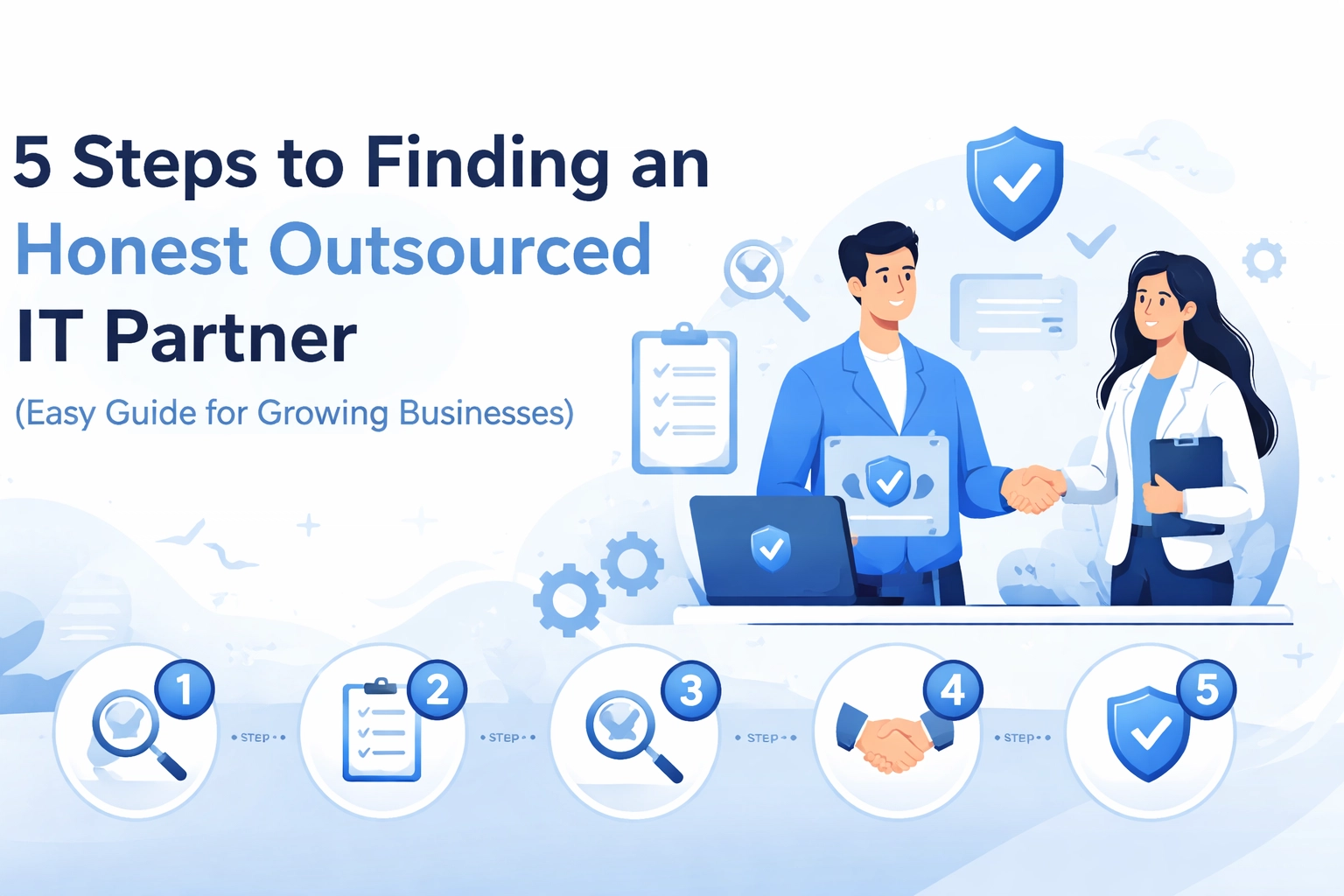
Here's our straightforward guide to finding an outsourced IT partner who's actually in it for the long haul.

Why Honesty Matters More Than Ever in IT Outsourcing

Before we dive into the steps, let's talk about why this matters so much.

IT outsourcing has become essential for businesses that want to stay competitive without building massive in-house teams. But the industry has its fair share of providers who overpromise, underdeliver, or lock us into solutions we don't actually need.

An honest partner won't just fix our tech problems: they'll help us make smart decisions, even if that means recommending a solution that doesn't benefit them directly. That's the kind of relationship that actually helps our business grow.

Two business professionals shaking hands at a desk, symbolizing trust in outsourced IT partnerships for business growth.

Step 1: Get Crystal Clear on What We Actually Need

This might sound obvious, but it's where most of us go wrong. We jump into conversations with IT providers before we've properly figured out what we're looking for.

Start by asking ourselves:

  • What specific IT tasks or projects do we need help with?
  • Are we looking for ongoing support, a one-off project, or both?
  • What's our realistic budget, including setup costs and monthly fees?
  • Do we need out-of-hours coverage for our team or customers?

When we're clear on our needs, it becomes much easier to spot when a provider is trying to sell us something we don't need. If they're pushing enterprise-level solutions when we're a 15-person company, that's a red flag.

A good partner will ask us plenty of questions before making recommendations. If they're jumping straight to solutions without understanding our situation, we might want to keep looking.

Step 2: Dig Into Their Track Record

Experience matters: but it's not just about how long a company has been around. We want to know if they've worked with businesses like ours.

Here's what to look for:

  • Industry experience: Do they understand the specific challenges in our sector?
  • Company size fit: A provider used to working with large enterprises might not give a smaller business the attention it needs (and vice versa).
  • Technical expertise: Can they actually deliver on the technologies we need?

Don't be shy about asking for specifics. A trustworthy partner will happily share examples of similar projects they've handled. If they're vague or defensive about their experience, that tells us something.

YOUR IT SPECIALIST Logo displaying interconnected red nodes resembling a network or infrastructure, symbolizing IT connectivity and expertise, with bold black text underneath reading 'YOUR IT SPECIALIST' to represent the brand's focus on provider-agnostic, impartial IT support and consulting services for businesses.

Step 3: Check References (And Actually Call Them)

Reviews and testimonials are helpful, but nothing beats a real conversation with a past client.

When we reach out to references, ask about:

  • How responsive is the team when issues come up?
  • Did they stick to timelines and budgets?
  • Were there any surprises along the way?
  • Would they recommend this partner to others?

Beyond direct references, it's worth checking independent review platforms. Sites like Clutch.co and GoodFirms can give us a broader picture of how a provider operates.

Here's a pro tip: pay attention to how they handle negative feedback. Every company gets the occasional complaint. What matters is whether they respond professionally and work to make things right. That tells us a lot about how they'll treat us when things don't go perfectly.

Step 4: Look for Genuine Transparency in Communication

This is where we separate the honest partners from the ones who just want to close a deal.

Watch out for these warning signs:

  • Slow response times during the sales process (it only gets worse after we sign)
  • Pressure to make quick decisions
  • Reluctance to share their portfolio or case studies
  • Vague answers about pricing or what's included
  • Unwillingness to discuss their limitations

An honest IT partner will tell us when something isn't their strength. They'll recommend alternatives even if it means pointing us toward a competitor. That kind of provider-agnostic approach might seem counterintuitive for a business, but it builds the kind of trust that leads to long-term relationships.

Magnifying glass examining a checklist, representing detailed verification when selecting an honest IT support provider.

Communication practicalities matter too:

  • Do they have clear channels for support requests?
  • What are their response time commitments?
  • If there's a time zone difference, are there overlapping hours for real-time collaboration?
  • Do they use project management tools that let us track progress?

These might seem like small details, but they make a huge difference in day-to-day working relationships.

Step 5: Get Serious About Security and Contracts

This is the step that's easy to rush through when we're excited about a new partnership. Don't.

On the security side, we need to verify:

  • What data protection measures do they have in place?
  • Are they compliant with relevant standards (ISO, GDPR, Cyber Essentials)?
  • How do they handle access controls and encryption?
  • What happens to our data if we end the partnership?

If a provider hesitates to discuss their security practices in detail, that's a significant concern. Our business data and our customers' information are too important to leave to chance.

For contracts, pay close attention to:

  • Service Level Agreements (SLAs): What response times and uptime guarantees are we getting?
  • Scope of services: What's included, and what costs extra?
  • Exit provisions: How easy is it to leave if things don't work out?
  • Intellectual property: Who owns what?

A trustworthy partner won't try to lock us into impossible-to-escape contracts. They'll earn our ongoing business by delivering results, not by making it too complicated to leave.

Two people in a video call interface, highlighting transparent communication for business IT outsourcing success.

Building a Partnership That Actually Works

Finding the right outsourced IT partner isn't just about ticking boxes. It's about finding a team that genuinely wants to help our business succeed.

The best partnerships we've seen are built on honest conversations from day one. That means being upfront about budgets, expectations, and concerns: and expecting the same in return.

When we find a partner who gives us straight answers, admits their limitations, and focuses on what's actually best for our business, we've found something valuable. Those relationships tend to last for years, not months.

Ready to Start the Search?

If we're looking for an IT outsourcing partner who values honesty over sales tactics, it's worth taking the time to do this properly. The five steps above won't guarantee a perfect match, but they'll help us avoid the common pitfalls.

For more guidance on making smart IT decisions, check out our guide on choosing the best IT outsourcing model for your business or learn about common IT outsourcing mistakes to avoid.

And if we'd like to chat about what honest IT support actually looks like, we're always happy to have that conversation: no pressure, no hard sell. Just straightforward advice about what might work best for our situation.

So we're thinking about whitelabel IT resources. Maybe our client list is growing faster than our team can handle. Or perhaps we've had one too many late-night support calls that left everyone exhausted. Either way, whitelabel services keep popping up as a potential solution.

But before we dive in headfirst, there's a few things worth knowing. The whitelabel space can be brilliant for MSPs: but only if we go in with our eyes open. Let's break down the ten things that'll help us make a smarter decision.

1. Understand What Whitelabel Actually Means

Here's the basics: whitelabel IT services let us deliver support to our clients under our own brand, even though an external partner is doing the heavy lifting behind the scenes. Our clients never know a third party is involved. They see our logo, our emails, our company name.

It's not about pretending to be something we're not. It's about extending our capabilities without stretching ourselves too thin. We get to offer 24/7 helpdesk support, NOC monitoring, or security services without hiring an army of technicians.

2. The Cost Structure Works Differently

One of the biggest shifts with whitelabel is moving from fixed payroll expenses to flexible operating costs. We're not paying someone to sit around during quiet periods. We pay for what we use.

Research shows firms using third-party IT outsourcing can achieve operating expense savings of 15-30%, particularly on recruitment and infrastructure. That's not pocket change. It eliminates the expensive cycle of hiring, training, and watching good staff walk out the door for better offers.

Balanced scale with coins and IT specialists illustrating cost savings with whitelabel IT support for MSPs.

3. Scalability Without the Commitment

This is where things get interesting for growing MSPs. With whitelabel partners, we can scale services up or down based on actual client demand. Won a big contract? We can ramp up support immediately. Lost a major client? We're not stuck with an oversized team.

We pay only for what we need: whether that's temporary support for a major project or ongoing coverage as our client base expands. No overcommitment. No painful redundancies.

4. We Can Expand Our Service Menu Fast

Building new services in-house takes time. Lots of it. Training staff on compliance-driven monitoring, setting up SIEM logging, implementing vulnerability scanning: these aren't overnight projects.

Whitelabel partners let us add capabilities quickly:

  • Tier 1 and Tier 2 helpdesk support
  • Security monitoring and SIEM
  • Vulnerability scanning and penetration testing
  • Data loss prevention (DLP)
  • Multi-factor authentication management
  • Phishing awareness training
  • Mobile device management (MDM)

We can offer enterprise-grade services without spending months (or years) building infrastructure from scratch. That's a competitive edge worth having.

5. Out of Hours Coverage Without the Night Shifts

Let's be honest: nobody wants to be on call at 3am. And hiring people specifically for night shifts? That's expensive and often unreliable.

Whitelabel partners deliver round-the-clock assistance under our brand. Our clients get support whenever they need it, and we get to sleep. One small Texas-based MSP with just 3 employees gained over 40 hours of team capacity by outsourcing after-hours and Tier 1 support. That's a whole extra person's worth of productive time.

At Your IT Specialist, out of hours service is something we take seriously. We know MSPs need reliable backup when the sun goes down.

Nighttime office with glowing computer showing 24/7 IT helpdesk resolution for managed services.

6. Client Retention Gets Easier

Here's something we don't always think about: consistent support across time zones and after-hours actually strengthens client relationships. When clients experience faster ticket resolution and feel supported whenever they need help, they stick around.

Nobody likes hearing "we'll get back to you tomorrow" when their systems are down. Whitelabel resources mean we can say "we're on it" at any hour: and actually mean it.

7. It Frees Us Up for Strategic Work

When we're drowning in helpdesk tickets and backend monitoring, there's no time for the stuff that actually grows our business. Whitelabel support lets us hand off the reactive work so our team can focus on:

  • Documenting SOPs and improving processes
  • Meeting prospects and closing deals
  • Business development and marketing
  • Refining our service offerings
  • Building genuine client relationships

The day-to-day grind is important, but it shouldn't consume every hour we've got. Strategic growth needs dedicated attention.

8. Profit Margins Become More Predictable

This one's simple but powerful. When costs are predictable and recurring, profit margins improve. We're not dealing with sudden overtime costs, emergency contractor fees, or the chaos of unexpected staff turnover.

We earn consistent monthly income without staffing burdens or infrastructure overhead. It lets us grow like a large firm while maintaining the agility of a smaller operation. That's a sweet spot most MSPs dream about.

YOUR IT SPECIALIST Logo displaying interconnected red nodes resembling a network or infrastructure, symbolizing IT connectivity and expertise, with bold black text underneath reading 'YOUR IT SPECIALIST' to represent the brand's focus on provider-agnostic, impartial IT support and consulting services for businesses.

9. It Helps Bridge the Skills Gap

According to Deloitte, 54% of businesses worldwide experience IT skill deficits. That's more than half of us struggling to find people with the right expertise. And when we do find them? They're expensive.

Whitelabel providers give us access to specialists with current expertise and proper equipment. We can compete with larger MSPs despite having fewer internal resources. The playing field gets a bit more level.

10. Choose Partners Who Share Our Values

This last one's crucial, and it's something we feel strongly about at Your IT Specialist. Not all whitelabel providers are created equal.

Look for partners who offer:

  • Provider-agnostic advice – They shouldn't be pushing specific vendors because of kickbacks. Honest recommendations matter.
  • Transparent communication – We need to know what's happening with our clients' tickets, not just hope for the best.
  • Long-term relationship focus – Quick wins are nice, but sustainable partnerships are better.
  • Flexibility – Our needs will change. Can they adapt?

A whitelabel partner becomes an extension of our team. We need to trust them completely, because our reputation rides on their performance.

Professional handshake with IT service icons symbolizing whitelabel IT partnerships and trust.

So, Is Whitelabel Right for Us?

It depends on where we're at and where we want to go. If we're struggling with capacity, missing out on after-hours support, or turning down opportunities because we can't deliver certain services: whitelabel resources might be exactly what we need.

The key is going in informed. We should understand the cost structure, vet potential partners thoroughly, and make sure their values align with ours. Done right, whitelabel can transform an MSP's capabilities without the growing pains of traditional expansion.

If we're curious about how whitelabel IT resources might work for our specific situation, it's worth having a conversation. No pressure, no hard sell: just an honest chat about whether it makes sense.

Ready to explore the possibilities? Get in touch and let's figure out what works best for our business.

Running an MSP comes with plenty of challenges. We're juggling client demands, staffing headaches, and the constant pressure to expand our service offerings. That's where whitelabel IT support enters the picture, and it's becoming a game-changer for managed service providers across the UK.

But before we dive in headfirst, there are some things worth knowing. Not all whitelabel partnerships are created equal, and the right choice can make a massive difference to our bottom line and reputation.

Let's break down the 10 essential things every MSP should know when exploring whitelabel IT support.

1. The Cost Savings Are Real (And Significant)

Let's talk numbers. Research shows that whitelabel IT support can reduce operating expenses by 15-30%. Some studies even suggest outsourcing IT services can cut costs by up to 40%.

Where do these savings come from? We're eliminating recruitment costs, training expenses, infrastructure investments, and ongoing technology upgrades. There's no need to worry about salaries, benefits, overtime, or the financial hit from high employee turnover, which, let's be honest, is pretty common in our industry.

For growing MSPs, this frees up capital to invest in sales, marketing, or expanding into new markets.

MSP cost savings from whitelabel IT support illustrated with growth charts and financial symbols

2. Scalability Becomes Effortless

One of the biggest headaches we face is scaling. A new client comes on board with 200 endpoints, and suddenly we're scrambling to hire and train staff.

With whitelabel support, that problem disappears. As our business grows, the provider can quickly scale services to match demand. We don't need to hire new employees or invest in additional infrastructure. When things slow down, we can contract usage just as easily.

This flexibility means we can say "yes" to opportunities without worrying about whether we've got the bandwidth to deliver.

3. Access to Expertise We Can't Always Afford In-House

Here's a reality check: 54% of businesses worldwide experience IT skill deficits, and 68% of CIOs cite talent shortages as a major concern. Finding specialists in cloud environments, cybersecurity, or legacy systems isn't easy: or cheap.

Whitelabel providers employ skilled technicians across multiple disciplines. We get access to that expertise without the eye-watering salary demands or lengthy recruitment processes.

This means we can offer services that might otherwise be out of reach, keeping us competitive against larger players in the market.

4. Out-of-Hours Support Without the Overtime Bill

Our clients expect support when they need it: not just during office hours. But staffing a 24/7 helpdesk is expensive. Night shifts, weekend rates, and the general difficulty of finding people willing to work unsociable hours all add up.

A good whitelabel partner handles this for us. We can offer round-the-clock support to clients while keeping our costs predictable. It's a genuine competitive advantage, especially when pitching to businesses that operate across multiple time zones or have critical systems that can't wait until Monday morning.

YOUR IT SPECIALIST Logo displaying interconnected red nodes resembling a network or infrastructure, symbolizing IT connectivity and expertise, with bold black text underneath reading 'YOUR IT SPECIALIST' to represent the brand's focus on provider-agnostic, impartial IT support and consulting services for businesses.

5. Customisation Is Key

Not all whitelabel services are one-size-fits-all. The best providers offer customisable solutions: adjustable service models, flexible branding elements, and service levels that align with our specific needs.

Maybe we only need support during specific hours. Perhaps we want continuous monitoring but handle escalations ourselves. A quality partner works with us to create a setup that makes sense for our business and our clients.

This isn't about handing over control. It's about extending our capabilities while maintaining our identity.

6. Our Brand Stays Front and Centre

The "whitelabel" part is crucial here. When done right, our clients never know there's another provider involved. The support team answers in our name, uses our branding, and represents our business.

This allows us to expand our IT service offerings and develop our brand without building a massive internal department. We can create our own sales and marketing strategies using the provider's established foundation as a springboard.

The result? We look bigger, more capable, and more professional: without the overhead.

Expanding IT network infrastructure showing scalable growth for MSPs using whitelabel support

7. Provider Dependence Is a Real Risk

Here's where we need to be careful. Any service delivery problems from the whitelabel provider reflect directly on our brand. If they drop the ball, our clients don't blame them: they blame us.

That's why assessing provider stability and accountability is critical before signing anything. We should ask tough questions:

  • How long have they been operating?
  • What's their track record?
  • How do they handle complaints and escalations?
  • Can they provide references from other MSPs?

A provider-agnostic approach helps here too. We shouldn't be locked into one vendor's ecosystem or pushed toward solutions that benefit the provider more than our clients.

8. Security and Compliance Can't Be an Afterthought

When we outsource IT support, we're giving a third party access to our clients' systems and data. That's a big deal.

We need to carefully evaluate:

  • Data security measures and encryption standards
  • Compliance protocols (especially around GDPR)
  • Access controls and authentication processes
  • How they handle sensitive information
  • Their incident response procedures

Any serious whitelabel partner should be able to answer these questions confidently and provide documentation to back up their claims. If they're vague or dismissive about security, that's a red flag.

Security shield protecting cloud servers representing data protection in whitelabel IT partnerships

9. Watch Out for Hidden Costs

The initial pricing might look attractive, but we should always read the fine print. Some providers have unexpected charges that pop up during the engagement: fees for escalations, after-hours support, specific ticket types, or exceeding certain thresholds.

Before committing, we should:

  • Request a detailed breakdown of all potential charges
  • Ask about scenarios that might trigger additional fees
  • Clarify what's included in the base price
  • Understand the billing model (per ticket, per hour, per user)

Transparent pricing from day one is a sign of a trustworthy partner. If getting a straight answer about costs feels like pulling teeth, it's probably worth looking elsewhere.

10. Long-Term Relationships Beat Short-Term Deals

This might be the most important point. Whitelabel IT support isn't a transaction: it's a partnership. The provider becomes an extension of our team, and that relationship needs to be built on trust and honesty.

We should look for partners who:

  • Communicate openly about challenges and limitations
  • Invest time in understanding our business
  • Offer impartial, provider-agnostic advice
  • Are genuinely interested in our success

A partner who's focused on quick wins and upselling won't serve us well in the long run. We want someone who's in it for the long haul and treats our clients' needs as seriously as we do.

Making the Right Choice

Whitelabel IT support can transform how we operate as MSPs. It lets us offer more services, support more clients, and compete with larger providers: all without breaking the bank.

But it's not a decision to rush. Taking time to evaluate potential partners, asking the right questions, and being clear about what we need will pay dividends down the line.

The goal isn't just to find a provider. It's to find a partner who shares our values and helps us deliver exceptional service to our clients.

If we get that right, everyone wins.


Thinking about whitelabel IT support for your MSP? We'd love to chat about how we might be able to help. Drop by our website or check out our blog for more insights on IT outsourcing and managed services.

So, we're running an MSP and clients keep asking for services we don't currently offer. Sound familiar? Whitelabel IT services might be the answer we've been looking for. But before diving in headfirst, there's quite a bit to consider.

Let's walk through the ten things every MSP should know before partnering with a whitelabel provider. Some of these are brilliant benefits, and others are honest warnings. Either way, we'll be better prepared to make the right call.

1. What Whitelabel IT Services Actually Are

First things first. Whitelabel managed IT services let us resell IT solutions under our own brand without managing the underlying infrastructure or personnel. Essentially, we get to offer services like server management, data recovery, helpdesk support, and endpoint security as if we'd built them in-house.

Our clients see our logo, our brand, and our name. They don't need to know there's a specialist team working behind the scenes. It's a win-win when done right.

2. The Cost Savings Are Real

Here's where things get interesting. Implementing whitelabel services can reduce operating expenses by 15-30% compared to building internal IT teams. Some studies even suggest outsourcing IT services can cut costs by up to 40%.

Think about it. We avoid recruitment costs, training expenses, infrastructure investments, and the ongoing overhead of maintaining specialist staff. Those savings go straight to our bottom line or can be reinvested into growing other parts of the business.

IT team collaborating on whitelabel services to reduce MSP operating costs

3. We Can Launch New Services Fast

One of the biggest advantages? Speed to market.

Instead of spending months (or years) developing new capabilities in-house, whitelabel solutions let us launch new products or service lines quickly. Research from McKinsey shows that 70% of transformation efforts succeed when external expertise is adopted.

Got a client asking for 24/7 monitoring? Network infrastructure support? Remote IT helpdesk services? With the right whitelabel partner, we can say "yes" almost immediately.

4. It Solves the IT Skills Gap Problem

Let's be honest. Finding qualified IT talent is tough right now. According to Deloitte, 54% of businesses experience IT skill deficits. That's more than half of us struggling to fill specialist roles.

Whitelabel services give us access to that expertise without the headache of hiring, training, and retaining specialists. We tap into a ready-made team with up-to-date knowledge and equipment. Our clients get top-tier service, and we don't lose sleep over recruitment.

YOUR IT SPECIALIST Logo displaying interconnected red nodes resembling a network or infrastructure, symbolizing IT connectivity and expertise, with bold black text underneath reading 'YOUR IT SPECIALIST' to represent the brand's focus on provider-agnostic, impartial IT support and consulting services for businesses.

5. Scalability Becomes Effortless

Business isn't static. Some months we're swamped, others are quieter. Whitelabel services adapt to varying demands without requiring major infrastructure investments on our end.

Need to scale up for a big client project? Done. Need to scale back during slower periods? No problem. This flexibility means we're never overstaffed or scrambling to meet demand. We simply adjust based on what our clients need right now.

6. Provider Dependence Is a Real Risk

Now for some honesty. When we rely on a whitelabel provider, any service delivery problems reflect directly on our brand and reputation. If they drop the ball, our clients see us as the ones who failed.

This is why choosing the right partner matters enormously. We need to evaluate provider stability, their track record, and how they handle accountability before signing anything. A cheap deal isn't worth much if it damages the relationships we've spent years building.

Secure network protection and risk assessment for choosing whitelabel IT providers

7. We Lose Some Direct Control

Outsourcing IT operations to a third party creates a gap between our business strategy and technical implementation. We're trusting someone else to deliver on our promises.

This doesn't have to be a dealbreaker. The key is finding a partner who communicates openly, provides regular reporting, and genuinely aligns with how we want to serve our clients. Look for providers who value long-term honest relationships over quick transactions.

8. Watch Out for Hidden Costs

Here's a trap many MSPs fall into. Initial costs look attractive, but unexpected charges creep in later. Setup fees, integration costs, overage charges, and premium support tiers can add up quickly.

Before signing any agreement, we should review contracts thoroughly. Ask about all potential fees upfront. Get everything in writing. A transparent provider won't mind these questions. In fact, they'll appreciate that we're taking the partnership seriously.

9. Data Security Can't Be an Afterthought

When we hand over IT operations to a third party, we're also trusting them with sensitive client data. If the whitelabel provider handles security poorly, we're the ones facing the consequences.

Before committing, we need to verify:

  • Their security certifications and compliance standards
  • How they handle data storage and transmission
  • Their incident response procedures
  • Whether they meet the specific compliance requirements our clients need

This isn't about being paranoid. It's about protecting our clients and our reputation. A good provider will have solid credentials and be happy to discuss their security practices openly.

MSP partnership handshake representing whitelabel IT services and business growth

10. The Revenue and Brand Opportunities Are Huge

Let's end on a high note. Whitelabel services can genuinely transform our business financially. We're talking about:

  • Higher top-line revenue from offering more services
  • Better margin profiles without the overhead of in-house teams
  • More attractive EBITDA for potential investors or buyers
  • Increased company valuation overall

Beyond the numbers, whitelabel partnerships let us develop our own market positioning, sales strategies, and marketing approaches. We expand our product offerings while maintaining full control over how we present ourselves to clients.

Finding the Right Whitelabel Partner

So where does all this leave us? Whitelabel IT services offer genuine advantages for MSPs looking to grow without massive overhead. But success depends entirely on choosing the right partner.

Here's what to look for:

  • Provider-agnostic advice – They should recommend what's best for our clients, not just push their own solutions
  • Out of hours service – Because IT problems don't stick to a 9-5 schedule
  • Transparent communication – No surprises, no hidden agendas
  • Proven track record – Real results with real MSPs like us

The best partnerships feel like genuine extensions of our team. Our clients benefit from expanded services, we benefit from reduced overhead and increased revenue, and the whitelabel provider benefits from a long-term relationship built on trust.

Ready to Explore Whitelabel Options?

If we're seriously considering whitelabel IT services, the next step is simple. Start conversations with potential providers. Ask tough questions. Get references from other MSPs they work with.

The right partner is out there. We just need to do our homework first.

Got questions about how whitelabel services might fit into our MSP model? Let's have a chat and explore the options together.

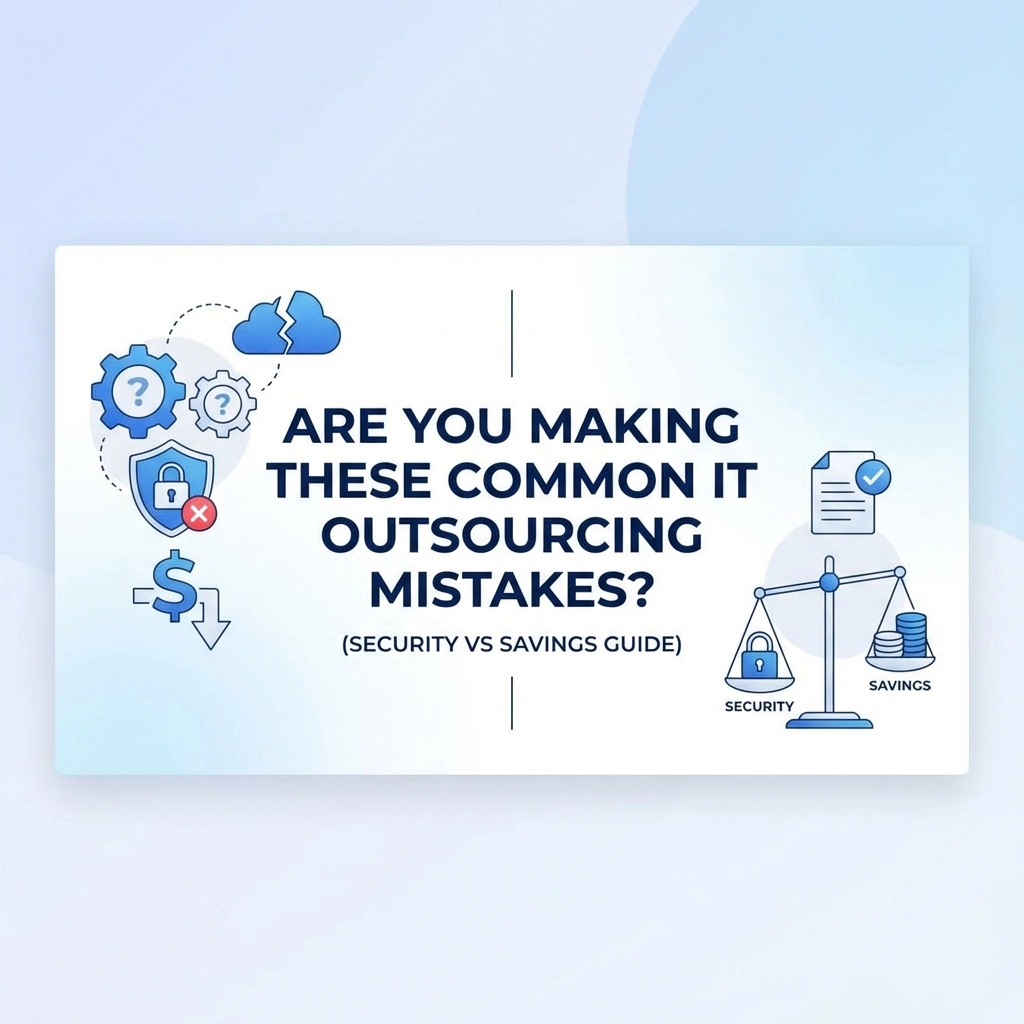
IT outsourcing can be a brilliant move for UK businesses in 2026 – when done right. But here's the thing: we're seeing the same costly mistakes repeated time and again. Companies get dazzled by promises of massive savings, only to find themselves dealing with security breaches, hidden costs, and sleepless nights wondering if their systems are actually safe.

The truth is, the cheapest option usually isn't the smartest one. Let's dive into the most common outsourcing blunders we see businesses making, and more importantly, how to avoid them while keeping both your budget and your data secure.

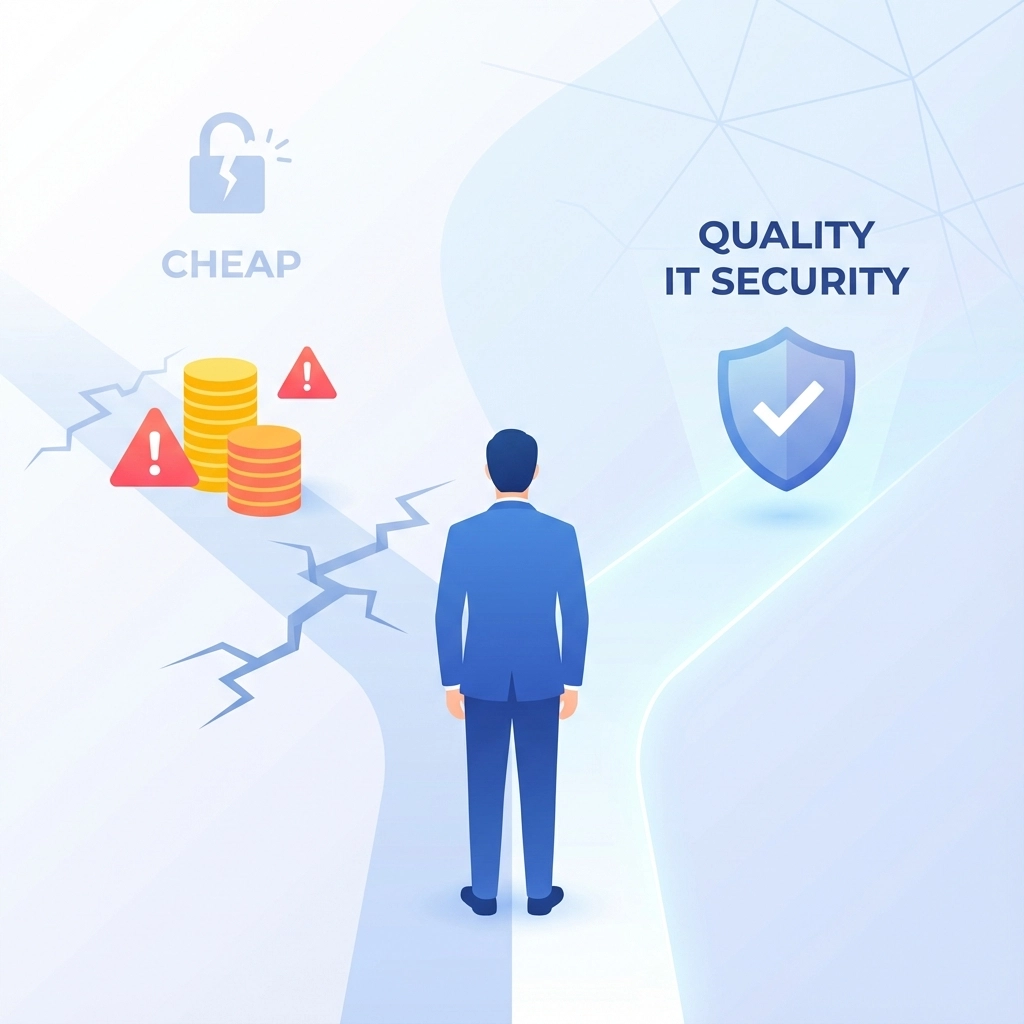
Mistake #1: Chasing the Lowest Price Tag

We get it – budgets are tight, especially with the current economic climate in the UK. But here's what happens when you choose IT support based solely on price: you often end up paying twice.

That £50-per-month "unlimited support" package? It probably comes with junior technicians, offshore call centres with massive time delays, and security practices that would make a GDPR officer weep. We've seen businesses save £200 a month on IT support, only to lose £20,000 when a data breach hits because their provider skimped on security monitoring.

image_1

The real cost of cheap IT support:

  • Longer resolution times (costing you productivity)
  • Higher risk of security breaches
  • Hidden charges that weren't mentioned upfront
  • Staff frustration leading to decreased morale

Instead of asking "what's the cheapest option?", ask "what's the best value for money?" A slightly higher monthly investment often saves thousands in the long run.

Mistake #2: Ignoring Security in the Rush to Save

Here's a scary statistic: 60% of UK small businesses that suffer a cyber attack go out of business within six months. Yet we still see companies choosing IT providers without properly vetting their security credentials.

Your IT provider should be treating your data like their own family's safety depends on it. That means:

  • Proper backup systems (not just storing everything in one place)
  • 24/7 monitoring for suspicious activity
  • Regular security updates applied promptly
  • GDPR compliance that's actually implemented, not just talked about
  • Cyber insurance and clear incident response plans

Don't be afraid to ask tough questions about security. If a provider gets defensive or can't give you straight answers about their security practices, that's a red flag the size of Big Ben.

image_2

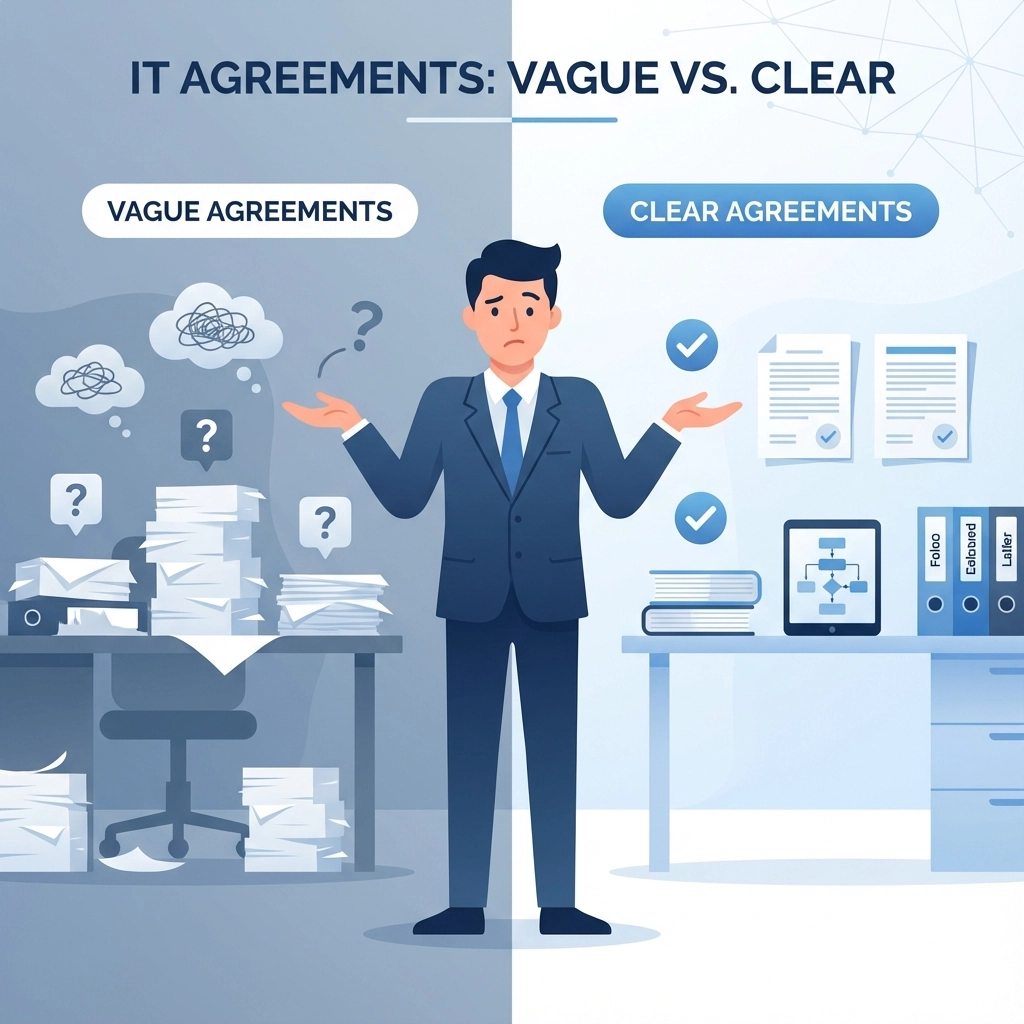
Mistake #3: Vague Agreements and Woolly SLAs

"We'll fix everything quickly" isn't a service level agreement – it's wishful thinking. Too many businesses sign up with providers without clear, measurable commitments about response times, resolution targets, and what "support" actually includes.

A proper SLA should specify:

  • Response times for different priority levels
  • Resolution targets that are realistic but firm
  • What's included and what costs extra
  • Escalation procedures when things go wrong
  • Penalties if they don't meet their commitments

If your current provider can't tell you exactly what you're getting for your money, it might be time for a conversation.

Mistake #4: The "Set It and Forget It" Mentality

Outsourcing your IT doesn't mean outsourcing your responsibility for it. We've seen businesses hand over their entire IT infrastructure and then wonder why costs spiralled or security wasn't up to scratch.

You should still be involved in major decisions about your technology. A good IT provider will keep you informed about:

  • Upcoming changes to your systems
  • Security threats relevant to your industry
  • Cost implications of new requirements
  • Performance metrics so you know what you're getting

The best partnerships are collaborative, not hands-off.

image_3

Mistake #5: Failing to Plan for the Unexpected

What happens if your IT provider goes bust? Or if their main engineer leaves? Or if there's a major outage during your busiest period? Many businesses don't think about contingency planning until it's too late.

Your IT support arrangement should include:

  • Business continuity plans for various scenarios
  • Documentation of your systems and configurations
  • Multiple contact points (not just one person who knows everything)
  • Clear ownership of passwords, licences, and accounts

The Security vs Savings Balance: Getting It Right

Here's the million-pound question: how do you balance cost-effectiveness with security? The answer isn't about choosing one over the other – it's about understanding the real value of what you're buying.

Think total cost of ownership, not just monthly fees. A provider charging £300/month with robust security, proactive monitoring, and quick response times is better value than one charging £100/month who leaves you vulnerable to attacks.

Consider the cost of downtime. If your business loses £500 per hour when systems are down, paying extra for faster response times is a no-brainer.

Factor in compliance requirements. GDPR fines can be devastating. Investing in proper data protection isn't just smart – it's essential.

image_4

Red Flags to Watch Out For

When evaluating IT providers, these warning signs should make you think twice:

  • Reluctance to discuss security measures in detail
  • Vague pricing with lots of "extras" that aren't explained upfront
  • No local presence or UK-based support team
  • Poor references or reluctance to provide them
  • High-pressure sales tactics or contracts that lock you in unnecessarily
  • One-size-fits-all solutions without understanding your specific needs

What Good IT Outsourcing Looks Like

The best IT partnerships feel more like having an extension of your team than dealing with a faceless supplier. You should expect:

Honest communication about what you actually need (not what they want to sell you)

Flexible support that adapts to your business patterns – including proper out-of-hours coverage when you need it

Transparent pricing with no nasty surprises

Proactive maintenance that prevents problems rather than just fixing them

Regular reviews to ensure you're still getting value for money

Local expertise that understands UK regulations and business practices

Making Smarter IT Decisions in 2026

The IT landscape is evolving rapidly, and your support needs are probably different from what they were even two years ago. Cloud adoption, remote working, AI integration, and increasing cyber threats all mean your IT strategy needs to be more sophisticated than ever.

Don't let the complexity intimidate you into making hasty decisions. Take time to properly evaluate your options, ask the right questions, and choose partners who prioritise your long-term success over their short-term profits.

image_5

Moving Forward: Your Next Steps

If you're currently unhappy with your IT support or considering a change, start by auditing what you actually need. Look at your current pain points, future growth plans, and security requirements. Then have honest conversations with potential providers about how they'd address these specific challenges.

Remember, switching IT providers doesn't have to be disruptive if it's planned properly. The right partner will make the transition smooth and transparent.

At Your IT Specialist, we've built our reputation on providing impartial advice and honest recommendations – even when it means suggesting something that earns us less money. We believe in building long-term relationships based on trust, not just quick sales.

Whether you're looking for a complete IT overhaul or just want an honest second opinion on your current setup, we're here for a no-pressure conversation. Sometimes a quick chat can save you thousands in avoided mistakes.

Ready to make smarter IT decisions? Get in touch for an impartial consultation – we promise to tell you what you need to hear, not just what we think you want to hear.

Let's be honest: choosing the right IT outsourcing model can feel like navigating a maze blindfolded. With so many options, conflicting advice, and sales pitches flying around, it's no wonder many UK businesses end up making expensive mistakes or settling for arrangements that don't quite fit.

But here's the thing: there's no one-size-fits-all solution. What works brilliantly for a 50-person marketing agency might be a disaster for a growing manufacturing company. The trick is understanding your options and matching them to your actual needs: not what someone's trying to sell you.

The Three Main IT Outsourcing Models

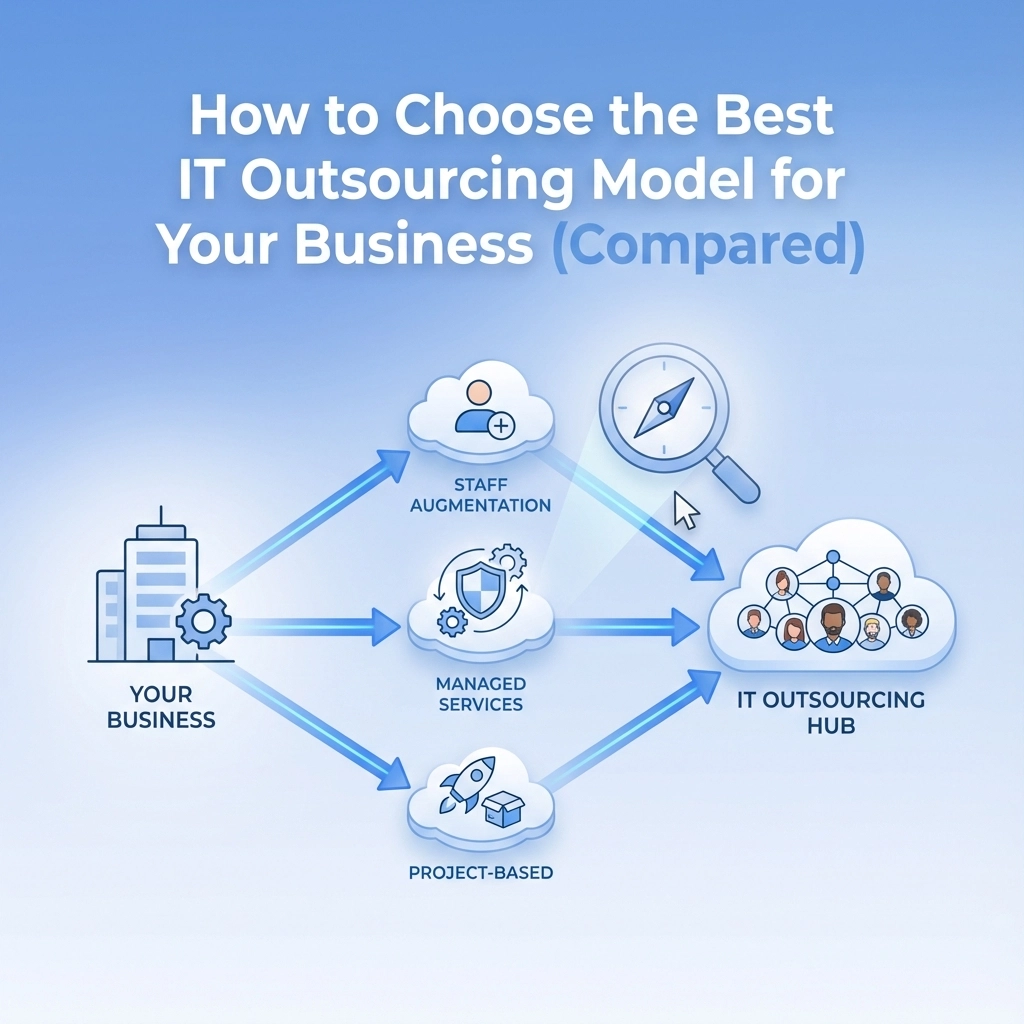
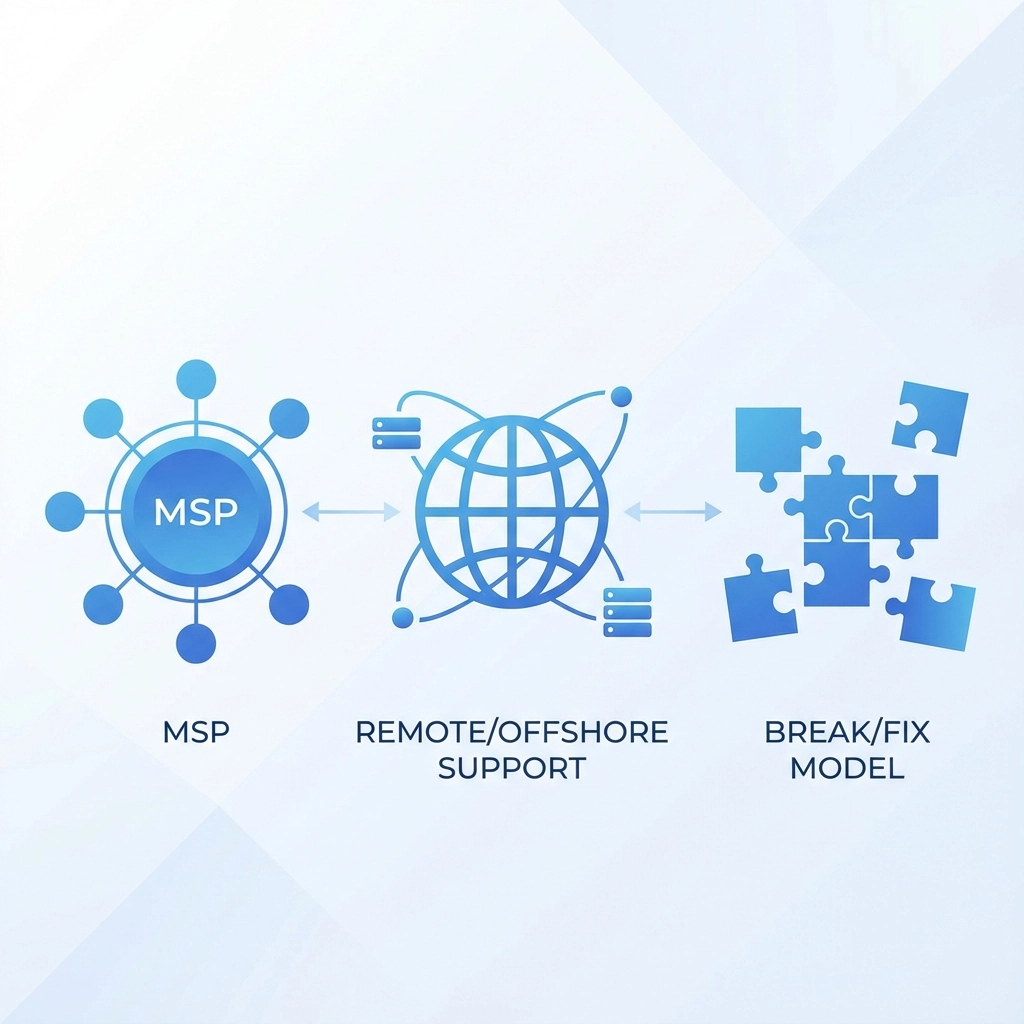
When we strip away all the marketing fluff, there are three primary models that UK businesses typically consider:

Managed Service Provider (MSP) – A comprehensive partnership where an external team takes full responsibility for your IT infrastructure, support, and strategy.

Remote/Offshore IT Support – Technical support delivered by teams based in different locations, often overseas, usually at lower cost points.

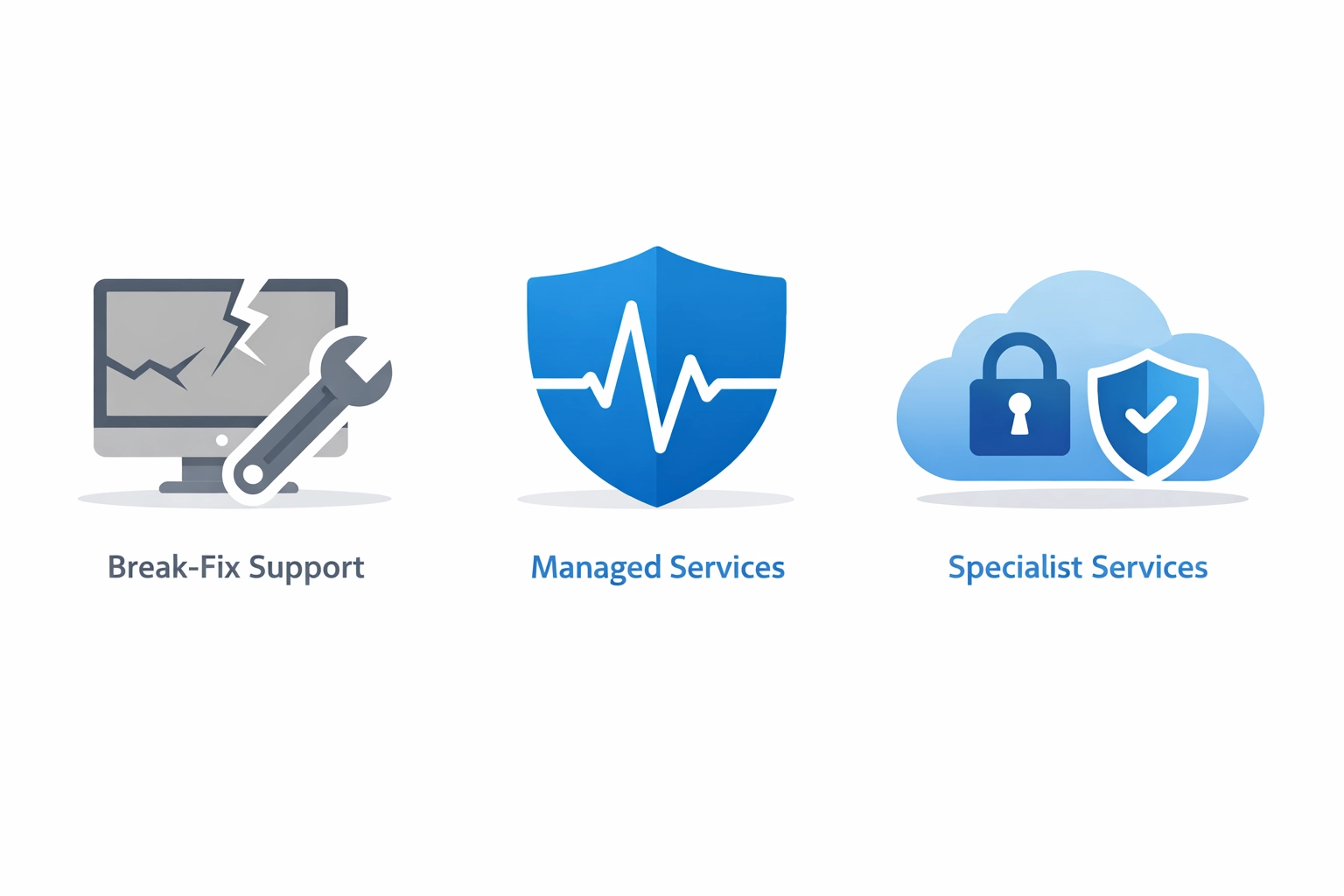
Break/Fix Model – Pay-as-you-go support where you only pay when something breaks or needs fixing.

Each has its place, but they serve very different business needs and growth stages.

image_1

Managed Service Provider (MSP): The Full-Service Approach

Think of an MSP as your external IT department. They handle everything from day-to-day support to strategic planning, security, and infrastructure management.

Advantages:

  • Predictable monthly costs – No surprise bills when your server crashes on a Friday afternoon
  • Proactive approach – Problems get spotted and fixed before they impact your business
  • Access to specialist expertise – You get a whole team's worth of knowledge for the price of one salary
  • 24/7 support availability – Someone's always there when things go sideways
  • Strategic partnership – They help plan your IT roadmap, not just fix what's broken

Disadvantages:

  • Higher monthly investment – Usually the most expensive option upfront
  • Less direct control – You're trusting another company with critical business functions
  • Contract commitments – Most MSPs want 12-24 month agreements
  • Potential over-servicing – You might pay for services you don't actually need

Typical Costs:

Expect to pay £75-£150 per user per month for comprehensive managed services, though this varies significantly based on your infrastructure complexity and service levels required.

Remote/Offshore IT Support: The Cost-Effective Option

This model leverages teams based in countries with lower labour costs to provide technical support, often through remote access tools and helpdesk systems.

Advantages:

  • Significant cost savings – Often 40-60% less than UK-based services
  • Round-the-clock coverage – Time zone differences can provide 24/7 support naturally
  • Scalability – Easy to ramp support up or down as needed
  • Specialised skills – Access to specific technical expertise that might be expensive locally

Disadvantages:

  • Communication challenges – Language barriers and cultural differences can slow resolution
  • Time zone complications – Urgent issues might wait for business hours in another country
  • Security concerns – Giving remote access to overseas teams raises compliance questions
  • Limited business understanding – They know tech but might not grasp your business context

Typical Costs:

Remote support typically runs £20-£50 per user per month, making it attractive for cost-conscious businesses.

image_2

Break/Fix Model: The Traditional Approach

This is the old-school way of handling IT: call someone when something breaks, pay for the time to fix it, then wait for the next crisis.

Advantages:

  • No monthly commitments – You only pay when you actually need help
  • Lower barrier to entry – No upfront investment required
  • Direct control – You decide exactly what gets fixed and when
  • Good for stable environments – If your tech rarely breaks, costs stay low

Disadvantages:

  • Unpredictable costs – A major outage could cost thousands without warning
  • Reactive only – Problems aren't prevented, just fixed after they've caused damage
  • No strategic support – You're on your own for planning and improvements
  • Potential for extended downtime – No incentive for providers to respond quickly
  • Higher long-term costs – Emergency rates and repeated issues add up fast

Typical Costs:

Break/fix typically charges £80-£150 per hour, with emergency callouts potentially costing £200+ per hour.

How to Assess What's Right for Your Business

The right choice depends on several key factors:

Business Size and Growth Stage

Start-ups and very small businesses (under 10 people) often find break/fix or basic remote support sufficient, especially if tech needs are simple and downtime isn't catastrophic.

Growing businesses (10-50 people) typically benefit most from MSP partnerships. The predictable costs help with budgeting, while proactive support prevents the kind of outages that can derail growth momentum.

Established companies (50+ people) usually need the comprehensive approach an MSP provides, though some supplement with offshore support for basic helpdesk functions.

Critical Dependence on Technology

If your business grinds to a halt when IT systems fail, you can't afford the reactive approach of break/fix. The potential revenue loss from extended downtime far outweighs the monthly cost of proactive management.

Internal IT Capabilities

Companies with existing IT staff might use remote/offshore support to handle overflow and out-of-hours coverage, while businesses without internal expertise need the full MSP treatment.

Budget and Cash Flow

MSPs require consistent monthly investment but provide predictable costs. Break/fix seems cheaper initially but can deliver nasty surprises. Remote support offers a middle ground but requires more internal coordination.

image_3

Special Considerations for Different Business Types

Growing Companies

If you're scaling rapidly, your IT needs will change fast. Look for partners who can grow with you: fixed-price break/fix arrangements often break down when your infrastructure becomes more complex. MSPs with flexible service tiers usually handle growth transitions better.

The key is finding a provider who won't lock you into yesterday's requirements but can adapt as your needs evolve.

MSPs Looking to Scale Their Own Operations

If you're an MSP yourself, you might need white-label support to handle overflow or provide services outside your core expertise. Look for partners who understand the channel and won't compete with your direct client relationships.

Whitelabel IT contract services can provide the backend support you need without compromising your brand relationship.

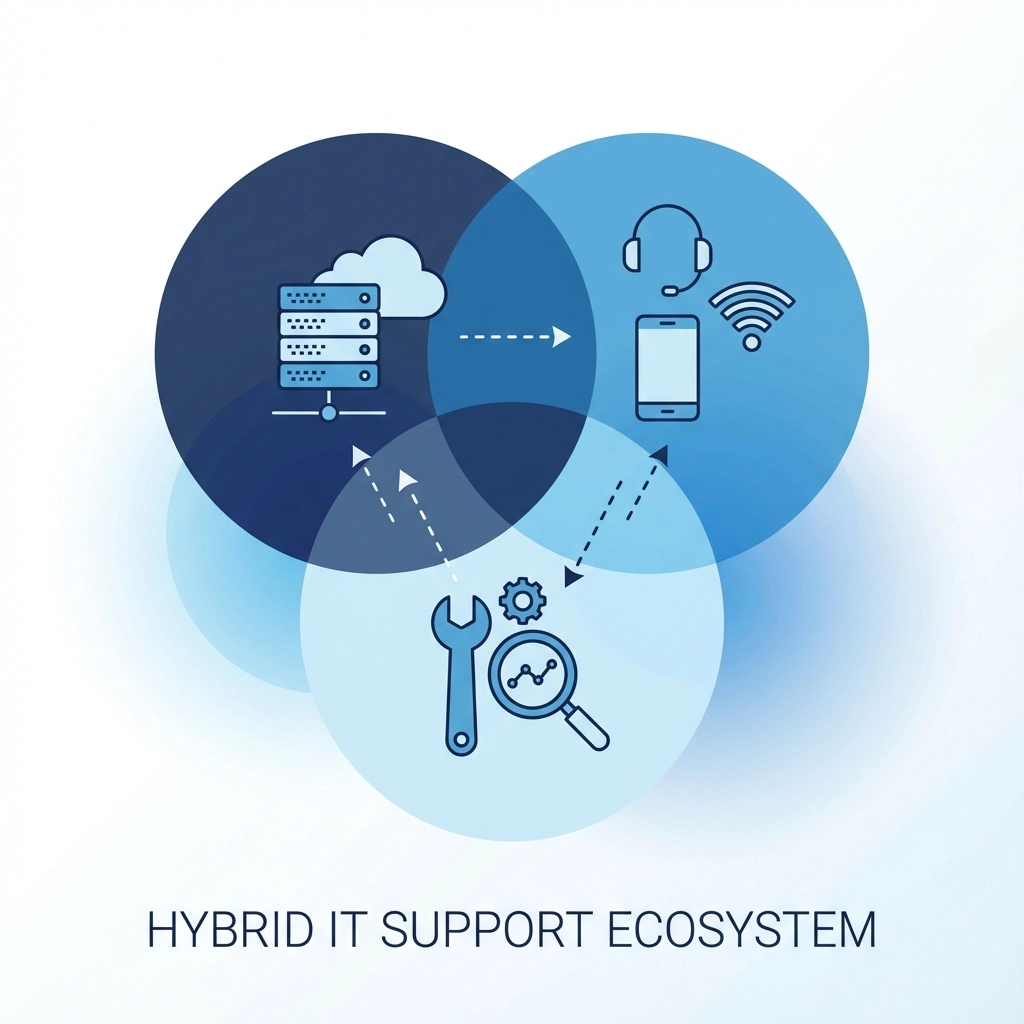
The Hybrid Approach: Best of Both Worlds

Many successful businesses don't stick to just one model. They might use an MSP for critical infrastructure and security, supplemented by offshore support for basic helpdesk functions, with break/fix available for one-off projects.

The key is ensuring all providers communicate effectively and don't create gaps in responsibility.

What Sets Apart the Best IT Partners

Regardless of which model you choose, the best providers share certain characteristics:

Provider-agnostic advice – They recommend what's actually best for your situation, not what makes them the most money.

Transparent communication – No technical jargon barriers or hidden agenda items.

Flexible service delivery – Especially important for out-of-hours support when you need help most.

Long-term partnership mindset – They're invested in your success, not just solving today's problems.

Honest about limitations – They'll tell you when you need something they can't provide rather than promising everything.

image_4

At Your IT Specialist, we've built our entire approach around these principles. We don't push one-size-fits-all solutions because we know every business is different. Sometimes that means recommending a competitor if they're genuinely better suited to your needs: that's just honest business.

Our out-of-hours support is designed to be there when you actually need it, not just during convenient business hours. And we're committed to long-term partnerships that evolve as your business grows.

Making Your Decision

Start by honestly assessing your current situation:

  • How often do IT issues currently disrupt your business?
  • What's your realistic budget for IT support?
  • How quickly is your business growing or changing?
  • What's your internal IT capability?
  • How critical is technology to your daily operations?

Don't make this decision based on cost alone. The cheapest option upfront often becomes the most expensive when you factor in downtime, lost productivity, and missed opportunities.

Ready to Find Your Perfect IT Partnership?

Choosing the right IT outsourcing model isn't about finding the cheapest option or the one with the flashiest marketing. It's about finding the approach that genuinely fits your business needs, budget, and growth plans.

We'd love to have an impartial chat about your specific situation: no sales pitch, just honest advice about what might work best for your business. Whether that's working with us or pointing you toward a better fit elsewhere.

Get in touch for a no-obligation consultation, and let's figure out the right path forward for your IT needs.

YOUR IT SPECIALIST Logo

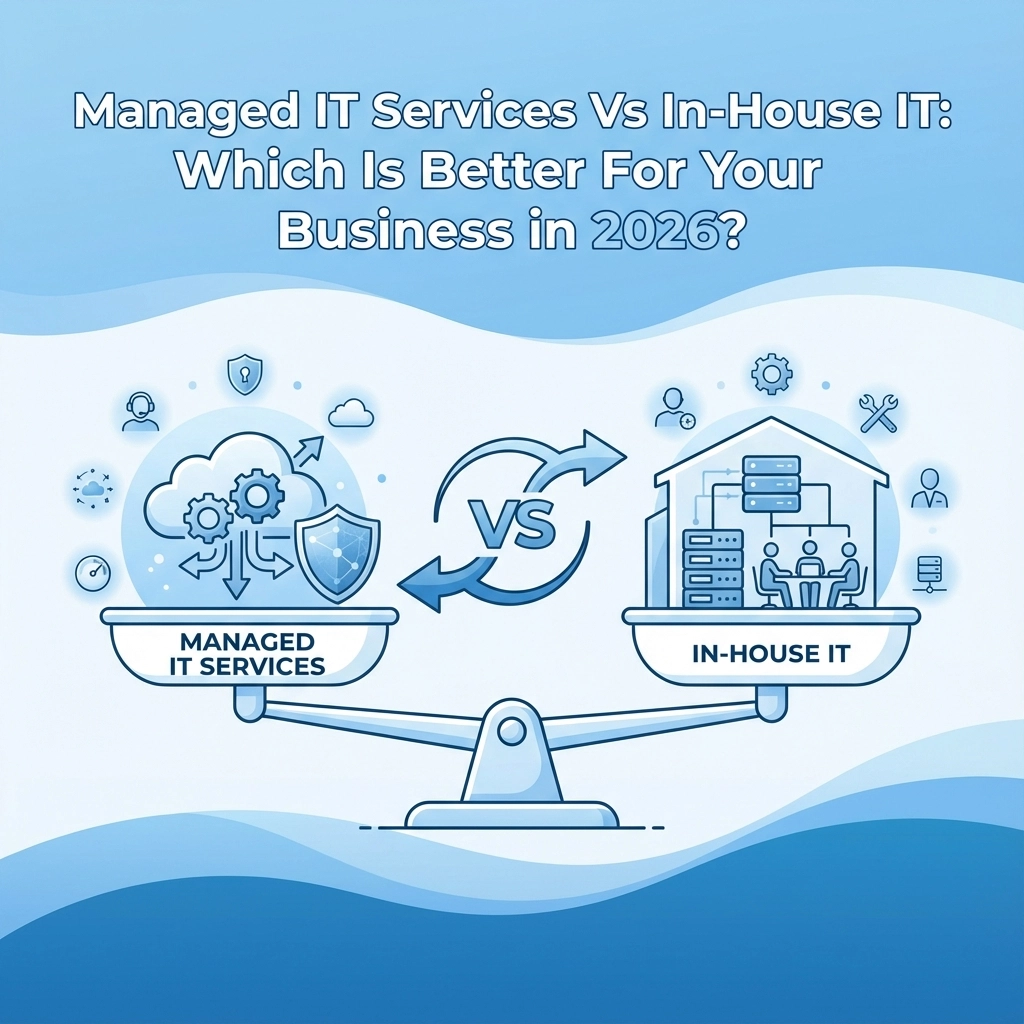
The age-old question keeps business owners up at night: should we handle IT internally or outsource it? There's no universal "right" answer, but 2026 has brought some clarity to this decision. The choice depends on your business size, growth plans, and how much control you need over your technology.

Let's cut through the noise and look at what really matters for your business.

The Cost Reality Check

Here's what most business guides won't tell you upfront: managed IT services typically cost 45% less than building an equivalent in-house team. That's not marketing fluff – it's basic economics.

When you hire internally, you're paying salaries, benefits, training, equipment, software licenses, and infrastructure. A single experienced IT professional in 2026 commands £40,000-60,000 annually, plus benefits. Add a second person for coverage and you're looking at £100,000+ before considering tools and equipment.

Compare that to managed services: a comprehensive IT package for a 50-employee company runs £40,000-50,000 per year total. You get an entire team's expertise for less than one internal hire.

But cost isn't everything. Sometimes paying more makes business sense.

image_1

Expertise: Depth vs Breadth

In-house teams give you dedicated people who understand your specific business inside and out. They know your quirky legacy system, understand your workflows, and can customize solutions around your exact needs. That deep knowledge is valuable, especially for complex operations.

Managed services offer something different: breadth of expertise you can't afford to hire. Need cybersecurity knowledge? Network optimization? Cloud migration expertise? A managed provider brings specialists in every area, plus they're constantly training to keep up with new threats and technologies.

The reality is most small to medium businesses can't hire specialists for every IT area they need. You end up with generalists trying to handle specialized problems – and that's where expensive mistakes happen.

The 24/7 Support Question

Your server doesn't check the clock before crashing. Neither do cyber attacks or network failures.

In-house IT typically works business hours unless you pay premium rates for shift coverage. When something breaks at 2 AM on Saturday, you're waiting until Monday morning or calling in expensive emergency support.

Managed providers include round-the-clock monitoring and response as standard. They're watching your systems constantly, often fixing problems before you know they exist.

This isn't just about convenience – downtime costs real money. Even a few hours of lost productivity can exceed months of managed service fees.

Control vs Flexibility

This is where the decision gets personal. How much control do you need?

In-house teams report directly to you. You can walk over and discuss priorities, make immediate changes, and ensure IT decisions align perfectly with business goals. If your operation requires tight integration between IT and business processes, internal teams often work better.

Managed services require some trust in your provider's processes. You're working within their frameworks and procedures. For some businesses, this feels like losing control. For others, it's liberating – they can focus on their core business while experts handle the technology.

image_2

Security and Compliance: The Hidden Complexity

Cybersecurity in 2026 isn't something you can handle as a side task. The threat landscape evolves daily, and compliance requirements keep getting more complex.

Most small internal teams struggle to keep pace. They're busy with day-to-day support and can't dedicate time to staying current with security best practices. This creates vulnerabilities that attackers love to exploit.

Managed providers invest heavily in security expertise because it's their core business. They're constantly updating protocols, training staff, and investing in security tools that would be prohibitively expensive for individual businesses.

If your business handles sensitive data or operates in a regulated industry, this expertise becomes critical.

When In-House Makes Sense

Don't let us paint managed services as perfect for everyone. In-house IT works better when:

  • You're large enough to afford specialists – Companies with 100+ employees can often justify dedicated IT staff across multiple specialties
  • Your technology is highly specialized – Unique systems or processes benefit from permanent staff who understand every detail
  • You need constant customization – If you're frequently modifying systems or developing custom solutions, internal teams often work faster
  • Control is critical – Some industries or business models require direct oversight of all IT operations

When Managed Services Win

Managed IT typically works better for:

  • Growing businesses – You can scale IT resources up or down without hiring and firing
  • Cost-conscious operations – Predictable monthly fees vs fluctuating internal costs
  • Businesses wanting to focus on core activities – Let IT experts handle IT while you focus on what you do best
  • Operations needing 24/7 reliability – Round-the-clock monitoring and support

image_3

The Hybrid Approach

Here's what many guides miss: you don't have to choose just one approach. Smart businesses often use hybrid models.

You might keep one internal person for day-to-day user support and business-specific knowledge, while outsourcing network management, security, and after-hours support to managed providers.

This gives you the best of both worlds: local knowledge and expertise, plus specialized skills and 24/7 coverage.

Making the Right Choice for 2026

Start with these practical questions:

Budget Reality: Can you afford £100,000+ annually for adequate internal IT coverage? Include salaries, benefits, equipment, and training.

Growth Plans: Will your IT needs change significantly over the next 2-3 years? Managed services scale easier than hiring.

Core Business Focus: Do you want your management time consumed by IT hiring, training, and oversight? Or would you prefer predictable service levels?

Risk Tolerance: How much would a few hours of downtime cost your business? What about a security breach?

Complexity Needs: Do you need deep customization, or would proven, standardized approaches work fine?

The Bottom Line

Most small to medium businesses benefit from managed IT services in 2026. The cost savings, expertise access, and reduced operational complexity usually outweigh the benefits of internal teams.

But "most" isn't "all." If you have specialized needs, require tight control, or have sufficient budget for multiple internal specialists, in-house might work better.

The key is honest assessment of your actual needs vs wants. Many businesses think they need more control than they actually do, while underestimating the true cost and complexity of building internal IT capabilities.

Whatever you choose, make sure your IT strategy supports your business goals rather than constraining them. The right IT approach should make your business more efficient and resilient, not create additional management headaches.

If you're still unsure, consider starting with managed services for six months. You can always bring IT internal later, but it's much easier to test managed services first than to build internal teams and then realize they're not working.

The technology landscape keeps evolving, but the fundamental question remains: do you want to be in the IT business, or do you want IT to support your real business? Your answer should guide your decision.

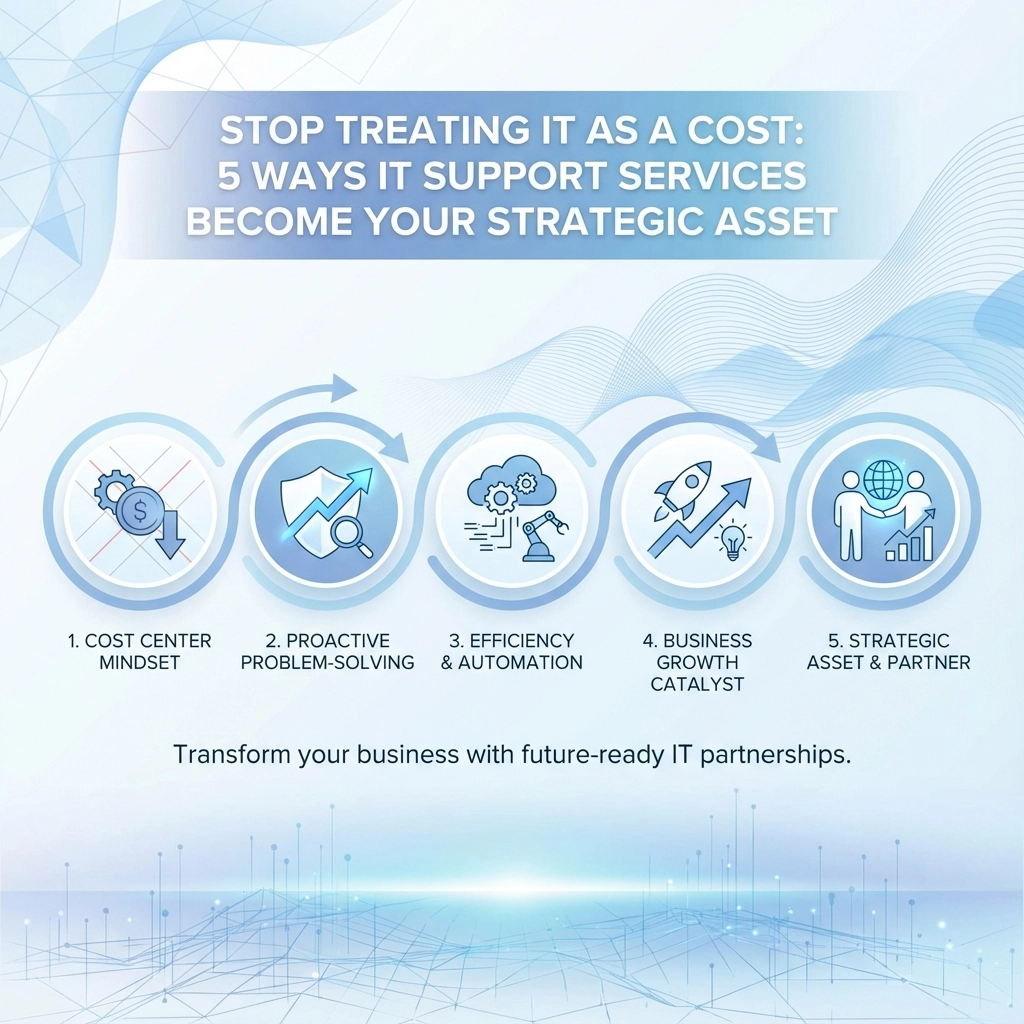
Most business owners see IT the same way they view rent or insurance: a necessary evil that drains the budget. But here's the thing: when we shift from thinking about IT as an expense to viewing it as a strategic asset, everything changes.

The businesses thriving in 2026 aren't the ones spending the least on IT. They're the ones getting the most value from their technology investments. Let's explore how proper IT support transforms from a cost center into your competitive advantage.

1. Cost Optimization That Actually Saves Money

The average business wastes about 30% of its IT budget on unused software licenses, outdated hardware, and inefficient processes. That's not a typo: we're talking about real money sitting unused in digital drawers.

Professional IT support doesn't just fix problems; it identifies waste before it happens. When we audit a client's systems, we commonly find:

  • Software licenses bought but never deployed
  • Multiple subscriptions for similar services
  • Hardware that's over-specified for actual needs
  • Cloud resources running 24/7 for 9-5 operations

image_1

One client was paying for 50 Adobe licenses when only 12 employees actually used the software. Another had three different video conferencing platforms because different departments made separate purchases. These aren't unusual cases: they're the norm.

Strategic IT support includes asset management that tracks every license, subscription, and piece of hardware. This visibility typically saves clients 20-40% on their IT expenses in the first year alone. That's not cutting corners; it's cutting waste.

2. Productivity That Translates to Profit

When we treat IT strategically, we stop asking "What's the cheapest solution?" and start asking "What solution helps our team work better?"

Consider this scenario: your team spends 30 minutes each morning waiting for computers to start, applications to load, and files to sync. For a 10-person team, that's five hours of lost productivity daily. Over a year, you're looking at nearly 1,300 hours: equivalent to hiring another part-time employee.

Strategic IT support focuses on:

  • Proactive maintenance that prevents slowdowns
  • Optimised workflows that eliminate repetitive tasks
  • Reliable systems that don't break during critical moments
  • Remote access that keeps teams productive anywhere

image_2

The return on investment isn't just in avoided downtime. It's in the confidence your team has in their tools, the speed they can complete tasks, and the professional impression you make on clients when everything simply works.

3. Data-Driven Decision Making

We can't manage what we can't measure. Strategic IT support provides the visibility needed to make informed decisions about technology investments.

Instead of guessing when to replace hardware or whether that new software is worth the investment, you get real data. Which applications are actually being used? Where are the bottlenecks in your workflows? What's causing the most support tickets?

This insight transforms budgeting from guesswork into strategic planning. Rather than emergency purchases when equipment fails, we can plan replacements before performance degrades. Instead of buying software based on marketing promises, we can test and measure actual impact on productivity.

Professional IT support includes monitoring and reporting that turns your technology into a source of business intelligence. You'll know which investments are paying off and which ones need adjustment.

4. Risk Management That Protects Your Future

Cyber security isn't just about preventing breaches: though that's certainly important. It's about protecting the foundation your business is built on.

When we treat IT strategically, security becomes proactive rather than reactive. This includes:

  • Regular backups that actually get tested
  • Network monitoring that spots threats before they spread
  • Employee training that prevents most security incidents
  • Compliance management that keeps you audit-ready

image_3

But strategic risk management goes beyond cyber security. It includes business continuity planning, disaster recovery testing, and ensuring your technology can scale with growth rather than becoming a bottleneck.

The businesses that struggle aren't usually the victims of sophisticated attacks. They're the ones that lose critical data because backups weren't working, or can't operate because their single server failed, or waste weeks recovering from a simple malware infection that could have been prevented.

5. Strategic Alignment With Business Goals

Here's where IT support truly becomes strategic: when technology decisions align with business objectives rather than just technical requirements.

Strategic IT support means understanding your business well enough to recommend solutions that support your goals. Planning to expand to new locations? We'll ensure your network infrastructure can handle it. Looking to improve customer service? We'll explore how technology can streamline those processes.

This approach looks at the total cost of ownership over time, considers how solutions will scale, and ensures new technology integrates with existing systems rather than creating silos.

image_4

For example, instead of simply recommending the cheapest cloud storage, strategic IT support considers:

  • How much will storage needs grow?
  • What compliance requirements apply?
  • How will this integrate with existing workflows?
  • What's the long-term cost as the business scales?

Making the Shift

The transition from viewing IT as a cost to leveraging it as a strategic asset doesn't happen overnight. It requires working with IT professionals who understand business strategy, not just technology.

Look for IT support that includes:

  • Regular strategic reviews of your technology landscape
  • Proactive planning rather than just reactive support
  • Clear metrics that demonstrate value and ROI
  • Business expertise alongside technical knowledge

image_5

The goal isn't to spend more on IT: it's to spend smarter. Strategic IT support often costs less than the traditional break-fix model when you factor in prevented downtime, eliminated waste, and improved productivity.

The Bottom Line

Technology isn't going anywhere. The question isn't whether to invest in IT, but how to make those investments work harder for your business.

Companies that treat IT strategically don't just save money: they use technology to create competitive advantages, improve customer experiences, and enable growth that wouldn't be possible otherwise.

Ready to transform your IT from a cost center into a strategic asset? Get in touch to discuss how professional IT support can drive real business value for your organisation.

The businesses winning in 2026 aren't the ones with the biggest IT budgets. They're the ones making the smartest technology decisions. Which category will your business be in?

Let's be honest – choosing managed IT services feels like navigating a minefield of sales pitches and technical jargon. You know your business needs IT support, but how do we separate what's essential from what's just expensive fluff?

Managed IT services are simply outsourced IT functions where you contract with a vendor to handle some or all of your technology needs on a subscription basis. Think of it as having an IT department without the overhead of hiring full-time staff.

The challenge isn't finding providers – it's finding the right one without getting talked into services you don't actually need.

Start by Understanding What You Actually Need

Before we even talk to potential providers, we need to get clear on what our business actually requires. This isn't about the latest tech trends – it's about solving real problems that are costing us time or money.

Ask yourself these questions:

  • What IT problems keep happening repeatedly?
  • How much time do we waste dealing with tech issues?
  • What would happen if our systems went down for a day?
  • Are we compliant with industry regulations?
  • Do we have reliable backups?

Write down specific pain points. "My computer is slow sometimes" isn't helpful. "Our accounting software crashes twice a week and we lose 3 hours of productivity each time" is much more useful.

image_1

The Two Types of IT Support (And Why One Matters More)

IT providers typically offer two approaches:

Reactive Support (Break-Fix): You call when something breaks, they fix it, you pay per incident. It's like calling a plumber only when pipes burst.

Proactive Support (Managed Services): They monitor your systems continuously, prevent problems before they happen, and maintain everything on an ongoing basis. It's like having a maintenance team that keeps your building running smoothly.

For most small businesses, proactive support makes more financial sense. Downtime costs more than prevention, and you get predictable monthly costs instead of surprise repair bills.

Essential Services Worth Paying For

Not every managed IT service is created equal. Here's what actually matters for small businesses:

Network Monitoring and Maintenance

Your provider should actively monitor your systems 24/7 and catch problems before they affect your business. If they're only checking in when you call, that's not managed services – that's expensive break-fix support.

Cybersecurity Management

This isn't optional anymore. We need someone managing firewalls, keeping software updated, training staff on security, and having a response plan for breaches. The average cost of a cyber incident for small businesses is £2,240 – prevention is cheaper.

Data Backup and Recovery

Regular, tested backups stored in multiple locations. Ask potential providers: "If our office burned down tonight, how quickly could we be operational again?" If they can't give you a specific timeframe, keep looking.

Help Desk Support

When staff have tech problems, they need quick resolution. Look for providers offering multiple support channels (phone, email, remote access) with reasonable response times.

image_2

Strategic IT Planning

This is often called "virtual CIO" services. A good provider helps plan your technology roadmap, not just maintain what you have. They should understand your business goals and recommend technology that supports growth.

Red Flags That Signal Overselling

They push long-term contracts immediately. Quality providers are confident enough to offer month-to-month or shorter contracts initially. If they're insisting on 3-year commitments upfront, they might be more worried about locking you in than delivering results.

Everything is "urgent" or "critical." Some providers use scare tactics, claiming your systems are dangerously outdated and need immediate, expensive overhauls. A legitimate assessment should prioritize issues based on actual business risk.

Vague pricing or "all-inclusive" packages. Be suspicious of providers who can't break down costs or explain exactly what services you're paying for. "Unlimited support" often has hidden limits.

They skip the discovery process. If a provider quotes you services without thoroughly understanding your current setup and business needs, they're not doing their job properly.

No references or case studies. Established providers should happily share references from similar businesses. If they can't, or won't, that's concerning.

Smart Questions That Cut Through Sales Pitches

When talking to potential providers, these questions will help you separate the professionals from the sales-focused companies:

"Can you walk me through exactly what's included in your monitoring service?" Good providers will explain their monitoring tools, what they watch for, and how they respond to different types of alerts.

"What's your average response time for different types of issues?" They should have specific metrics, not vague promises like "as fast as possible."

"How do you handle after-hours emergencies?" Find out who actually responds – is it the technician you've been working with, or some random person at a call center?

"Can you show me examples of monthly reports you provide?" Quality providers document their work and show you what they're doing to earn your monthly fee.

"What happens if we're not satisfied with your service?" This reveals their confidence level and commitment to client satisfaction.

image_3

Evaluating Costs Without Getting Burned

Managed IT services typically cost between £50-200 per user per month, depending on what's included. But focusing only on price is dangerous.

Compare total cost of ownership. Factor in:

  • The monthly service fee
  • Costs for additional services not included
  • Your current IT spending (equipment, software, support)
  • Lost productivity from downtime

Ask for references from businesses your size. A provider who mainly serves large enterprises might not understand small business constraints. Similarly, one focused only on very small businesses might not have the resources for your growing company.

Understand what drives cost increases. Will your bill automatically go up if you add employees? What about if you need additional services? Get this in writing.

Making the Final Decision

Once you've narrowed down to 2-3 serious candidates, consider a trial period. Many quality providers offer 30-90 day trials or project-based work so you can evaluate their service quality before committing long-term.

Pay attention to communication style. Do they explain technical issues in business terms? Are they responsive to your questions? Poor communication during the sales process usually gets worse after you sign the contract.

Trust your instincts. If something feels off – whether it's pushy sales tactics, reluctance to provide references, or prices that seem too good to be true – listen to that feeling.

The right managed IT provider becomes a true business partner, helping you use technology to grow rather than just keeping the lights on. Take the time to choose carefully, and don't let anyone pressure you into decisions you're not comfortable with.

Your business deserves IT support that actually supports your goals, not just the provider's sales targets.


Ready to explore how professional IT support can benefit your business? Contact us for an honest conversation about your technology needs – no sales pressure, just practical advice.

Style Switcher

Header Style
Pre Define Colors

Custom Colors
Layout