Loading...

We’ve all seen how much the world of work has changed in recent years. Our teams aren't always in the same office anymore, and our data isn't tucked away in a single server room. Because of this, the way we protect our businesses has to change too.

Choosing the right security model can feel overwhelming. We often hear terms like "Zero Trust" and "Traditional Security" thrown around, but it isn’t always clear what they mean for a growing business. At Your IT Specialist, we believe in keeping things simple and finding the best fit for your specific needs.

The "Castle and Moat" Model

For a long time, we relied on what we call the "Castle and Moat" approach. This is traditional IT security. We built a strong perimeter: a "moat": around our office network using firewalls and password protections.

In this model, we assume that anyone inside the castle is friendly. Once someone is on the office Wi-Fi or connected via a VPN, they usually have broad access to everything. We trust them because of where they are located.

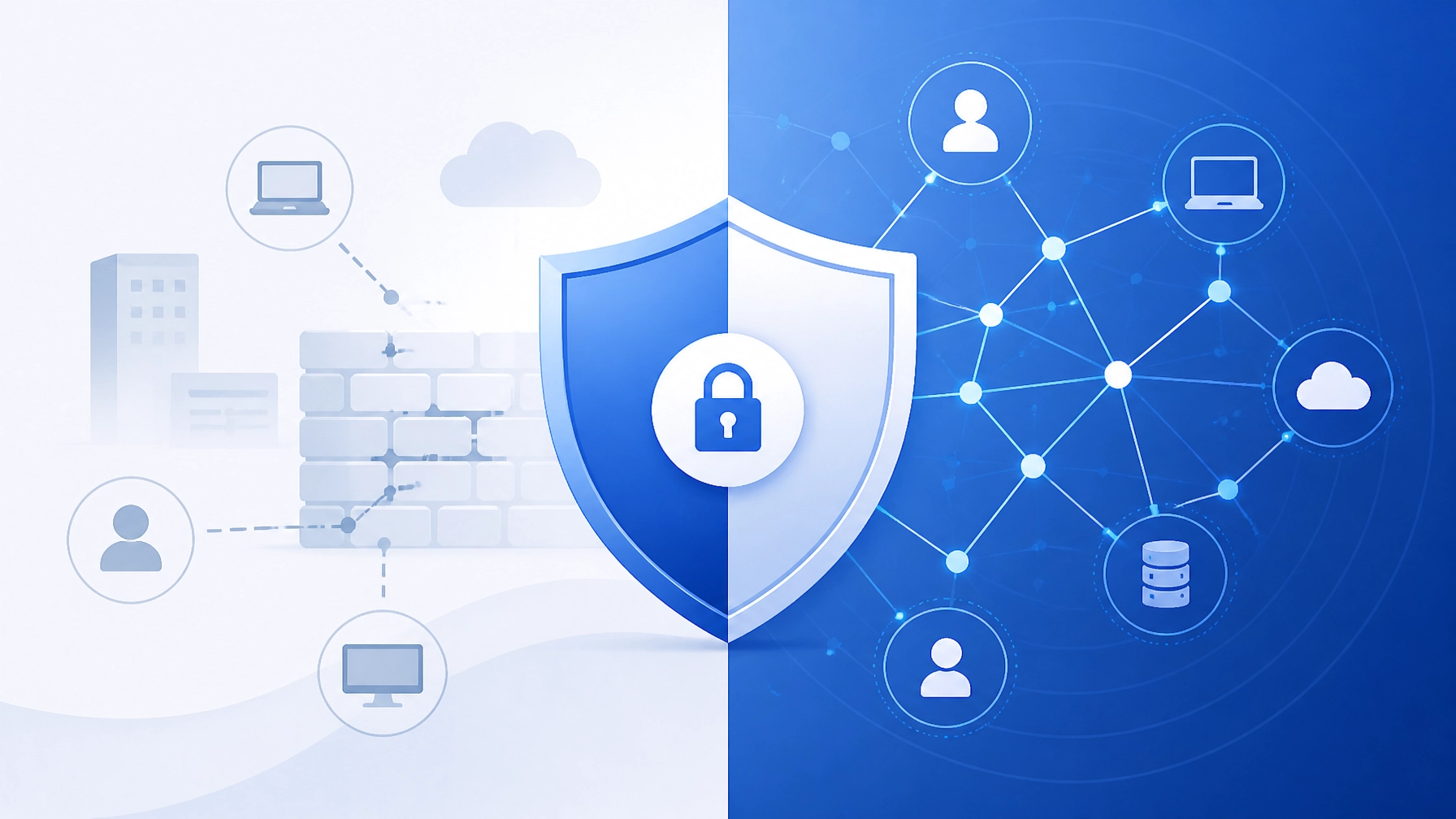
A flat design vector illustration comparing a traditional castle and moat to modern individual smart locks.

While this served us well for decades, it has a few weak spots in 2026. If an intruder manages to cross the moat, they can often move freely throughout the entire castle. They might access sensitive HR files, financial data, or customer records because the internal doors aren't locked.

Why the Old Walls are Cracking

Our businesses don't look like they used to. We use more cloud applications, and our staff often work from home, cafes, or on the move. When we rely on a traditional perimeter, we run into a few hurdles:

  • Remote work struggles: We shouldn't have to force our team to use slow, clunky VPNs just to stay safe.
  • The "One Key" problem: If a single password is stolen, the whole network can be at risk.
  • Modern threats: Today's digital risks are smarter and can often bypass traditional firewalls without being noticed.

We can't just keep building higher walls. We need a way to protect our work wherever it happens.

Illustration of a person working remotely with a secure blue shield icon floating above, connected to the cloud.

The Zero Trust Approach: "Never Trust, Always Verify"

Zero Trust is a different way of thinking. Instead of assuming everyone inside is safe, we treat every request for access as if it's coming from an unknown source. We don't trust anyone by default: not even the CEO.

Instead of one big moat, we put "smart locks" on every single door inside the business. Every time someone wants to open a file or use an app, we quickly verify three things:

  1. Who are they? (Identity)
  2. What device are they using? (Is the laptop healthy and updated?)
  3. Is this normal behavior? (Are they logging in from a new country at 3 AM?)

This happens in the background so it doesn't slow our team down. If a problem does occur, the damage is limited to just one small area. We call this "reducing the blast radius."

5 Reasons Zero Trust Helps Your SME Thrive

We know that SMEs need to be agile and cost-effective. Here is why we often recommend a Zero Trust mindset for the businesses we support:

1. Better Support for Hybrid Work

We can give our teams fast, direct access to the tools they need without relying on outdated VPNs. This makes remote work smoother and more reliable for everyone.

2. Smaller Risk of Big Breaches

Because we've locked the internal doors, an intruder can't easily jump from one system to another. This protects our most valuable assets, like customer data and financial records.

3. Simpler Compliance

Whether we’re dealing with GDPR or cyber insurance requirements, Zero Trust makes it easier to show that we have strong controls in place. We can see exactly who accessed what and when.

4. Smarter Use of Resources

We don't need to spend a fortune on massive enterprise hardware. Many Zero Trust tools are cloud-based, which means we only pay for what we use. It's a great way to get high-end security on an SME budget.

5. Peace of Mind

Knowing that our security is constantly checking for risks allows us to focus on growing our business. We aren't just crossing our fingers and hoping the firewall holds.

Vector illustration of a secure data center with a large glowing blue padlock symbol, representing data protection.

Making the Switch Without the Stress

We don't have to change everything overnight. In fact, we shouldn't. Moving toward Zero Trust is a journey, and we can take small, manageable steps:

  • Start with Identity: We can set up Multi-Factor Authentication (MFA) for our most important apps. This is one of the most effective ways to stop unauthorized access.
  • Update Our Hardware: Ensuring our laptops and servers are properly patched and monitored is a vital first step. Our Hardware Installation and Support team can help ensure your physical infrastructure is ready for modern security.
  • Control Access: We should only give people access to the files they actually need for their jobs. This is known as "least privilege."
  • Monitor the Logs: We can keep an eye on our systems to spot unusual activity before it becomes a problem. Our Security Support services include vulnerability assessments and log analysis to keep things running smoothly.

How We Can Help

At Your IT Specialist, we provide impartial IT consulting that focuses on what's best for you, not what's most expensive. We aren't tied to any specific vendors, so we can help you find the right Zero Trust tools for your specific budget and goals.

If you’re curious about how your current setup compares to modern standards, we can perform a quick audit. We’ll look at your firewalls, antivirus, and patching schedules to see where we can make simple improvements together.

We can also help with remote support and outsourced project development to ensure your move to a more secure model is seamless and causes zero disruption to your daily work.

Modern flat design illustration of an IT consultant and a business owner looking at a digital tablet showing a secure network map.

Looking Ahead

Security isn't about building a wall and forgetting about it. It's about being prepared and staying flexible as our businesses grow. By moving toward a Zero Trust model, we’re not just fixing a problem: we're building a stronger foundation for the future.

If you’d like to chat about how these security models might work for your business, we’re always here to help. Let’s make sure your IT is working as hard as you are.

We’ve all seen how quickly AI has changed the way we work. In 2026, tools like chatbots, automated coders, and data analysts are as common as spreadsheets. They help us draft emails in seconds and solve complex problems before lunch. However, this speed comes with a hidden guest: Shadow AI.

Shadow AI happens when our team members use AI tools without the IT department knowing. It’s usually not done with bad intentions. Most of the time, people just want to be more efficient. But when we use unsanctioned tools, we might be accidentally sharing sensitive company data with the public web.

Recent studies show that 58% of UK business leaders are now worried about AI-powered attacks and data leaks. This isn't about being afraid of technology; it's about making sure we have the right guardrails in place. If we don't know where our data is going, we can't protect it.

What is the Real Risk of Shadow AI?

When we paste a customer list into a public AI to "clean the data," that information could become part of the AI's training set. This means our private company information could potentially pop up in someone else’s query. It's a massive security gap that traditional antivirus tools can't always catch.

We believe that technology should empower us, not put us at risk. To help us stay safe, we’ve put together seven clear signs that our business might need a refresh on IT governance and security support.

1. We Can’t Account for Every Tool in Use

Digital files leaking into an unauthorized AI cloud

If we asked for a list of every AI tool used by the team today, could we provide it? If the answer is "no," we’re likely dealing with Shadow AI. Governance starts with visibility. When software is adopted by individuals rather than the company, we lose track of where our data lives.

This often leads to a "cloud sprawl" where sensitive documents are scattered across dozens of different platforms. We can solve this by performing a simple audit of our environment to see which applications are actually being used.

2. Departments are Buying Their Own Software

We often see marketing or sales teams subscribing to AI tools using a company credit card without involving IT. While it's great that they’re being proactive, this creates silos. When departments act alone, they often skip the security checks that keep us compliant with UK data laws.

Instead of blocking these tools, we can work together to create an approved "software library." This gives our teams the power to innovate while keeping our security standards high.

3. Our Reports and Data Don’t Match Up

Have you noticed that two different departments might give us two different answers to the same question? This often happens when different AI tools are analyzing the same data using different rules.

Inconsistent data is a major sign that our governance is failing. Without a single source of truth, we can't make informed decisions. We can fix this by centralizing our data management and ensuring our AI tools are pulling from the same verified sources.

4. We’re Firefighting Instead of Planning

A digital roadmap leading to secure business growth

If our IT conversations always revolve around fixing broken things or reacting to the latest trend, we’re missing a roadmap. Governance isn't just about rules; it’s about a long-term plan.

When we lack a strategy, AI gets "bolted on" as a quick fix. This often creates more problems than it solves. We suggest moving toward a proactive IT consulting model where we plan our technology steps 12 to 24 months in advance.

5. Executives Feel Disconnected from IT Risks

It’s a common problem: the leadership team sees IT as a "cost center" rather than a strategic partner. If our board isn't sure how we’re handling AI risks, that’s a governance gap.

In the modern landscape, technology risk is business risk. We can bridge this gap by providing clear, jargon-free reports on our security posture. This helps everyone understand the value of our IT support services.

6. Security "Near-Misses" are Increasing

A digital shield protecting servers from AI threats

Maybe a team member almost shared a password with a chatbot, or an unrecognized login attempt was flagged. These near-misses are warning shots. With 58% of UK leaders expecting more AI-driven threats, we can't afford to ignore these signs.

Weak governance makes us an easier target. By strengthening our security support: including regular patching and vulnerability assessments: we can turn these near-misses into a robust defense.

7. Knowledge Lives in People’s Heads, Not Processes

What happens if our "AI expert" leaves the company tomorrow? If all the knowledge of how our tools work is stored in one person's head, we have a governance failure.

Critical knowledge should belong to the company, not just the individual. We can solve this by documenting our workflows and creating clear policies that anyone can follow. This ensures our business remains resilient, no matter who is on the team.

Moving Forward: Impartial Advice for AI Success

A professional team working on IT governance and support

At Your IT Specialist, we don't believe in pushing the most expensive software just because it’s new. We focus on finding the best fit for your specific business needs. Our goal is to build a long-term relationship based on honest, provider-agnostic advice.

If we've noticed these signs in our business, we don't need to panic. These are common challenges in a fast-moving world. The first step is simply acknowledging that we need a better structure for our technology.

How We Can Support Us:

  • Audit and Assessment: We can help identify where Shadow AI is hiding in our network.
  • Policy Creation: We can draft simple, clear AI policies that protect our data without slowing down our staff.
  • Managed Security: From firewalls to antivirus, we ensure that every tool our team uses is backed by professional protection.
  • IT Consulting: We’ll help create that long-term roadmap so we’re always looking ahead, not just reacting to problems.

We’re here to help keep our business running smoothly, whether it’s through out-of-hours support or remote server management. Let's make sure our AI journey is a secure one.

If you'd like an impartial chat about your IT governance or security, feel free to reach out to us at youritspecialist.co.uk. We’re ready to help we build a safer, smarter digital future.

Staying safe online can feel like a moving target. As technology moves forward, the rules we follow to protect our businesses have to keep up. The latest update to the UK’s primary security standard, Cyber Essentials v3.3 (also known as the "Danzell" update), is now in force for 2026.

We know that keeping up with certifications can sometimes feel like a chore. However, these updates are helpful because they address the real-world risks we face today, particularly with the rise of Artificial Intelligence (AI).

At Your IT Specialist, we believe security doesn't have to be complicated. We're here to help you understand what's changed and how we can adapt your IT support to meet these new standards. Here are the five most significant changes you need to know about.


1. AI Tools are Now Formally "In Scope"

For a long time, tools like ChatGPT or Microsoft Copilot were seen as optional extras. Many of us used them for drafting emails or summarizing meetings without thinking much about the security side. Under the new v3.3 rules, this has changed.

Any AI service that stores or processes your business data is now officially classed as a "cloud service." This means we can't leave them out of your security assessment anymore. If your team uses AI for work, that tool is now part of your protected digital perimeter.

Why this matters

If an AI tool is "in scope," it must meet the same security standards as your email or your file storage. This includes having strong passwords and proper access controls.

How we can move forward

Instead of worrying about which tools are safe, we can help you create a "Sanctioned AI List." We'll look at the tools your team loves and ensure they're configured securely. If a tool doesn't meet the requirements, we can suggest safer alternatives that keep your data private while still giving you all the benefits of AI.

AI governance and cloud security minimalist illustration


2. The Zero-Tolerance Rule for Multi-Factor Authentication (MFA)

We've talked about MFA many times before. It's the extra step where you confirm your login on your phone or with a physical key. In previous versions of Cyber Essentials, there were some small exceptions for where MFA was required. Those exceptions are now gone.

Under v3.3, if a cloud service offers MFA, you must use it. If we leave it turned off for even one account, the business will automatically fail the assessment. This applies to every user account that accesses your data: from the CEO to the newest intern.

Our shared solution

We understand that typing in codes all day can be a bit frustrating. To help, we can implement "Single Sign-On" (SSO). This lets you log in once securely and then access all your tools, including your AI and cloud apps, without needing a new code every five minutes. It’s a great way to stay secure without slowing down your day.

Multi-factor authentication and identity protection illustration


3. The 14-Day Patching Window is Now Essential

Security "patching" is just a fancy way of saying "software updates." When a software company finds a hole in their security, they release a patch to fix it. Hackers know about these holes too, so the race is on to fix them before they're exploited.

The v3.3 update is very clear: any "Critical" or "High" severity updates must be installed within 14 days. If we miss this window, it's considered a significant security risk.

Making it easy

We don't expect you to keep track of every update for every piece of software you own. That's what we're here for. We use automated tools to monitor your systems. When a critical update is released, we can often apply it in the background or during our out-of-hours support sessions. This means your team isn't interrupted by "Update and Restart" messages during important meetings.

14-day security patching and vulnerability management icon


4. Embracing Passkeys and Modern Identity

As part of the v3.3 update, the UK government is encouraging us to move away from traditional passwords where possible. They're now explicitly recommending "Passkeys" and FIDO2 hardware keys.

These are much harder for hackers to steal than a standard password. A passkey uses your thumbprint, face, or a physical USB token to prove who you are. It’s faster for you and much safer for the business.

How we help you switch

Transitioning to a passwordless world can feel like a big jump. We can start by setting up these modern keys for your most important accounts, like your administrative logins or your financial software. We'll guide your team through the setup so it feels like a helpful upgrade rather than a technical hurdle.


5. Better Mapping of Your IT Assets

To protect your business, we need to know exactly what we're protecting. The new rules require a more detailed "Asset Inventory." This is a list of every laptop, server, and cloud service your business uses.

The v3.3 update asks us to be more rigorous about why we might exclude certain items from our security checks. For example, if you have a separate network for guests in your office, we now have to prove exactly how it's kept separate from your main business data.

A clear view of your business

We can perform a full vulnerability assessment to map out your entire network. This doesn't just help with certification; it helps us find ways to make your IT run more smoothly. By knowing exactly what hardware you have, we can better plan for upgrades and avoid unexpected breakdowns.

IT asset inventory and cloud services mapping illustration


How Your IT Specialist Supports Your Certification

We know that certifications like Cyber Essentials can feel like a lot of paperwork. Our goal is to take that weight off your shoulders. We offer a range of security support services designed specifically to meet these 2026 standards:

  • Firewall & Antivirus Management: We ensure your first lines of defence are always active and correctly configured.
  • Automated Patching: We handle the 14-day update rule so you don't have to.
  • Vulnerability Assessments: We scan your systems to find and fix weak spots before they become problems.
  • Impartial Consulting: We give you honest advice on which AI tools and security software are best for your specific needs, without pushing expensive brand names.

Looking Ahead Together

Cyber Essentials v3.3 isn't just about passing a test; it's about making sure your business is resilient in a world where AI and cloud tools are everywhere. We can't stop the threats from evolving, but we can definitely make sure we're prepared for them.

If you're worried about your next assessment or just want to make sure your AI tools are set up correctly, let's have a chat. We're here to provide the IT consulting and support you need to keep your business running smoothly and securely.

Why not start with a quick review of your current MFA settings? It’s a small step that makes a massive difference. We’re ready to help whenever you are.

We've relied on copper phone lines for decades. They've carried our voices, our data, and our emergency signals since the very beginning of the modern office. But that era is ending. By January 31, 2027, the traditional Public Switched Telephone Network (PSTN) will be switched off for good.

If we're still using analogue lines or ISDN, we'll find our services simply stop working. This isn't just about our desk phones. It affects everything that "dials out" from our buildings. From the lifts in our hallways to the alarms on our walls, we need to prepare for a digital-first world.

At Your IT Specialist, we're helping businesses navigate this transition. We can't stop the switch-off, but we can make the move to fibre smooth and stress-free.

What Exactly is the "Big Switch-Off"?

Openreach is retiring the old copper network. It’s reached the end of its life and can't keep up with the demands of a digital economy. After January 2027, the UK will move entirely to an "all-IP" (Internet Protocol) network.

This means every service that currently plugs into a traditional BT phone socket needs a new home. If we haven't moved our services to fibre or cellular connections by then, we'll lose connectivity. It sounds daunting, but it’s actually a great chance to upgrade our fibre optic services and get faster, more reliable connections.

Icons of a VoIP phone, alarm panel, lift button, and card terminal in a professional blue and white style.

It’s More Than Just Phone Calls

Many of us think the switch-off only impacts our office landlines. While phones are a big part of it, the copper network handles many "hidden" services we might take for granted.

1. Fire and Burglar Alarms

Most older alarm systems use a PSTN line to "call home" if there’s a break-in or a fire. When the copper line dies, the alarm won't be able to alert the monitoring centre. This can actually void our business insurance. We can fix this by moving to IP or dual-path cellular signalling.

2. Lift Emergency Phones

If we have a lift in our building, it likely has an emergency "push-to-talk" button. These almost always run on analogue lines. In an emergency, we need that line to work. We can replace these with GSM (mobile) units or VoIP systems that have battery backups.

3. Payment Terminals (EPOS)

Do we still have card machines that plug into a phone line? These will stop processing payments the moment the line goes dead. Moving to Wi-Fi or Ethernet-based terminals is a quick and helpful solution.

4. CCTV and Door Intercoms

Older security cameras and gate entry systems often use dial-up connections for remote access. We'll need to move these to a modern digital network to keep our sites secure.

Why We Should Act Now

Waiting until late 2026 might seem tempting, but we'll likely run into long wait times for engineers. As the deadline nears, everyone will be rushing to migrate at once.

There’s also a safety risk. If our lift emergency line or fire alarm fails because we missed a deadline, we could face serious compliance issues. By starting today, we can test our new systems and ensure they work perfectly before the old ones vanish. We offer telecom support that focuses on getting these critical systems moved without the headache.

A secure shield icon with a network connection, symbolizing reliability for digital safety systems.

Finding the Right Solutions

The good news is that the alternatives are often better and cheaper than the old copper lines.

Moving to VoIP

Voice over Internet Protocol (VoIP) lets us make calls over our internet connection. It’s flexible, and we can take our office numbers with us on our laptops or mobiles. We don't have to be tied to a desk anymore.

SOGEA and Full Fibre

We can't have VoIP without a solid internet connection. SOGEA (Single Order Generic Ethernet Access) allows us to have broadband without needing a traditional phone line. If full fibre (FTTP) is available in our area, that’s even better for long-term speed and stability.

Cellular Backup

For critical things like alarms and lifts, we often suggest a cellular (SIM-based) backup. If the power or the internet goes down, the system can still send an emergency signal using the mobile network. It's a simple way to keep our peace of mind.

Our Practical Migration Checklist

We’ve put together a simple list to help us stay on track. We don't need to do it all in one day, but starting the audit now is a smart move.

  1. Audit the Lines: Walk through the building and find every single phone socket. What’s plugged into it? Don't forget the hidden ones in cupboards or lift shafts.
  2. Check the Bills: Look for terms like "PSTN," "ISDN," or "Analogue Line" on our monthly statements.
  3. Talk to Suppliers: Call our alarm company, lift maintenance team, and card payment provider. Ask them: "Will this work after the 2027 copper switch-off?"
  4. Review the Internet: Check if we're still on ADSL or older copper broadband. We'll want to move to Ethernet or fibre services soon.
  5. Plan the Cutover: Schedule the move. We can handle project management for the whole rollout to make sure nothing gets missed.

A digital checklist with blue checkmarks and a clock showing forward movement.

How We Can Support the Transition

At Your IT Specialist, we know that technical changes can feel overwhelming. We don't push the most expensive gadgets; we look for the most honest, long-term solutions for our clients.

We provide impartial advice. Whether we need a full IT support overhaul or just help moving a few phone lines, we're here to guide the process. We can even work out of hours to install new hardware, so our staff don't face any downtime during the working day.

The copper network served us well, but its time is up. By moving to fibre and digital services now, we’re setting our businesses up for a more reliable future.

A professional vector illustration representing a long-term partnership with a handshake metaphor.

Ready to Make the Move?

We can't change the 2027 deadline, but we can change how we respond to it. If we start planning today, we'll avoid the last-minute stress and keep our businesses running smoothly.

If we're not sure where to start, we're happy to help. We can look at our current setup and find a path forward that makes sense for our budget and our goals. Let's make sure our phones, alarms, and lifts are ready for the future.

For more information or a friendly chat about our migration options, feel free to explore our services or get in touch with our team.

The landscape of UK connectivity is changing fast. For many years, we've relied on older copper lines to keep our businesses running. But as we move through 2026, the transition to full-fibre broadband is reaching its most critical milestone yet. Openreach is currently on track to reach 25 million premises by the end of this year.

This isn't just a win for home streaming; it's a fundamental shift in how we handle network infrastructure in the workplace. Whether we're running a small office or a large industrial site, the availability of Fibre to the Premises (FTTP) changes the conversation around what’s possible for our digital operations.

The 2026 Openreach Milestone: Where We Stand

As of early 2026, Openreach has already passed roughly 23 million premises. They're adding around one million new connections every three months. This rapid pace means that by December 2026, the 25 million target will likely be met.

For many of us, this means the wait for reliable, high-speed internet is finally coming to an end. However, coverage isn't perfectly uniform. While urban areas were the first to benefit, Openreach is now working hard on about 6.2 million rural or semi-rural premises. We might find that even if we've felt "left behind" in the past, the rollout is likely reaching our area very soon.

When we look at the big picture, this 25 million target represents more than 80% of the UK. It’s a massive project that ensures we have the backbone needed for modern telecom support and cloud-based services.

Why CityFibre is a Key Player for Business

While Openreach holds the largest share of the market, they aren't the only ones building. Competition is always good for us because it drives innovation and keeps pricing fair. CityFibre has made significant strides, now reaching 4.5 million business premises across the UK.

CityFibre often focuses on dense urban areas and business parks. They've built their network from the ground up using modern standards. For many businesses, CityFibre offers a compelling alternative to Openreach, especially when we need symmetrical speeds (where upload and download speeds are the same). This is incredibly helpful when we're sending large files or hosting video conferences with dozens of participants.

At Your IT Specialist, we believe in giving impartial advice. We don't push one provider over the other; we simply look at what’s available at your specific location and find the best fit for your budget and performance needs.

Understanding XGS-PON: The Next Speed Evolution

A modern vector illustration showing a close-up of a sleek, professional network router in a clean server room. Light-blue glowing lines represent high-speed data flow (XGS-PON technology).

You might have heard the term "XGS-PON" mentioned in recent tech updates. It sounds like jargon, but we can think of it as the "Turbo" mode for fibre optics.

Standard fibre (GPON) is great, but it has limits on how much data it can carry at once. XGS-PON is a newer technology that allows for speeds up to 10Gbps. Openreach is currently rolling this out in major trials, such as in Guildford, where they're testing speeds up to 8.5Gbps.

The main benefits we'll see from XGS-PON include:

  • Massive Bandwidth: We can support hundreds of users on a single connection without slowdowns.
  • Low Latency: This is vital for real-time applications like VOIP and remote desktop tools.
  • Future-Proofing: We won't need to replace our fibre optic services cables for a very long time, as the tech can handle much more than we currently use.

Most new builds from providers like CityFibre already use XGS-PON as standard. If we're looking to upgrade our connectivity this year, it’s worth checking if our chosen provider is using this technology.

The Shift Away from Copper

We can't ignore the fact that the old copper network is reaching the end of its life. Openreach is actively "switching off" copper services in areas where full-fibre is available. This means that eventually, we won't have a choice but to move to a digital-only service.

This transition can feel a bit daunting, especially if we have old phone systems or alarm lines that rely on those traditional copper wires. However, we can view this as an opportunity to simplify our setup. Moving to a modern VOIP or SIP trunk system usually saves us money and gives us more features, like the ability to take office calls on our mobiles or laptops.

If we're worried about the switch-off, the best thing we can do is start a conversation now. We can audit our current lines and see which ones can be migrated to fibre-based alternatives before the deadline hits.

Preparing Our Internal Network Infrastructure

A clean flat design illustration of two professional engineers working together to install networking equipment in a modern office. The scene is bright and friendly.

Getting a super-fast fibre line to the building is only half the battle. If our internal network infrastructure isn't up to the task, we won't see the full benefits of that 1Gbps or 10Gbps connection.

We often see businesses upgrade their internet but keep their old Wi-Fi routers or 10-year-old switches. This creates a "bottleneck" where the fast internet gets stuck in slow hardware. To truly take advantage of the 2026 full-fibre rollout, we should consider a few things:

  1. Cable Quality: Are our internal office cables (Cat5e, Cat6) capable of handling high speeds? If we're still using very old cabling, we might need a refresh.
  2. Switching: Do our network switches support Gigabit or 10-Gigabit speeds?
  3. Wi-Fi 6/7: Modern wireless standards are designed to handle the high throughput that full-fibre provides. If our Wi-Fi is patchy, a new access point could make all the difference.

We can help with hardware installation and support to ensure that the speed we pay for actually reaches our desks. We can't always control what's happening in the street, but we can certainly make sure our office environment is ready.

Why Impartial Advice Matters

Choosing a connectivity provider in 2026 is more complex than it used to be. There are hundreds of "alt-nets" alongside Openreach and CityFibre. Some offer incredible prices but might not have the best customer support. Others are very reliable but might not be available at our specific postcode.
We don't work for the ISPs. We work for you. Our role is to look at the available options and give you a clear, honest recommendation. We focus on finding the best value, not the most expensive solution. Sometimes, a standard FTTP line is plenty; other times, a dedicated leased line with a Service Level Agreement (SLA) is the safer bet for a growing business.

We also consider the "long-term" relationship. We want our clients to have a connection that works every day without fail. If something does go wrong, our remote support team is here to help diagnose whether the issue is with the provider or our internal hardware.

Maximising the Impact of High-Speed Connectivity

A conceptual vector illustration of a futuristic, high-speed data icon moving along a blue fiber optic path. Surrounding it are small icons for cloud, video conferencing, and security.

Once we have a 2026-grade fibre connection, what should we do with it? Increased speed isn't just about faster downloads; it's about enabling better ways of working.

  • Seamless Cloud Backups: We can run real-time backups of our entire server environment without slowing down the office. This is a massive win for data security.
  • Virtualisation: With high-speed links, we can host more of our services in the cloud, reducing the amount of hardware we need to manage on-site.
  • Hybrid Working: A fast office connection ensures that those working from home can access internal files and systems as if they were sitting in the room with us.

If we're currently struggling with slow speeds, we can't wait to see the difference a full-fibre connection makes. It removes the "friction" from our daily tasks and lets our team focus on their work rather than waiting for pages to load.

Looking Forward: Beyond 25 Million

Openreach isn't stopping at 25 million. Their long-term goal is to reach 30 million premises by 2030. This means that even if we're in the most remote parts of the UK, help is on the way.

In the meantime, we can take proactive steps. We can check our current contract end dates and look at the rollout maps for our area. If we find that full-fibre isn't available just yet, there are often interim solutions like 5G routers or bonded connections that can bridge the gap.

We're here to help navigate these choices. If we're feeling overwhelmed by the technical options or the different providers, let's have a chat. We can look at your current setup and build a plan that gets you ready for the 2026 fibre revolution.

Our goal is always to keep things simple and service-oriented. We'll handle the technical details so we can all get back to running our businesses with confidence.


Setting up a new office or upgrading an existing workspace is an exciting milestone for any business. However, when we start looking at the hardware required, things can quickly feel a bit complicated. We often find ourselves balancing different brands for our servers, networking gear, and desktop environments.

While it's tempting to stick to a single manufacturer, the reality of modern business often requires a "best-of-breed" approach. We might want the reliability of one brand’s servers but the specific features of another’s firewalls. Managing this mix doesn't have to be a headache if we approach it with a clear plan.

At Your IT Specialist, we believe in being provider-agnostic. This means we don't push one specific brand; we focus on finding the right fit for our shared goals. Here is how we can plan a multi-vendor hardware installation that actually works.

1. Focus on Needs, Not Names

The first step in any successful IT consulting phase is defining what we actually need the technology to do. It’s easy to get caught up in brand loyalty, but that can sometimes lead us to spend more than necessary.

We should start by listing our core business goals:

  • What's our required uptime?
  • How many staff members need high-speed desktop environments?
  • What kind of data growth do we expect in the next three years?

By focusing on these requirements first, we can identify the best hardware for each specific task. This approach helps us avoid the common mistake of "over-speccing" just to stay within a single brand's ecosystem. If we're unsure which route to take, looking for honest IT support can help us navigate these choices without the pressure of a sales pitch.

Minimalist flat design of an IT consultant and business owner reviewing a digital network blueprint

2. Treat Cabling as the Foundation

We can have the fastest servers and the smartest switches, but if the physical cabling isn't up to scratch, we'll see performance drops. In a multi-vendor environment, cabling is the "common language" that lets everything talk to each other.

When we're planning our network infrastructure, we need to ensure the cabling installation is handled with precision. This includes:

  • Choosing the right category: Whether it's Cat6a for high-speed copper or OM4 for fibre-optic backbones, we need to match the cable to the hardware's capabilities.
  • Clear Labeling: We've all seen the "spaghetti" of cables behind a server rack. By labeling both ends of every cable, we save hours of troubleshooting later.
  • Cabling Diagnostics: Before we plug in any expensive hardware, we should run diagnostics to ensure every line is terminated correctly and performing at its rated speed.

Getting the foundation right means we don't have to worry about intermittent connection issues that are notoriously hard to track down across different hardware brands.

Vector illustration of organized network cabling and diagnostic tools in a professional blue and white style

3. Master the Logistics and Site Prep

A multi-vendor setup means multiple delivery dates and different installation requirements. We can't always expect everything to arrive at the same time, so coordination is key.

We find it helpful to create a central "staging area." Instead of shipping hardware directly to the final server room, we can gather everything in one spot to check for shipping damage and verify we have all the right rack-mount kits.

Site preparation is equally important. We should check:

  • Power capacity: Do we have enough sockets and UPS (Uninterruptible Power Supply) capacity for all the new gear?
  • Cooling: Different vendors have different heat outputs. We need to ensure the room's air conditioning can handle the combined load.
  • Physical space: It’s worth measuring twice to ensure our server racks have enough depth for the specific server models we’ve chosen.

4. Standardise the Installation Process

Even when we're using different brands, we can still use a standardised approach for the actual installation. This makes the environment much easier to manage in the long run.

For example, we can set universal standards for:

  • IP Addressing: Using a consistent VLAN structure across all switches, regardless of whether they're from Brand A or Brand B.
  • Naming Conventions: Naming our devices based on their function and location rather than their manufacturer.
  • Management Access: Ensuring we have a unified way to log into and monitor all our hardware.

If we encounter a compatibility issue, we shouldn't worry. Most modern hardware supports open standards like SNMP and LLDP, which allow different devices to see and talk to each other. It’s simply a matter of enabling these features during the initial setup. Avoiding common IT mistakes at this stage ensures a smoother rollout.

Flat design illustration of interconnected server, desktop, and router icons representing a successful installation

5. Test, Document, and Maintain

The final step is perhaps the most important. Once everything is racked and powered on, we need to verify that it all works together as a single, cohesive system.

We should perform "failover testing" to see what happens if one piece of hardware goes offline. Does the rest of the network adapt as expected? This is also the time to finalise our "as-built" documentation. We need a clear map of what is plugged into where, which firmware versions we're running, and who to call for warranty support for each brand.

At Your IT Specialist, we offer Out of Hours Support for these exact scenarios. We can handle the heavy lifting of installations and upgrades during evenings or weekends, so we're not disrupting your team's workday.

Moving Forward with Confidence

Planning a multi-vendor hardware installation might seem like a large task, but with a structured approach, it's a great way to build a robust and cost-effective IT environment. By focusing on our actual needs and getting the foundation right, we can create a system that grows with us.

If you're feeling overwhelmed by the choices or the technical details, we're here to help. We can provide the impartial advice and technical hands-on support needed to get your new office up and running smoothly. Why not reach out for a chat about your next project? We'd love to help you find the best solution for the long term.

Many of us have moved to a remote or hybrid way of working. It’s a wonderful shift that offers flexibility and opens up a world of talent. We can manage most of our day-to-day tasks from any corner of the globe using cloud tools and video calls. However, as much as we love the digital world, our businesses still rely on physical things.

We still use servers, routers, and miles of cabling to keep our data moving. Sometimes, these physical parts of our business need a bit of hands-on attention. We can’t always fix a loose cable or a blinking red light from a home office. This is where "Smart Hands" support comes in to help us bridge the gap between our remote teams and our physical equipment.

What do we mean by "Smart Hands"?

When we talk about Smart Hands, we aren't just talking about someone turning a machine off and on again. It’s a specialized service where trained technicians act as our local eyes and ears. These experts visit our data centers, offices, or remote sites to handle the physical work that we can’t do through a screen.

Whether we need to install a new piece of hardware or figure out why a network has gone quiet, Smart Hands provides the physical presence we need to keep things running smoothly.

Setting up for success with hardware installation

When we grow our business, we often need to add new equipment. Ordering a new server or router is the easy part, but getting it into the rack and connected properly can be tricky. We don’t want to leave these important tasks to chance.

Professional hardware installation ensures that everything is placed, powered, and patched correctly from day one. We find that when we take the time to set things up right at the start, we face fewer "mysterious" problems down the line. Our teams can focus on configuring the software while local experts handle the heavy lifting and physical mounting.

Minimalist vector illustration of a technician and a remote worker collaborating

The backbone of our business: Cabling and connectivity

We often forget about the cables behind the walls until something stops working. Whether we're using fibre optic services for high-speed data or ethernet copper services for our local desk connections, the quality of our cabling matters.

Messy or poor-quality cabling can lead to slow speeds or intermittent drops in connection. We’ve found that having a Smart Hands team organize and test our network infrastructure makes a huge difference. They can run diagnostics to find a broken wire or a faulty port in minutes: tasks that might take us hours to guess at from a remote location.

Minimalist vector illustration of organized network cabling in a server rack

Reliable support across the UK

One of the challenges of being a remote-first company is having sites in different cities. We might have a small office in London, a data hub in Manchester, and staff scattered in between. It isn't practical or cost-effective for us to send our main IT team on a train or plane every time a router needs a physical check.

By using a service with wide coverage, we can get help quickly without the high travel costs. Having support hubs across the UK means we can have a technician on-site often on the same day. This rapid response helps us keep our downtime to a minimum and keeps our team's frustration levels low.

Flat design vector illustration showing a UK map with blue glowing dots representing IT support hubs

Diagnostics: Seeing what we can't see

When a network goes down, we usually start by checking our dashboards. But what happens when the dashboard says the device is simply "offline"? We can't see if a power supply has failed, if a cable has been pulled out by mistake, or if there's smoke coming from a machine.

Smart Hands technicians can perform on-site diagnostics that we just can’t do remotely. They can:

  • Check status lights on equipment.
  • Reseat cables and cards.
  • Plug in a "crash cart" to see what's happening on a local console.
  • Replace faulty parts immediately from on-site spares.

This local insight helps us find the root cause of a problem much faster. Instead of guessing, we get facts.

Balancing the costs of support

We all want to be efficient with our budgets. Keeping a full-time IT person at every single one of our locations is rarely a good use of resources, especially if they only have physical work to do once or twice a month.

On the other hand, ignoring physical maintenance can lead to expensive emergencies later. We've found that a flexible, "as-needed" Smart Hands model is often the best balance. We get the high-level expertise when we need it, without the overhead of a permanent on-site team. It allows our internal IT staff to stay focused on high-value projects like security and software development.

Making the transition to hybrid support

Moving to a hybrid support model is a positive step for any growing remote-first business. We don't have to choose between being 100% remote or 100% on-site. We can have the best of both worlds.

We can maintain our remote freedom while knowing that if a physical problem arises, we have a trusted partner ready to step in. It gives us peace of mind and ensures that our infrastructure is as resilient as our team.

If we're looking to strengthen our physical presence without changing how we work, we might consider exploring whitelabel IT contract services or dedicated telecom support. These services are designed to fit into our existing workflows and act as a seamless extension of our own team.

Looking forward with confidence

Technology will continue to evolve, and our ways of working will likely keep changing too. But as long as we use physical hardware, we'll need a way to look after it. By embracing a Smart Hands approach, we make our businesses more robust and our remote teams more effective.

We can't always prevent physical issues from happening, but we can certainly choose how we respond to them. Let's make sure we have the right hands in the right places when it matters most.


Growing an Managed Service Provider (MSP) is an exciting journey, but it often brings us to a difficult crossroad. We want to take on every new client that comes our way, yet we also need to keep our current service standards high. Sometimes, our internal resources just can't stretch any further.

When we hit this "capacity wall," it's easy to think that hiring more full-time staff is the only answer. However, adding headcount brings significant overhead, training time, and long-term risk. There's a more flexible way to bridge this gap. Whitelabel IT support allows us to scale our operations seamlessly while keeping our own brand at the forefront.

Here are five clear signs that it might be time for us to consider a whitelabel partnership.

1. We're turning away new business or delaying projects

It's a bittersweet feeling when a potential client reaches out, but we realize our current team is already at full throttle. We might find ourselves pushing back start dates or, worse, declining the opportunity altogether.

When we turn away business, we aren't just losing immediate revenue; we're also missing out on long-term relationships and growth. If we find that our project queue is several months long, it's a sign that our delivery engine needs more fuel.

The Solution:
Instead of saying "no" to growth, we can use outsourced project development to handle the heavy lifting. By bringing in a whitelabel partner to manage specific installations or rollouts, we can keep our internal team focused on client strategy while the work gets done behind the scenes.

A minimalist vector illustration showing a business growth chart with an upward trend and icons for 24/7 support.

2. Our senior engineers are stuck on basic tickets

We've all been there. Our most talented senior engineers, the ones who should be designing complex network architectures or managing high-level security, are spending their afternoons resetting passwords or troubleshooting printer drivers.

This happens because there isn't enough "lower tier" support to catch the overflow. When our experts are bogged down by routine tasks, our most valuable resources are being underutilized. This often leads to burnout and a lack of progress on the high-value work that actually moves our business forward.

The Solution:
We can offload those routine helpdesk tickets to a whitelabel support team. This lets our senior staff focus on the specialized work they enjoy most. It ensures that every ticket gets the right level of attention without draining our top talent.

3. Clients are asking for 24/7 coverage we can't provide

The modern business world doesn't stop at 5:00 PM. Many of our clients now expect support during evenings, weekends, and holidays. Providing true 24/7 coverage in-house is incredibly expensive. We have to consider shift rotations, overnight pay, and the challenge of managing a team that works while we're asleep.

If we're only offering "best effort" support after hours, we might be leaving our clients vulnerable. This can lead to frustration when an emergency happens at 2:00 AM and there's no one available to help.

The Solution:
Whitelabel out of hours support services can provide a safety net. We can offer our clients round-the-clock peace of mind without having to staff an overnight shift ourselves. It’s a great way to improve our service level agreements (SLAs) immediately.

A minimalist vector illustration of a team with a globe, representing global reach and out-of-hours support.

4. We're missing specialized skills for certain requests

Technology moves fast, and it’s hard for any small or medium team to be experts in everything. One day a client might need deep Linux server expertise, and the next they might ask for complex fibre optic services.

If we find ourselves saying "we don't really do that" more often than we'd like, we might be losing our "trusted advisor" status. We want to be the one-stop shop for our clients, but we can't always afford to hire a specialist for every niche technology.

The Solution:
A whitelabel partner usually brings a broad bench of specialists. Whether it’s Linux, virtualization, or advanced networking, we can tap into that expertise on demand. We get to deliver high-end solutions under our brand, and our clients get the expertise they need.

A flat design illustration of diverse IT hardware and software icons connected by clean lines.

5. Profit margins are shrinking due to high payroll costs

Hiring a new full-time engineer is a massive commitment. Between salaries, taxes, insurance, and benefits, the "true cost" of an employee is often much higher than their base pay. If our client growth is uneven, we might find ourselves with high fixed costs during quiet periods, which eats into our profitability.

Payroll is often the largest expense for an MSP. When we're stuck in a cycle of hiring to meet a temporary surge in demand, we risk becoming top-heavy and financially fragile.

The Solution:
Moving to a flexible model, like hourly or block-time whitelabel support, helps us turn fixed costs into variable ones. We only pay for the support we actually use. This protects our margins and allows us to scale up or down as our client list changes.

How Your IT Specialist Supports Your Growth

At Your IT Specialist, we understand the unique pressures of running an MSP. We don’t want to replace your team; we want to be the "extra hands" that help you succeed. We offer whitelabel IT services that sit quietly behind your brand, so your clients always feel like they’re dealing directly with you.

We provide a few different ways to access our technical team:

  • Hourly Support: Perfect for one-off tasks or unexpected spikes in ticket volume. You only pay for the time we spend helping your clients.
  • Block-Time: You can pre-purchase a set number of hours at a discounted rate. This is ideal for ongoing maintenance or recurring tasks.
  • Fixed-Time / Project Based: For larger rollouts or infrastructure upgrades, we can provide a fixed quote. This gives you price certainty and allows you to bake the cost directly into your client project fees.

Our approach is always provider-agnostic. We aren't here to push specific brands or expensive hardware. We focus on finding the most cost-effective and reliable solutions for the long term. Whether it's remote support for Linux and Windows or on-site hardware installation, we've got your back.

A clean vector illustration of a puzzle piece being placed into a larger gear system.

Moving Forward Together

Scaling an MSP doesn't have to be a choice between "burnout" and "hiring risks." By using whitelabel resources, we can say "yes" to new opportunities, offer 24/7 support, and keep our best people focused on high-level strategy.

If you're starting to feel the strain of growth, why not look at your current ticket backlog? See if there are tasks that a partner could handle for you. It might be the simplest way to get your time back and start growing your business with confidence.

We’re here to help you find the best path forward for your team and your clients.

The countdown has officially entered its final phase. As of today, July 18, 2026, we've exactly six months until the Public Switched Telephone Network (PSTN) and ISDN lines are permanently deactivated across the UK. On January 31, 2027, the traditional copper network that's powered business communication for decades will go silent.

While six months might feel like plenty of time, the reality on the ground is more urgent. There are still over 500,000 business lines in the UK relying on legacy technology. As we approach the deadline, engineering capacity is tightening, and the cost of doing nothing is rising sharply. Openreach has already implemented significant price increases throughout 2026: with another 40% jump scheduled for October: to encourage the final wave of migrations.

We don't want your business to face a sudden loss of service or spiralling costs. Transitioning to modern telecommunications and data services isn't just about avoiding a deadline; it's about upgrading to a more flexible, cost-effective way of working.

Here is our three-step plan to ensure your business stays connected.

Step 1: The Full Infrastructure Audit

Business IT Audit Checklist

Most business owners think the PSTN switch-off only affects their desk phones. Unfortunately, the copper network supports far more than just voice calls. If we only look at the handsets, we might miss critical services that keep our buildings safe and our operations running.

The first thing we need to do is identify every single service in our building that uses a traditional phone line. These lines are often hidden in cupboards or connected to devices we rarely interact with.

What to Look For

We should check for these common "hidden" PSTN dependencies:

  • Alarm Systems: Many older intruder and fire alarms use a PSTN line to dial out to monitoring centres.
  • Lift Emergency Lines: Regulations require lifts to have a working emergency communication line. These are frequently analogue.
  • Payment Terminals: Older PDQ/card machines often use a phone line to process transactions.
  • Fax Machines: While less common, some industries still rely on faxes that won't work on a digital line without an adapter.
  • Door Entry Systems: Apartment blocks or secure offices often use phone lines for intercoms.

We recommend checking your monthly bills for any "analogue line" or "PSTN" charges. If we find these, we need to act now. Since many of these services: like lifts and fire alarms: involve safety regulations, the migration can take longer than a standard phone line switch. We can help with ethernet and copper services diagnostics to ensure nothing is missed during this audit phase.

Step 2: Choosing the Right Digital Alternative

Hosted VoIP vs SIP Trunks Comparison

Once we know what needs to move, we have to decide which technology will replace it. There isn't a one-size-fits-all solution, and at Your IT Specialist, we take a provider-agnostic approach. We aren't here to push a specific brand; we're here to find the best fit for your specific workflow.

Generally, we'll choose between two main paths: Hosted VoIP or SIP Trunks.

Hosted VoIP (Cloud PBX)

This is often the best choice for small to medium businesses or those with remote workers. Instead of having a "brain" for your phone system in the office, the system lives in the cloud.

  • Pros: No expensive hardware to maintain, easy to add new users, and we can take our office extension anywhere using a mobile app.
  • Best for: Hybrid teams, businesses wanting to move away from hardware maintenance, and those with multiple sites.

SIP Trunks

If we've already invested heavily in a modern on-premise phone system (a PBX) that is "IP-ready," we can use SIP Trunks. This essentially replaces the old physical copper lines with a digital connection that runs over our internet.

  • Pros: We keep our existing handsets and system features, often resulting in lower immediate hardware costs.
  • Best for: Larger offices with functional, modern PBX systems that they aren't ready to replace yet.

We provide impartial telecom support to help weigh these options. We'll look at your current broadband speed and stability first, as your new phone system will only be as good as the internet connection carrying it.

Step 3: Execution, Porting, and Testing

Seamless Business Migration Illustration

The final step is the actual migration. This is where most businesses feel the most stress, particularly regarding "number porting": the process of moving your existing phone numbers to the new provider.

The Porting Process

We've seen that porting can take anywhere from 7 to 21 days depending on the complexity of the existing contract. If we leave this until December or January, we risk being caught in a massive backlog as thousands of other businesses scramble to meet the deadline.

We should aim to have our porting requests submitted by September 2026 at the latest. This gives us a buffer before the final October price hike and ensures we aren't fighting for engineering time during the winter holiday period.

Rigorous Testing

After the switch, we must test everything immediately. We don't just check if the phones ring; we check:

  • Outbound Caller ID: Is it showing the correct business name?
  • Emergency Services: Can we still reach 999 and does our location data show up correctly for the operators?
  • Hunt Groups: Are calls being routed to the right departments (Sales, Support, Accounts) correctly?
  • Non-Voice Services: Did the lift line and the alarm system successfully connect to their new IP converters?

If your internal team is already stretched thin, we offer outsourced project development and whitelabel IT contract services to handle the entire rollout for you. We can manage the vendors, oversee the hardware installation, and ensure a seamless transition without disrupting your staff’s workday.

Why We Can't Wait Until 2027

The January 2027 deadline is a "hard" cut-off. Unlike previous extensions, Openreach and the UK government have been clear that there will be no more delays. By waiting, we're essentially gambling with our business continuity.

Beyond the risk of losing service, the financial argument for moving now is undeniable. Openreach's staged price increases mean that staying on copper will cost significantly more every month between now and January. By migrating to a VoIP or SIP solution today, we can often reduce our monthly telecom spend immediately, while gaining features like video conferencing, call recording, and flexible working.

At Your IT Specialist, we focus on building long-term, honest relationships. We'll give you a straight answer on what you need and what you don't. We can even handle the installation during our Out of Hours Support windows to ensure zero downtime for your team.

The copper is being cut. Let’s make sure we're on the digital side of the line before it happens.


Ready to start your migration? Contact us today for an impartial audit of your current lines and a clear, fixed-price plan to move your business to the cloud.

The managed services market is moving fast. As we look at the landscape in 2026, the potential for growth is massive. Experts suggest the broader opportunity for integrated IT services is approaching a £99 billion valuation. Yet, many Managed Service Providers (MSPs) find themselves at a crossroads. We can see the demand for our services rising, but finding the people to deliver those services has never been harder.

We've all felt the pressure. The phone rings with new opportunities, but we hesitate because our current team is already at capacity. We want to grow, but the traditional route of hiring more staff is becoming a significant bottleneck.

The Recruitment Wall: Insights from 2026

The data tells a clear story. According to the Kaseya 2026 State of the MSP Report, the struggle to find talent is no longer a minor hurdle; it's an operational constraint. About 16% of MSPs now report significant difficulty in hiring skilled technicians. That's a sharp rise from just 9% the previous year.

Flat design bar chart showing the increase in hiring difficulty for MSPs from last year to 2026

When we look at specialized roles, the situation is even tighter. Nearly 39% of our peers are struggling to find cybersecurity professionals. We aren't just looking for bodies; we're looking for specific, high-level expertise that is in short supply globally.

The report also highlights that 83% of MSPs believe better tools and automation boost efficiency. While technology helps, it can't climb a ladder to fix a broken fibre optic connection or install a complex network switch.

Why Traditional Hiring Can't Keep Up

We've found that the "hire and hope" model is becoming increasingly risky. There are three main reasons why bringing on new full-time staff might not be the best first step for your growth strategy:

  1. The Time-to-Value Gap: It often takes 45 to 60 days to fill a technical role. Once hired, it can take another five to six months for that person to become fully productive and integrated into our workflows.
  2. The Cost of Training: The Kaseya report notes that challenges tied to training and upskilling staff have more than doubled. We aren't just paying a salary; we're investing heavily in constant education just to keep pace with new tech.
  3. The Profitability Squeeze: With labor and infrastructure costs rising, the share of MSPs that aren't yet profitable has doubled to 10%. We need a way to increase our capacity without a corresponding spike in fixed overheads.

Whitelabel Services: The Solution to Scale

Whitelabel IT services offer a constructive alternative. Instead of the long, expensive recruitment cycle, we can tap into existing, highly-skilled teams that act as an extension of our own brand.

At Your IT Specialist, we provide Whitelabel IT Contract Services that allow MSPs to scale instantly. Whether we need extra hands for a month-long project or ongoing support for a specific client, whitelabeling provides the flexibility we need.

Smart Hands and Physical Infrastructure

One of the biggest headaches for any MSP is physical site work. Sending a senior engineer across the country to fix a cabling issue or perform a hardware audit isn't a good use of their time.

Minimalist vector of a technician working on neat server room cabling, representing smart hands services

We can use "Smart Hands" services to handle:

  • Hardware Installation: Setting up server infrastructure and desktop environments.
  • Cabling Diagnostics: Identifying and fixing issues in copper or fibre networks.
  • WiFi Infrastructure: Site surveys and physical installation of access points.

By outsourcing these physical tasks, we keep our core team focused on high-level strategy and client relationships.

Diversifying Your Portfolio Without the Risk

In 2026, clients expect more. They want us to handle their telecommunications, their cloud security, and their custom software upgrades.

Trying to be an expert in everything is a recipe for burnout. However, by partnering with a whitelabel provider, we can offer a broader range of services:

  • Telecom Support: We can support PBX systems, VOIP installations, and SIP trunking without needing a dedicated telecom engineer on our payroll.
  • Security Support: We can provide firewall management, vulnerability assessments, and patch management as a seamless part of our offering.
  • Project Development: We can take on outsourced project development, such as web applications or business process automation, knowing we have the backend expertise to deliver.

Moving Forward Together

The recruitment challenge isn't going away. The global cybersecurity workforce gap alone is over 4 million roles. Instead of fighting for the same small pool of talent, we can choose a more collaborative path.

Minimalist vector of a bridge connecting two professional buildings, symbolizing a whitelabel partnership

Whitelabeling isn't about replacing our teams; it's about empowering them. It gives us the "breathing room" to focus on what we do best: building trust and delivering value to our clients.

If you're finding it difficult to keep up with demand or are struggling to find the right technical experts, we're here to help. We can look at your current service gaps and find a cost-effective, impartial way to fill them.

Let's focus on the opportunities ahead. By embracing a flexible, whitelabel model, we can turn the recruitment crisis into a growth engine for our businesses.

Style Switcher

Header Style
Pre Define Colors

Custom Colors
Layout